

With the new Telegram updates you can now suggest a profile photo to your contacts! See below how to do it!
Telegram is the perfect social networking platform for users who want to share photos, videos , and instant messages. This incredible app has recently undergone major upgrades, including design tools and text features that use zero storage space, while also allowing you to add profile photos of your contacts and suggest profile photo options. With so many benefits at your fingertips, it’s no wonder why Telegram continues to be one of the most popular messaging services on the market today!

How to suggest profile photos?
Telegram just made it easier than ever to help your contacts upgrade their profile photos! With just two taps, you can now suggest a photo that you think would be the perfect addition to your friend's Telegram profile. It 's never been easier to give your friends and family the gift of an awesome new profile photo.
Need help curating the perfect photos for your family and friends on Telegram? Follow this easy, step-by-step guide!
See also: Telegram: Update released with new features
Ready to suggest a photo to someone you know to put on their Telegram? See how below:
- Make sure you are using the latest version of the app
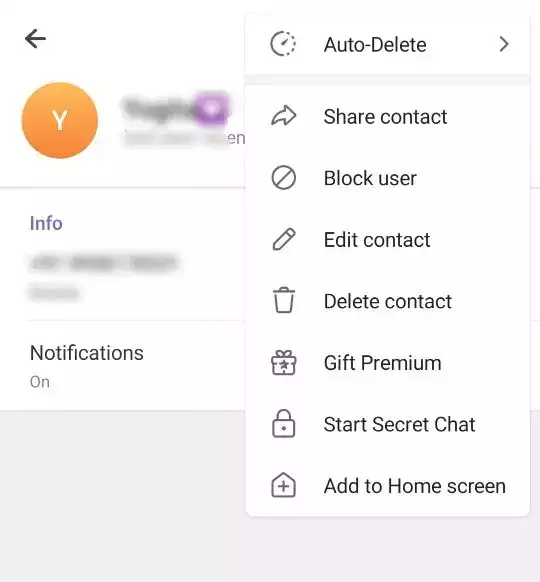
- Open it and go to the profile page of the contact you want.
- Tap the three-dot menu in the right corner and select “Edit contact”
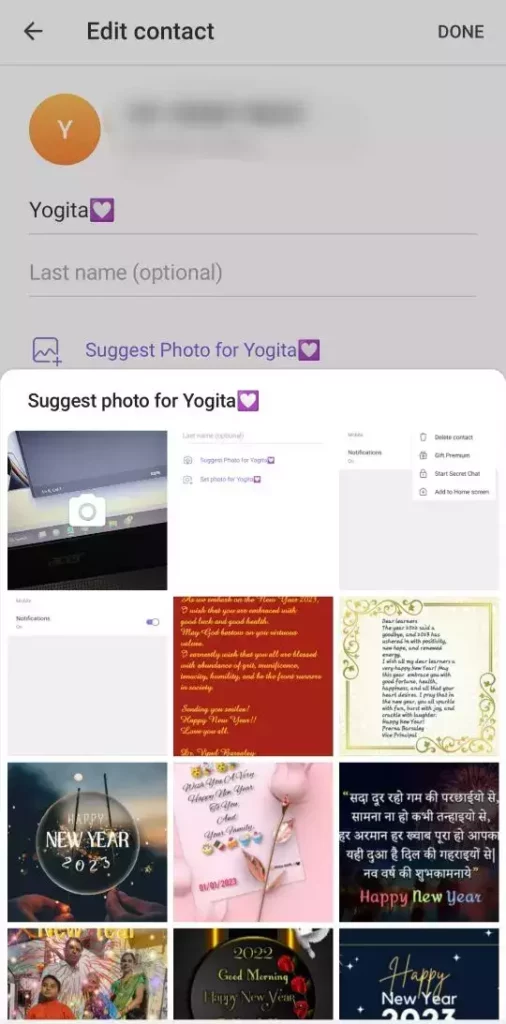
- Choose a photo from your gallery that is good enough for a profile photo.
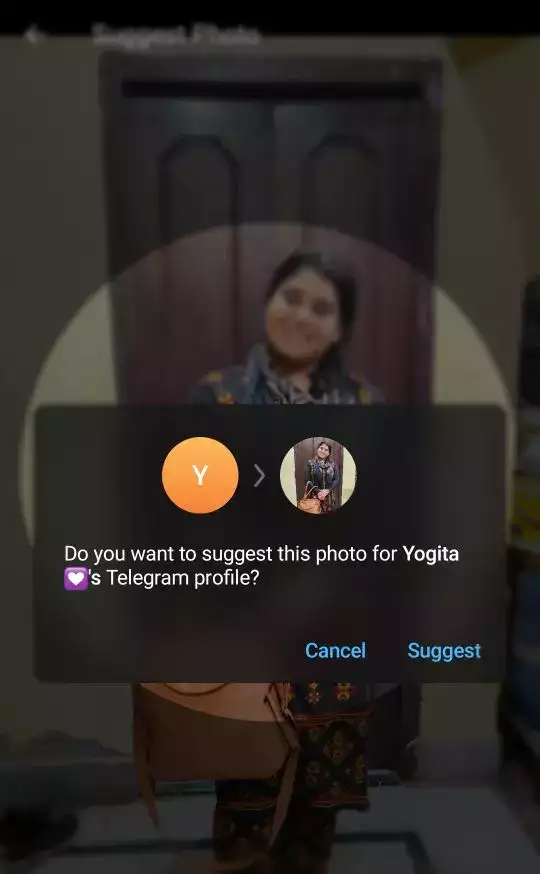
- Crop it exactly how you want it, tap “Done,” and then tap “Suggest” in the pop-up window that appears next.
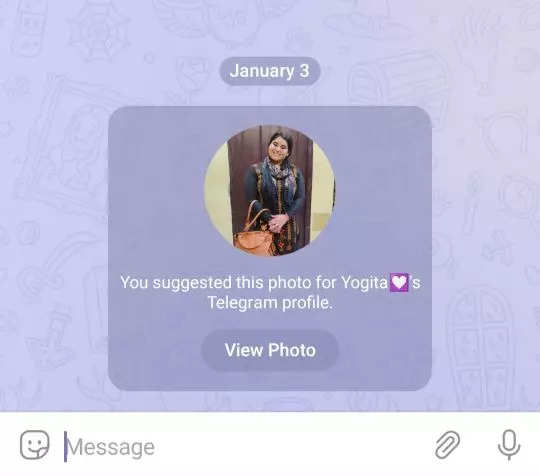
- And voila! The profile photo you suggested will be transferred directly to the conversation so your acquaintance can get your suggestion.
How to set a profile photo as a featured image?
If you want to set a suggested image as your profile photo, follow these steps:
See also: Telegram: Enable Auto-Delete Messages feature
- Launch the Telegram on your phone
- Make sure you have installed the latest app update
- Locate a conversation that sent you the suggested profile photo and tap “View photo”
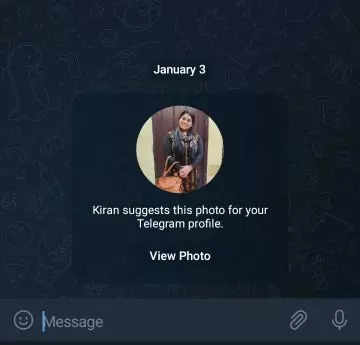
- Click “Set profile photo” for your new look!
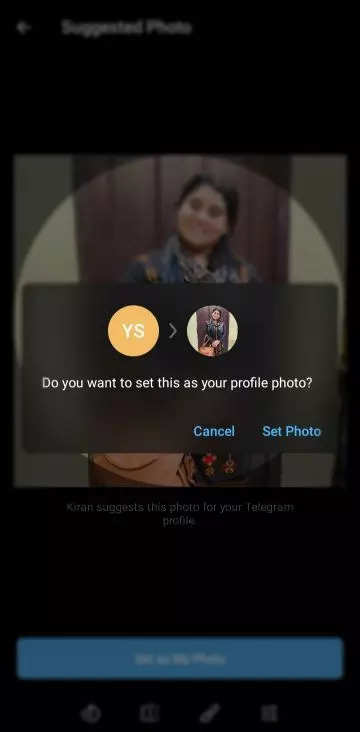
It's always nice when someone is interested in helping us make our profile better – so why not take advantage of this great feature, with just a few clicks, you can make someone's day great by helping them find the right image for their Telegram profile photo !
Source: gadgetsnow.com
