

When you hear “Portrait Mode,” you probably think of selfies with blurred backgrounds. If you have a Samsung Galaxy phone, you can apply the Portrait Mode effect to videos as well for a slightly cinematic look.
See also: How to turn off a Samsung Galaxy phone

There are many different features to use in the Samsung camera app on Galaxy phones. “Portrait Video” is something that not many people know about and it can bring a nice result.
See also: How to clear the cache on a Samsung phone?
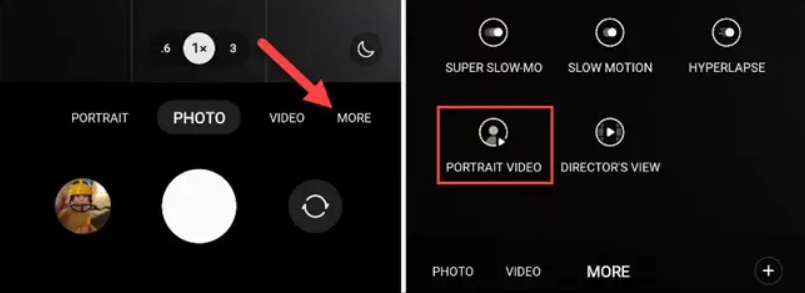
To use the “Portrait Video” feature, simply open the camera app and tap the “More” button in the toolbar . From there, select “Portrait Video.”
Just like with Portrait Mode for photos, the subject needs to be a certain distance from the camera for it to work. The camera app will help you do this with some on-screen instructions.
See also: How to reset network settings on a Samsung phone?
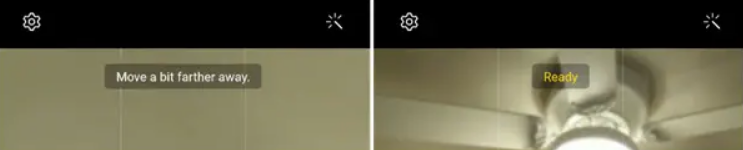
Once it says “Ready,” you’re ready to start recording! The effect isn’t too strong, which is a good thing. A more subtle effect makes it look more like it was taken with a fancy camera. This is just one of the many tools in your arsenal with the Samsung camera.
Information source: howtogeek.com
