

If you have a Facebook profile, it doesn't matter if you use it or not, it's important to add two-factor authentication for more security.
The social network already has an option that uses SMS to send a verification PIN, but today it added a new feature that allows you to protect your account without having to give your phone number.
All you need is an authentication app, such as Google Authenticator or Authy.
Let's see how you can use the new security feature. Log in to your Facebook account, and from the Security and Login Settings path in the two-factor authentication field follow the steps below.
If you don't want to take the above path, click on the link:
https://www.facebook.com/security/2fac/settings/

Select the authentication app and a QR box will appear.
Activate the verification app (from Add New App), give it a new login (myfacebook) and scan the QR box using the app of your choice.
Enter the six-digit code that's automatically generated on your device when Facebook prompts you.
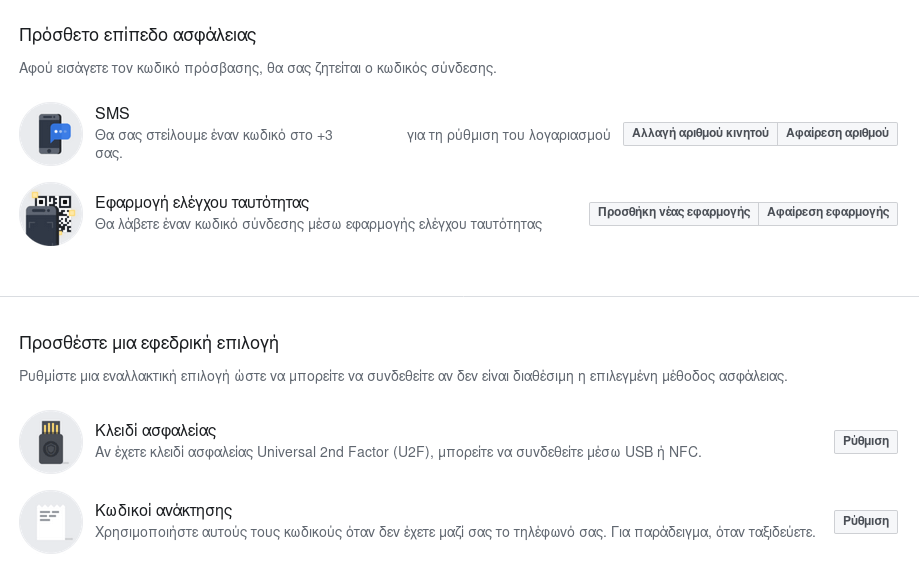
In addition to removing your phone number from Facebook's database, this method won't send you text messages every time someone tries to hack your account.
So the next time you log in to Facebook from a new device or after the cookies already stored on your device expire, you'll have to run the authenticator app to type in the code it shows you.
The new security addition, which essentially gives you the option to remove your phone from the platform, is another measure Facebook took in the wake of the Cambridge Analytica scandal.
__________________________
- Microsoft Keyboard Layout Creator make your own keyboard
- New Gmail: Where did my contacts go?
- Multiple registrations in the same service with one Gmail
- Windows 10 preventing installation of pre-installed apps
- Mark Zuckerberg: should he be fired?
