

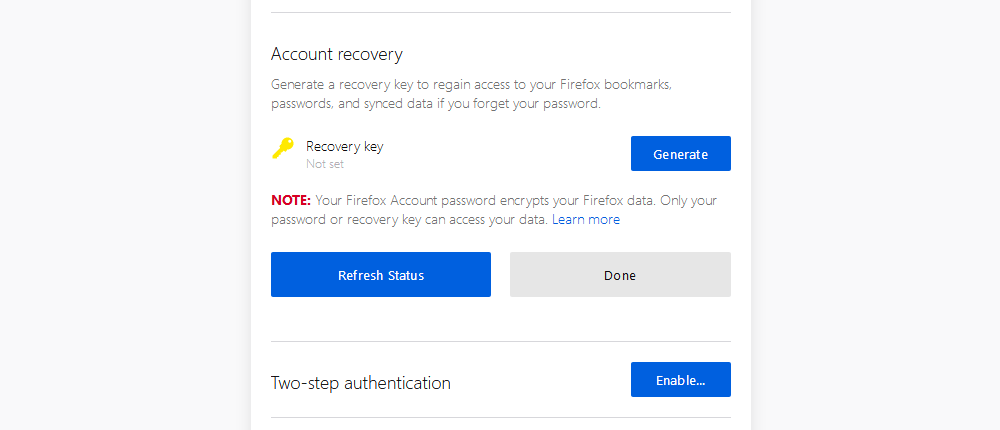
The Mozilla Foundation today announced a new recovery option for Firefox accounts, in the user system included with the Firefox browser. Starting today, users can create a one-day recovery key for their account that they can use to access their Firefox data in case they forget their passwords. User accounts in Firefox are included in all recent versions of the browser. Most users are familiar with the feature because of Firefox Sync, the system that synchronizes browser data such as passwords, browsing history, open tabs, bookmarks, installed add-ons, and general browser settings. Firefox Sync works with the user's account name and password and encrypts browser data directly on the local computer. Only after the data is encrypted is it sent to the Mozilla Foundation's servers for storage. This way, no one can access the data without the user's password, which acts as a decryption key. So if you install Firefox on a new device, no one can download and decrypt your previous browser data without your Firefox account password. But starting today, the Mozilla Foundation is rolling out a new feature called a “recovery key” for Firefox accounts. Users of the browser can create a recovery key, which serves as a secondary decryption key for their data in case they forget their Firefox account password. A Firefox recovery key is similar to the recovery codes used by two-factor authentication settings on most online services. Firefox users should store the key (preferably encrypted) somewhere online or on a secondary device. The Mozilla Foundation says that a recovery key can only be used once, and that users will be able to create a new key after using up their previous one. Instructions on how to create these keys can be found on the Firefox support page . _______________________
- Google Chrome 69 reverts to old UI
- VLC download online videos & convert them as you want
- Linus Torvalds, what happened in the last few days?
- Firefox 62.0.2 (Quantum) download before official release
