

The beta version of macOS Tahoe 26.4 includes a new “ Charge Limit ” feature for the Mac . There is now a new slider that allows Mac users to choose a maximum charge level from 80% to 100%.
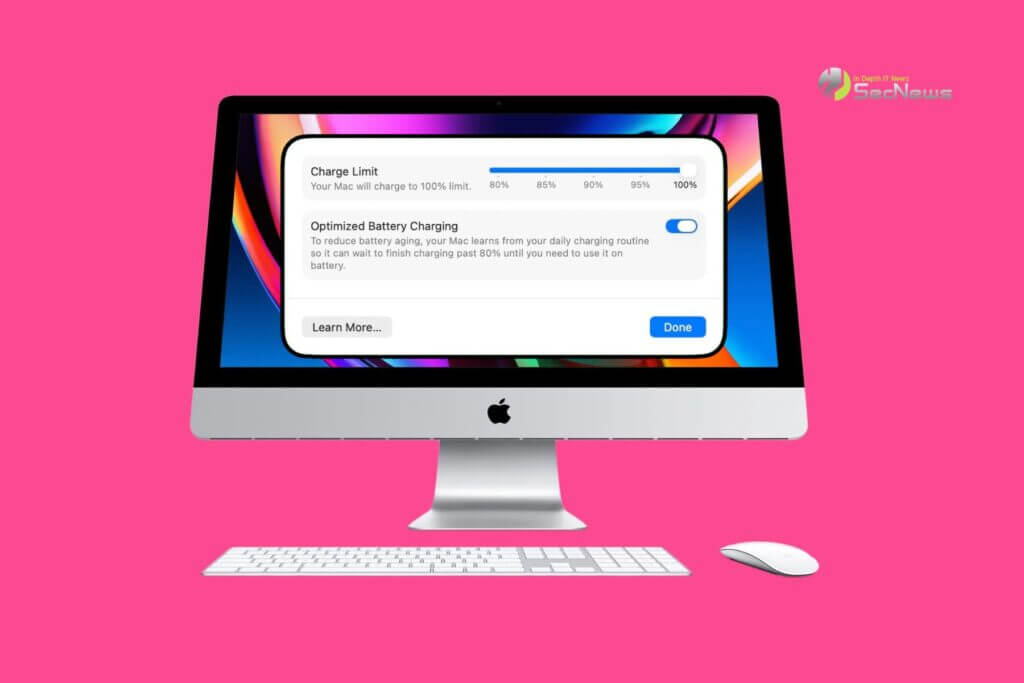
Charge Limit enhances the Optimized Battery Charging, which was already available, and is designed to prevent your Mac from charging to 100%.
See also: The budget MacBook may be released in Yellow, Green, Blue and Pink
Apple's existing Optimized Battery Charging feature prevents your Mac from charging to 100% until it's needed for use (with the option to use your daily charging routine to determine when to fully charge). While this feature can help preserve battery life, it still allows your Mac to charge to 100%.
See also: Future MacBooks may protect you from prying eyes

Why is the new Charge Limit feature so important?
The new feature is a strict limitthat keeps your Mac's battery at 80%, 85%, 90%, 95%, or 100%, giving users more control over the maximum charge level their Mac can reach. Keeping your Mac's battery at 80% could increase battery longevity. Continuous full charges (up to 100%) destroy battery life faster.
Charge Limit can be enabled via the System Settings. Go to the Battery and click the “i” button next to Charging.
See also: macOS Tahoe Finder bug highlights Apple's decline in UI quality

It's worth noting that Apple's iPhones have had a charging limit feature since the series iPhone 15 in 2023. Now, this useful feature is coming to Macs as well.
