

Microsoft 's new Paint Cocreator tool for creating AI images, which uses the DALL-E model from OpenAI, is now available to Windows Insiders on the Dev and Canary channels .
See also: Microsoft Paint: Support for layers and image transparency
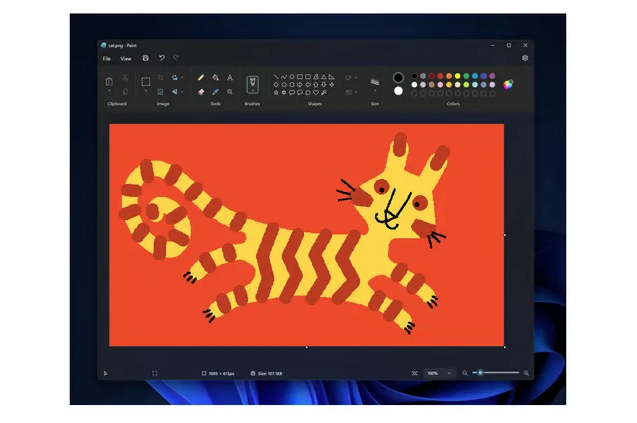
Like DALL-E, the new Paint Cocreator allows users to quickly create digital images using custom text messages.
“With this update, we’re excitedtointroduce Paint Cocreator, a new AI experience powered by DALL-E that helps you create amazing artwork in Paint by describing in a few words what you’d like to create,” said Dave Grochocki, principal product manager for Windows Inbox apps.
“You can optionally select an art style, and when you click “Create,” Paint Cocreator will generate three artwork variations for you to choose from.“
The feature will only be available to those on a waitlist after installing Paint version 11.2309.20.0 or later. This will be done through a process similar to the Microsoft Bing. Those selected to participate in the Cocreator preview will be notified via email and will receive 50 free credits to start trying it out.
See also: Microsoft Paint Windows 11: New tool for removing image background
“ We will roll out access slowly at first, so when you get the update, you must first join the waitlist by signing in with your Microsoft account and clicking the new Cocreator button in the toolbar ,” Grochocki said .
Microsoft has included additional content filtering and various safeguards with Paint Cocreator to block attempts to create harmful, offensive, or inappropriate images.
“We are just starting to roll out these experiences, so they may not be available to all Insiders on Canary and Dev Channels, as we plan to monitor feedback and see how they pan out before rolling them out to everyone,” Grochocki added.
This is part of a broader effort to integrate AI-powered features. Microsoft is also testing support for a new tool in Windows 11 Insider builds, which helps you remove the background of an image with a single click, so you can focus on the subject.
The company also began providing support for layers and image transparency, starting with Paint version 11.2308.18.0 or later. The company released the Windows 11 22H2 update on Tuesday, bringing more than 150 new features. These include new versions of Microsoft Copilot and the ClipChamp and Snipping tools that leverage artificial intelligence.
This major update for Windows 11 also includes a new password management dashboard, offering users help to sign in without the need for a password, as well as tools to reduce the attack surface on devices .
See also: Microsoft Paint gets Dark Mode support for Windows 11
Insiders are the first to have the opportunity to test and provide feedback on the new Paint Cocreator, which may provide valuable insights for further improving the tool. It is important to note that creating masterpieces with Paint Cocreator does not require any special knowledge or experience in the field of artificial intelligence – this tool is designed to be easy for everyone to use.
