

Microsoft Edge Canary has received a new experimental Sharing Hub feature that makes it easier to share content with other people.

See also: Microsoft Edge: How to disable online shopping coupons
Earlier this month, Google added a new experimental feature to Google Chrome Canary that adds a “paper plane” icon to your address bar, which when clicked, opens a new Sharing Hub feature.
This week, Reddit user Leopeva64 (via Windows Central) discovered that Microsoft Edge Canary also received this feature, but without any customization of the Google app.
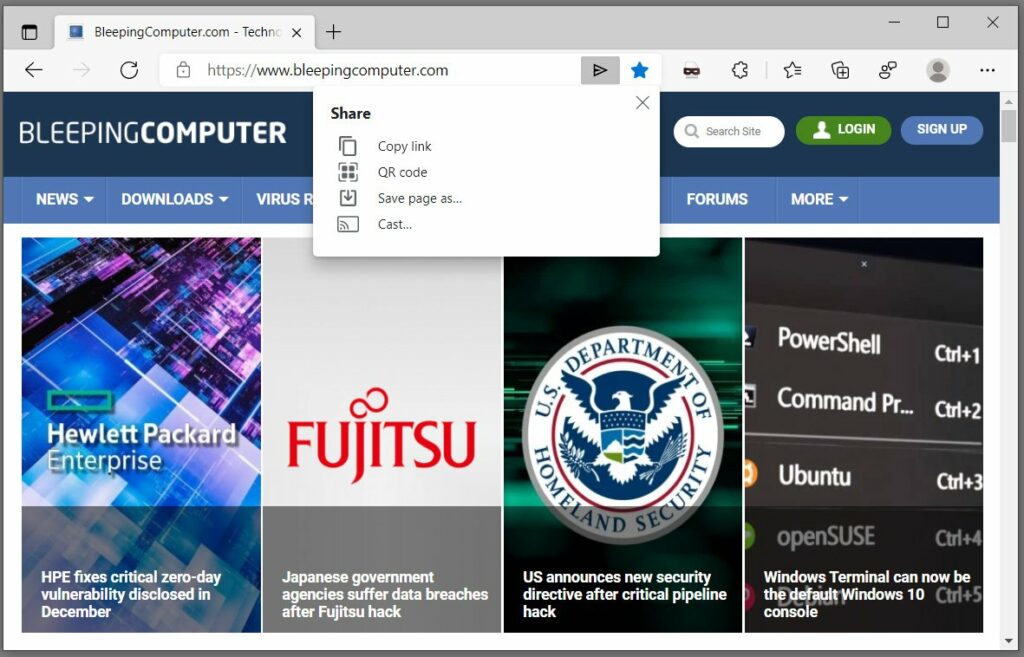
When opening the new Sharing Hub dialog, users are presented with four options described below:
- Copy link – Copies the page URL to the Windows clipboard.
- QR code – Creates a QR code that you can scan with your device's camera to open the page.
- Save page as – Asks you to save the web page as a local HTML.
- Cast – Uses Chromecast to cast the page to a device such as a TV.
While this feature has come to Microsoft Edge, it has not been adapted by the Microsoft team to support some of the Windows features.
See also: Microsoft Edge: The ability to share tabs between your devices is coming
For example, Microsoft Edge can already share a web page using Windows 10 's native sharing controls under Settings > Share.
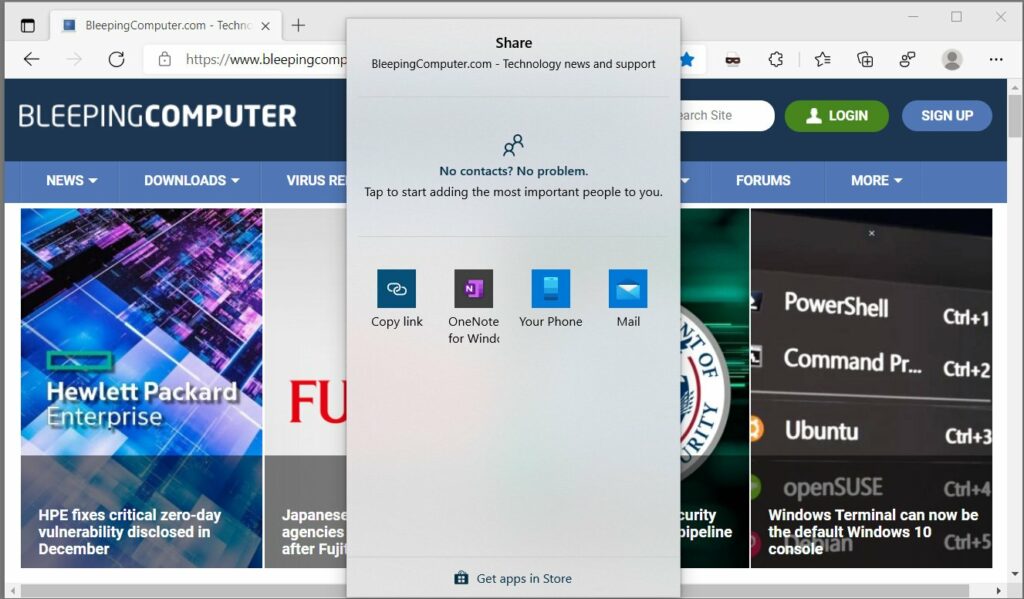
This native sharing feature is missing from the new Chromium Sharing Hub window. If Microsoft decides to continue developing this feature, we should expect to see Edge's "Share" option in this dialog, as well as the ability to share the open page with other devices running Microsoft Edge.
See also: Microsoft Edge: Add automatic HTTPS selection for all domains
How to enable the new sharing dialog
If you want to try out the new sharing dialog in Microsoft Edge Canary, you can follow these steps:
1. Install the Microsoft Edge Canary browser. This browser will be installed alongside your existing Microsoft Edge.
2. Type edge://flags in your browser and press enter on your keyboard.
3. Search for “Desktop Sharing Hub in Omnibox” and enable it, as shown below.
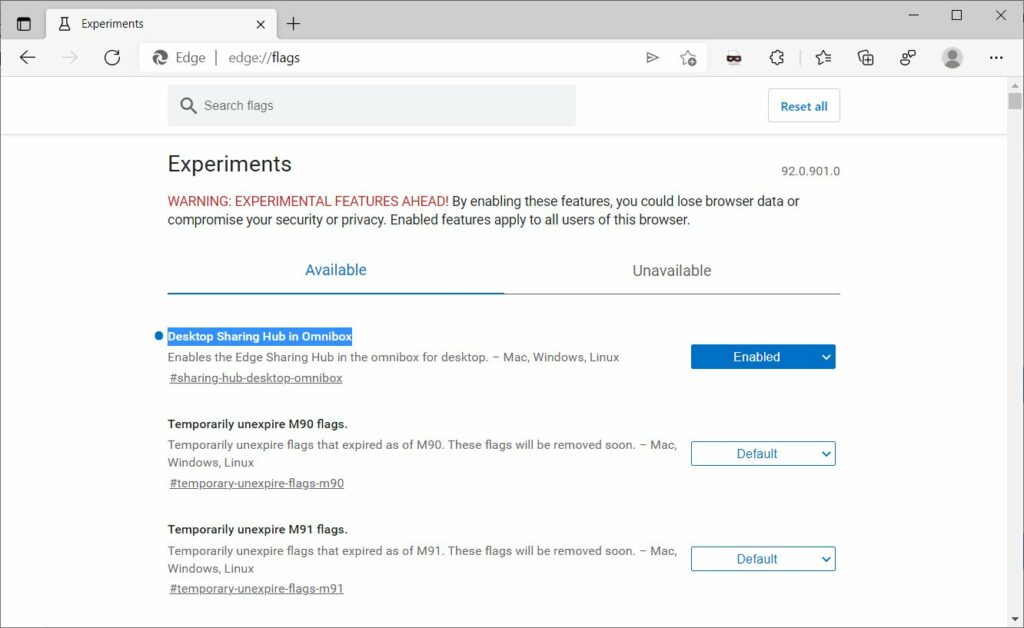
4. Restart the browser when prompted.
Once Microsoft Edge restarts, you'll see the new sharing dialog in the browser's address bar.
Information source: bleepingcomputer.com
