

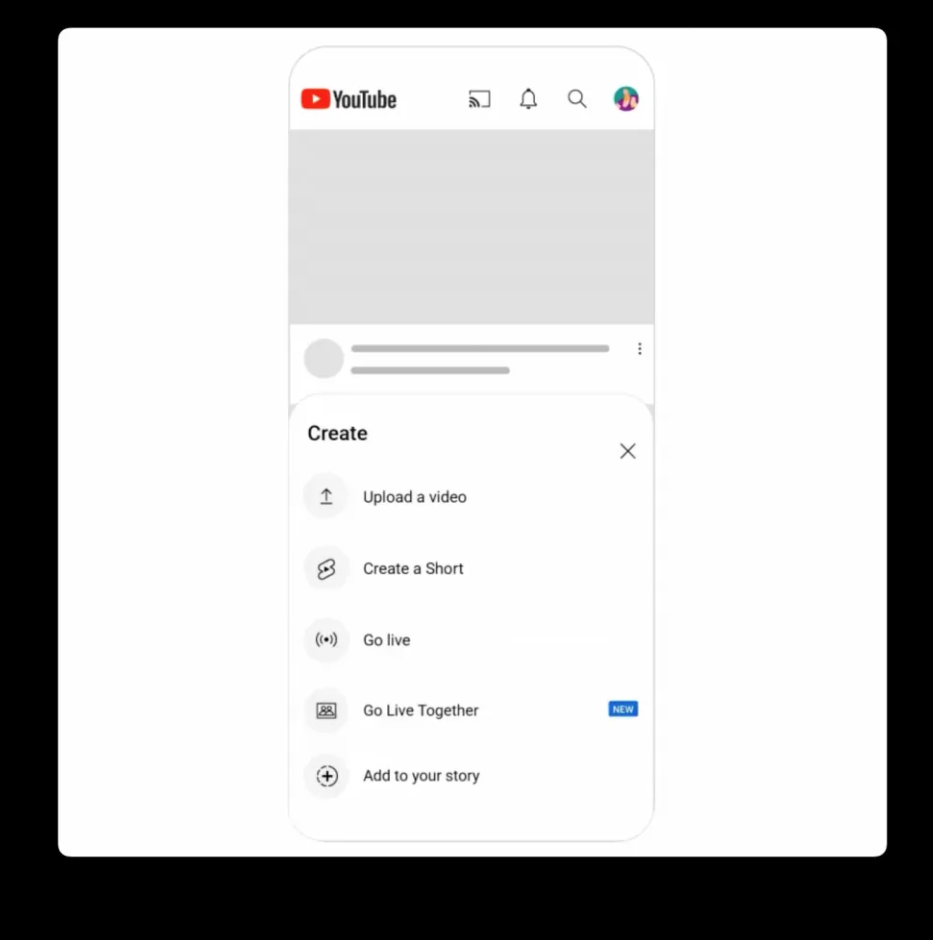
The latest addition to YouTube, Go Live Together, provides an incredible opportunity for creators with more than 50 subscribers to co‑host livestreams. This feature is available on both iOS mobile devices and Android mobile devices and allows one guest at a time—however, the host can change guests during the livestream!
See also: YouTube experiments with free, ad-supported TV channels

See also: Pixel 7 users report issues with fullscreen YouTube playback
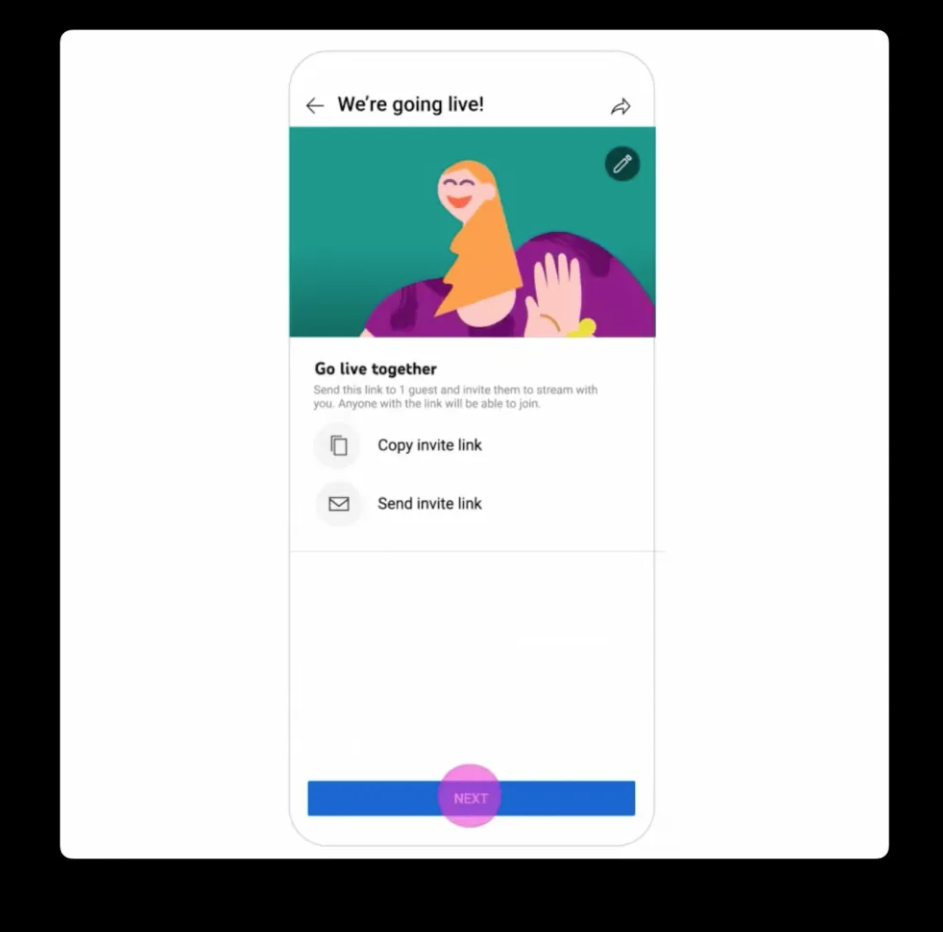
You can easily set up co-streams via the YouTube desktop app, but both participants must use mobile devices during the livestream. To get started, open the YouTube app and select “Create” and then “Go Live Together.” After you fill in all the details of your stream, click on “Invite a co-streamer” and send an invite link to the co-streamer. They will be moved to a waiting room until you go live officially – it's that simple!
While there is no minimum follower limit, hosts are responsible for any violations of the community by guests . Hosts can leverage this opportunity with ads that appear in pre-, mid-, and post-roll formats to generate revenue!
See also: YouTube Shorts: Reached 50 billion daily views
YouTube has offered a similar feature that allows creators to co-host shopping livestreams, which allows for both co-hosting and redirects to a brand’s channel. Twitch recently introduced a feature in beta called Guest Star, which allows creators to bring up to five guests into streams. This system is a bit simpler, as each viewer can raise a virtual hand and the host can invite them, similar to Clubhouse or Twitter Spaces. Twitch’s version is only available on desktop.
Information source: engadget.com
