

If you signed up for TikTok hastily, you may have realized after a while that you don't like your username. So, you can with a very easy and simple process change it.

While you can log in to TikTok also from your web browser, some settings (including your username) can be changed using the TikTok app on Android, iPhone, and iPad.
To get started, open the TikTok app on smartphone or tablet and log in to your account. Using the menu bar at the bottom, tap the “Me” tab.

The app will display your user profile, showing the TikTok videos you have posted and liked. To change your username, tap the “Edit Profile” option.

In the “Edit Profile” menu, tap the “Username” entry.

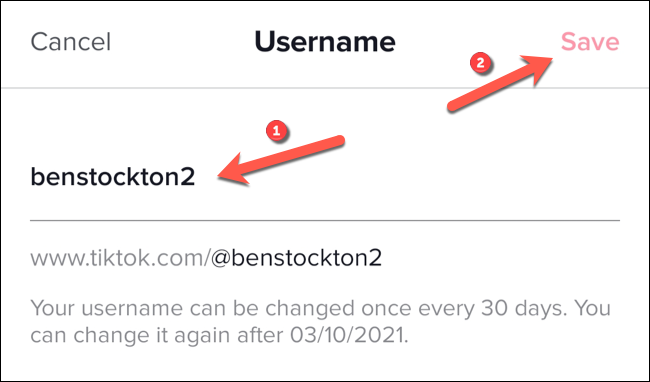
Type a new username in the box provided. You should make sure that your username does not violate TikTok's terms of service for prohibited words and phrases. If the username is already in use by someone else, you will need to repeat these steps to successfully save change .
You can change your TikTok username only once every 30 days, so if you are sure about your changes, press the “Save” button in the top right corner.
The change will take effect immediately. You may want to take further steps to secure your TikTok account later, including enabling two-factor authentication on profile . This will help prevent account in the future.
Information source: howtogeek.com
