

Online banking appears to have become a target for hackers, who are looking for their next victims during the coronavirus crisis.
The coronavirus pandemic, although still in its early months, is rapidly reshaping the way people around the world live their daily lives. Both social distancing and calls to stay home to avoid unnecessary interactions mean rethinking how you approach your daily interactions, including managing your money.
Amid the current uncertainty, banks are encouraging customers to take advantage of online, mobile and telephone services, rather than visiting branches. Along with the higher demand for online banking, the risk of cybercrime is also increasing.
The Federal Trade Commission has stepped up its efforts to warn Americans about COVID-19 involving vaccine offers, fake charities, and traditional email scams.
Unfortunately, in times of real crisis, both those who want to help and those who will try to take advantage of the unsuspecting emerge. If you are concerned about what this means for the security of your online banking transactions, there are several steps you can take to protect your information.
Know your bank's security procedures
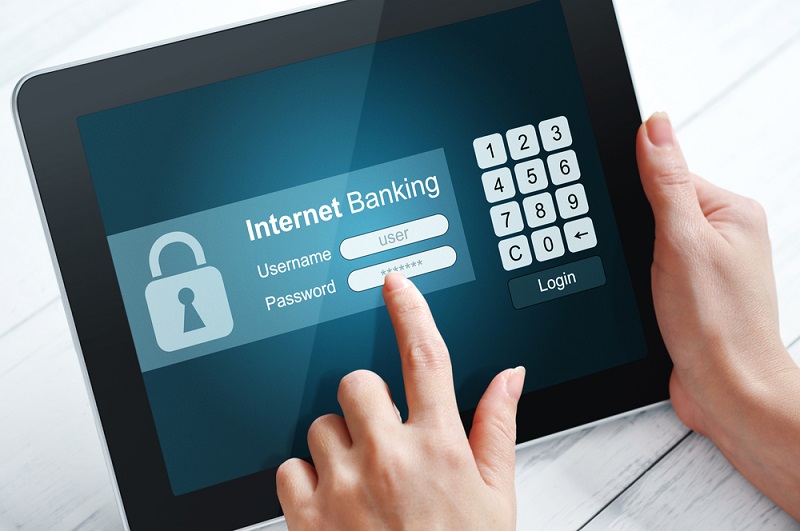
The first step to safeguarding your bank account is to find out what measures your bank has in place to protect you.
Banks can implement multiple levels of security for online banking, such as:
- Secure Socket Layer (SSL) encryption
- Automatic disconnection
- Antivirus and malware protection programming
- Firewalls
- Multi-factor authentication
- Biometric and/or facial recognition technology
All of this can act as a strong defense against hackers who might try to break into your accounts. If you’re not sure what your bank is doing to keep your online banking information safe from threats, check their website or mobile. If it’s not immediately clear, don’t hesitate to contact your bank to see what security measures are in place.
Avoid using public Wi-Fi to access online banking
Remote work and learning are increasingly becoming a part of the new era for many individuals and families amid the COVID-19 crisis. In an effort to ensure that everyone who wants it can access the internet, some internet service providers have set up, at least on a temporary basis, free Wi-Fi.
While this is convenient, using public Wi-Fi can put your banking information at risk if the connection is not secure. Public Wi-Fi can be easily hacked in many ways, including “man-in-the-middle” attacks, in which a fraudster is able to essentially pull your banking information.
It's best to avoid public Wi-Fi and rely on secure internet access from home. However, if for any reason you're using public Wi-Fi these days, make sure the connection is secure before logging into any online banking transactions.
Update your online banking passwords
This is a simple way to protect your banking details at all times, but it may be especially important during the current coronavirus crisis.
If you haven't updated your passwords recently, add it to your list. And remember to make your passwords as unique as possible. These tips can help:
- Create passwords using a combination of letters, numbers, and symbols.
- Don't assume that changing one letter or digit of an old password is enough.
- Use a phrase or acronym instead of a word.
Also, consider using a password manager if you have trouble remembering your bank account passwords. Make it a habit to update your passwords every three to four months.
Activity monitoring with bank alerts
Bank alerts can be a useful tool for managing online, especially if you don't have time to log into your bank account every day.
With online banking alerts, you can receive an email or text notification when there is new activity on your accounts. The types of alerts you can set include:
- Transaction alerts for charges and credits above an amount you specify
- Failed login attempts
- Update password or personal information
- Financial transactions
- Daily account monitoring
Enabling notifications means you don't have to constantly worry about whether your banking information is at risk. For example, if you receive an email notifying you of a new transaction, you can log in to verify that it's something you authorized.
Be careful about granting access to your account
Financial apps can make it easier to manage money during a pandemic. For example, instead of withdrawing cash from an ATM to pay a friend, you can use a payment app to pay online.
The catch is that many financial apps require access to your bank information. This is how many budgeting apps work. You sync your bank accounts and the app automatically tracks your spending and deposits.
This can make your life easier during the coronavirus crisis, but it could put your information at risk if you authorize access for apps that aren't secure. While your bank may be perfectly secure and take steps to secure your online information, the payment or shopping you use could be a target for would-be hackers.
Don't fall victim to phishing scams
During a crisis, email, phone, and phishing scams often abound. For example, one phishing scam involving fake emails that appear to come from the World Health Organization.
Phishing scams can have different goals. Some, like the WHO scam, try to get you to click on a link within the body of the email. When you click on the link, you may unknowingly download malware or tracking software onto your device, which allows the scammers to steal your information.
Other scams can take a more direct approach to trying to get your money. For example, you might receive an email or text from a seemingly charitable organization asking for donations. You are asked to provide your debit card number or bank account number to make a donation.
Another common tactic used by phishingis sending an email from an address that at first glance appears to come from your bank. And while you assume it's safe to click on a link or respond with the information requested in the email, it turns out you've shared your details with a scammer.
