

Kali Linux on Windows 10? You can now download and install Kali Linux from the Microsoft app store on Windows 10. It sounds incredible, but it's true!
Kali Linux is a popular, free, open source operating system based on Linux. It is mostly used for hacking and penetration attacks. You can easily replace it on Windows 10 without the need for dual boot or virtualization.
Kali Linux is the latest Linux distribution available in the App store for one-click installation, joining the list ofpopular distributions such as Ubuntu, OpenSUSE, and SUSE Enterprise Linux.
In Windows 10, Microsoft introduced the Windows Subsystem for Linux service, which allows users to run Linux applications directly on Windows.
Download and install Kali Linux on Windows 10
If you are using Windows Subsystem for Linux (WSL) for the first time, you must first enable it.
To enable WSL, follow these simple steps:
1: In Start, type “turn Windows Features on or off”. Open the result.
2: Find and enable “Windows Subsystem for Linux”.
3: Restart the system.
You can also enable it by opening PowerShell (as administrator) and typing: Enable-WindowsOptionalFeature -Online -FeatureName Microsoft-Windows-Subsystem-Linux
Then, search for Kali Linux in the Windows Store and download it. The app will automatically complete the Kali installation and open a new window.
That's it! You can go to the Kali Linux site for more information
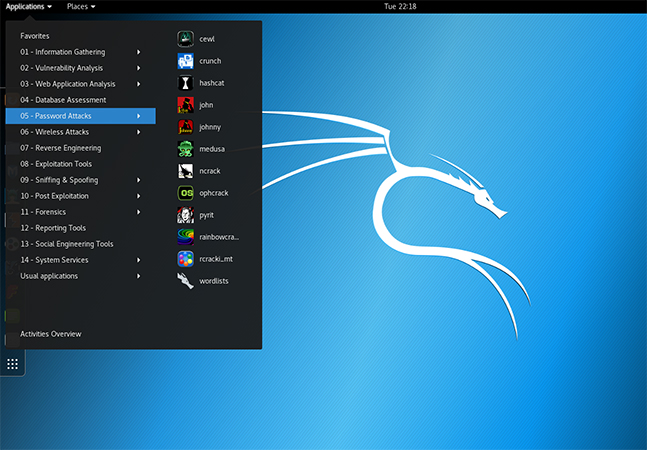
If you want to enable the Kali desktop environment , here you will see videos on how to install xfce4 or xrdp. This is of particular interest to professionals who are involved in security/ penetration testing , but have limited capabilities.
Kali Linux on Windows doesn't come with the pre-installed tools that the regular version contains, but you can easily install them later.
It should be noted that antivirus or Windows Defender may send a false warning, but you shouldn't worry about it.
