

Windows 10 includes a hidden account that you can use to manage all of your computer's resources. In older versions of Windows, such as Windows XP, this account was already available when you first set up your computer. In Windows Vista and later, the built-in administrator account is disabled by default. In this article, you'll see how and why you can enable this account in Windows 10.
Account activation
There are . two. ways to activate the account The easiest way is to do it Management Computer from
Note: Management is only available in Windows 10 Pro. For Windows 10 Home, use the command line instructions.
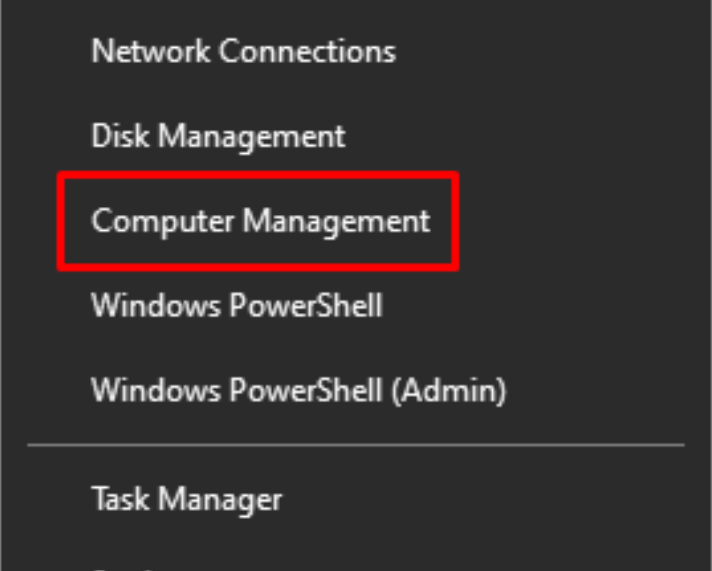
Right-click on Start (or press Windows + X) and Select Computer Management.
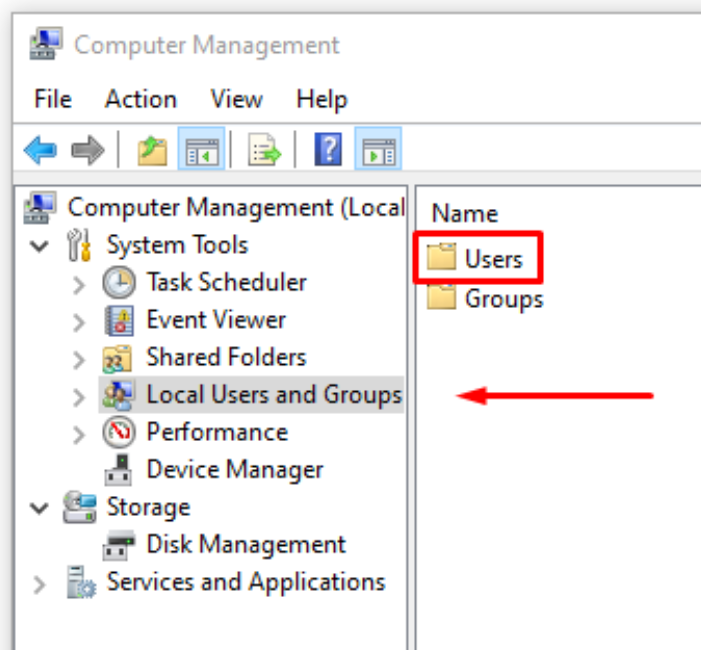
Then , select Local Users and Groups >> Users .
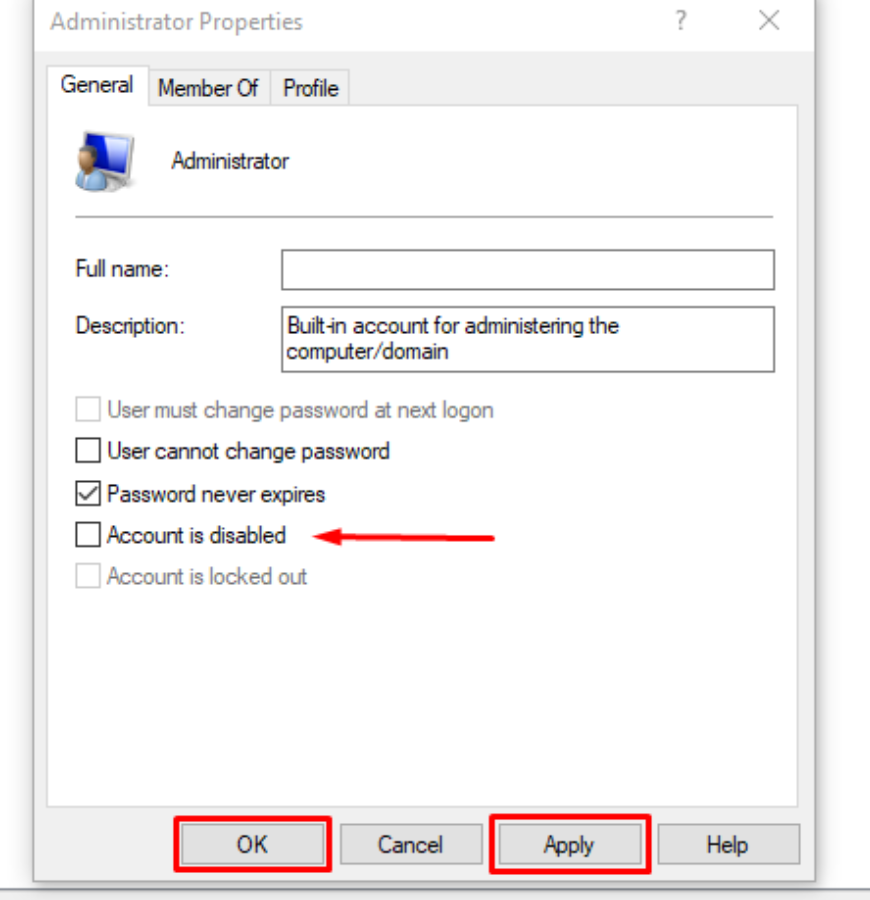
Select the administrator, right-click on it and click Properties. Uncheck where it says the account is disabled. Then, click “Apply” and then “OK” .
Activating the account from the command line.
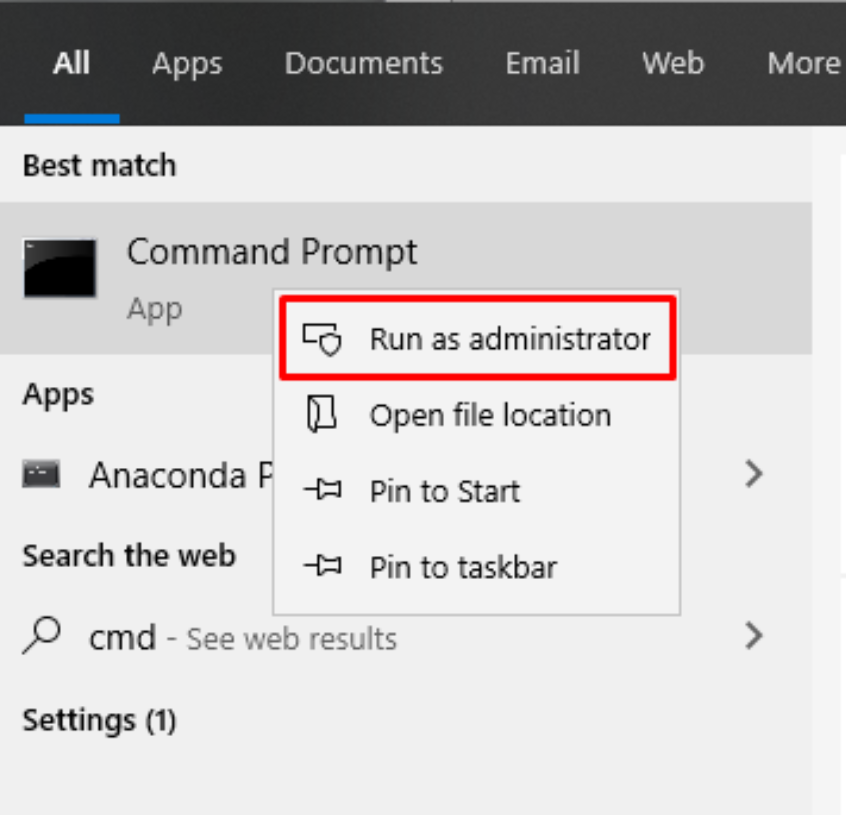
Open Start . Type CMD , right - click on it, and select “ Run as administrator ”.
Type this command and press Enter:
net user administrator /active:yes
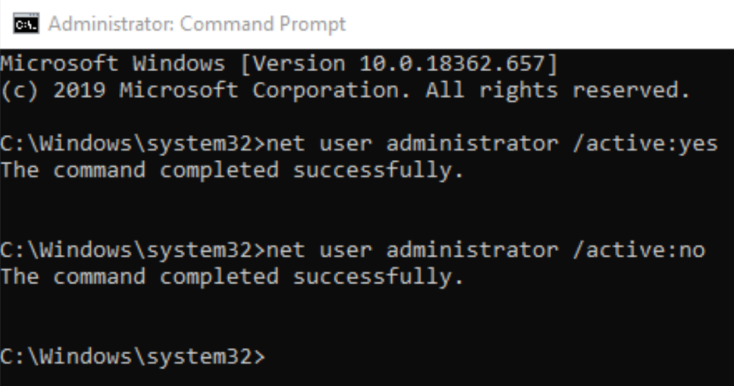
You can also disable it by typing:
net user administrator /active:no
What is it used for?
Explaining how to enable the account is much easier than explaining why you would want to do it. If you don't know why you want to use the account, you probably don't need it. In fact, it's probably best to leave it disabled, because this account has free access to your entire system, which makes it insecure. It's important to make it clear that there's nothing the built-in account can do that a standard administrator account can't. When you set up and configure Windows 10, the first account you create is an administrator account.
If you accidentally lose the password for the regular administrator, using the built-in account can be useful, but only if you have enabled it beforehand. If that is what you want to use it for, it is better to create a separate standard administrator instead of using the built-in one.
So why is this built-in manager there? It's mostly used by who OEMs make changes to the system before it's perfected. If you're not one of them, you don't need it.
