

Windows 10 from Windows 7 anyone? Although Windows 7 still remains one of the best choices to have a stable system with Windows, the upcoming end of support may make you consider an upgrade to Windows 10.
Of course, although at iGuRu.gr we recommend more radical solutions such as installing an easy Linux distribution (see MX, Ubuntu, Mint), many people insist on Windows.
If you are one of them, the following post is for you.
Windows 7 will stop receiving security updates after January 2020, which means the operating system will be vulnerable to any new vulnerabilities that are discovered.
So for many users, even if they don't want to upgrade to Windows 10, it will eventually become mandatory.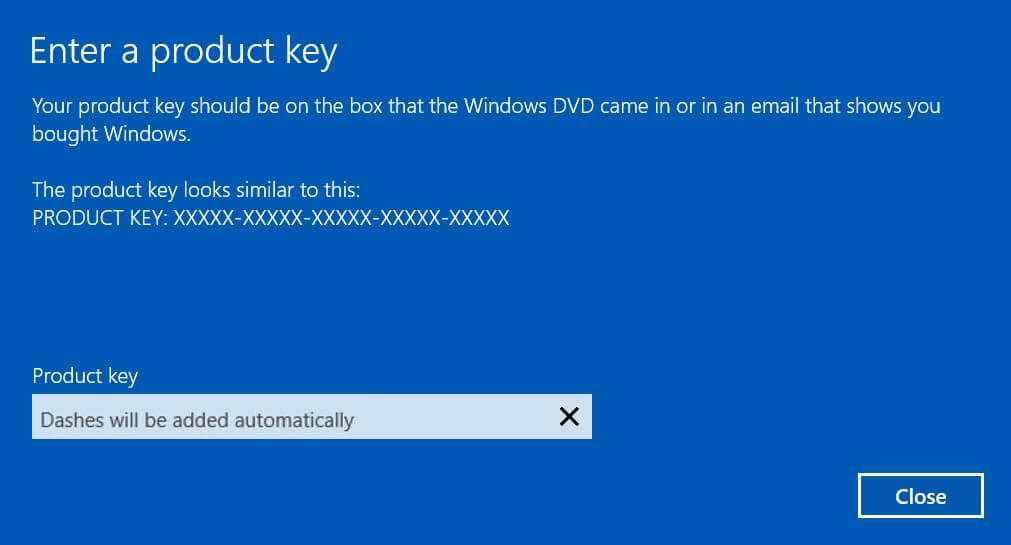
So for those of you who don't want to spend money and have a legitimate Windows 7 key, below we will see how you can upgrade to Windows 10 without paying. It should be noted that Microsoft recently increased the price of Windows 10 Home in the United States to $139.99, while Windows 10 Pro still costs $199.
Let's see what you can do.
Αρχικά θα πρέπει να εγκαταστήσετε τα Windows 10 στον υπολογιστή σας. Πάρτε ένα καλό backup, γιατί θα πρέπει να κάνετε μια καθαρή εγκατάσταση. Επειδή απαιτείται ένα κλειδί προϊόντος, μπορείτε να χρησιμοποιήσετε μια γενική άδεια χρήσης ανάλογα με την έκδοση του Windοws 10 που προσπαθείτε να εγκαταστήσετε:
Windows 10 Home YTMG3-N6DKC-DKB77-7M9GH-8HVX7
Windows 10 Pro VK7JG-NPHTM-C97JM-9MPGT-3V66T
You can also install Windows 10 on a trial basis if you see the option (depends on the installation media), which allows you to try the operating system for 30 days.
After installing Windows 10, follow the path below to find the activation that will allow you to enter the Windows 7 key you have from your old operating system.
Settings – Update & Security – Activation
Click on the Change product key option and add your Windows 7 key. If everything goes well, you are done. The new Windows 10 has been activated on your system.
As an alternative, you can open a command line window (search for cmd and right‑click the result. Choose Run as administrator, or open as administrator) and type the following command:
slmgr.vbs -ipk xxxxx-xxxxx-xxxxx-xxxxx-xxxxx
Obviously, you will need to replace the xxxxx with your own key.
If you don't have a legitimate Windows 7 product key but know that your operating system is legitimate, you can view the license on your computer before upgrading to Windows 10 with the ProduKey.
Those of you looking for a cheap activation key, try here
The above process continues to operate free of charge.
_______________
