

A lesser-known feature of newer Windows is the ability to burn an ISO file from the command prompt. Let's see how.
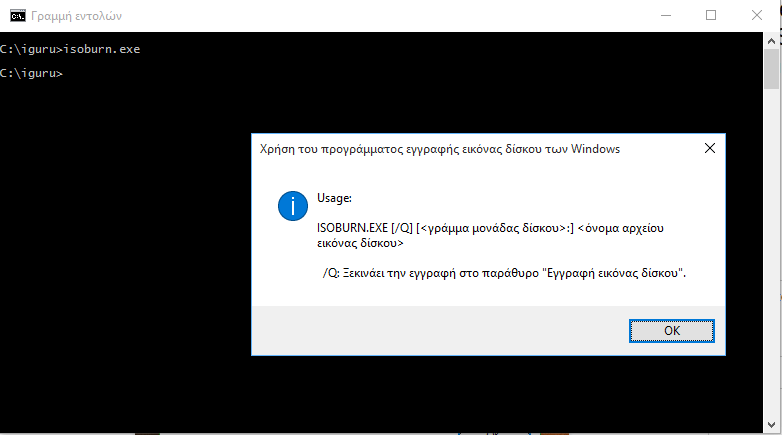
As you may know, Windows 10 allows you to burn ISO files without using any third-party tools. This feature was added in Windows 7 and has remained in all subsequent versions since then. All you need is a blank CD/DVD disc and an ISO file.
But let's see how you can burn a disc through the command prompt. The process is performed by a built-in tool called ISOBurn that is present in Windows 10, and is located in the folder: C:\Windows\System32\isoburn.exe
The command that activates it through the command prompt is:
ISOBURN.EXE [/Q] [<drive_letter>:] <disk_image_filename>
The /Q switch starts the burning process immediately, otherwise you will be prompted and must press the start button.
The drive letter is nothing but the letter you see on your DVD writer, and the disc image file name is the name of the ISO file including the full path to the disc.
So, if you want to burn an ISO file called ubuntu-15.10-desktop-i386.iso, located under the c:\iguru folder and the DVD Writer drive letter is E, you would type the following.
isoburn.exe /QE: C:\iguru\ubuntu-15.10-desktop-i386.iso
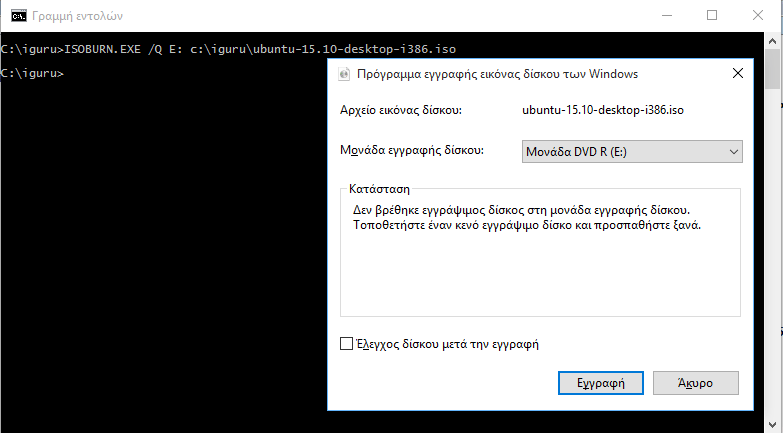
If you press Enter on your keyboard and if you have already inserted a blank DVD into the DVD Writer then recording will begin immediately, otherwise the DVD writer door will open and the computer will ask you to insert a blank recordable disc.
Adapt the above command to your own computer by replacing the letter E: in the command line with your own actual optical drive letter and putting the actual path to the ISO file.
