

If you opened your Google account management page today, you may have noticed that it has been completely redesigned by the company.
The easiest way to access the page is to open it directly using the link https://myaccount.google.com/?pli=1, or by clicking on your profile icon at the top and from there “Account.” 
The new management page divides your account information and settings into three main groups: Sign-in & security, Personal info & privacy, and Account preferences. If you are using the page in English, you will find the settings as follows: Sign-in & security, Personal info & privacy, and Account preferences.
Sign-In & Security
From this page, you can configure how you log in to your account and security settings. You can also use it to run a security checkup on your account.
The information displayed on the page has certain attributes and links that you can edit directly.
Signing in to Google, for example, tells you when your password was last changed, whether you use 2-step verification and since when, and whether there are any app passwords.
You can also find all connected apps and websites that use your account.
Personal Information & Privacy Policy
The page has five different subgroups.
Personal information displays your primary email address and phone number, options for managing your Google+ profile, and search settings.
You can disable account history on the page, which you may find useful if you use services like Google Now.
Other options listed on the page include managing your ad settings as well as links to download your data from Google.
Account Preferences
Preferences include the default language, the introduction of various tools, a quick overview of the storage space you are using in Google Drive, and options to delete accounts or services.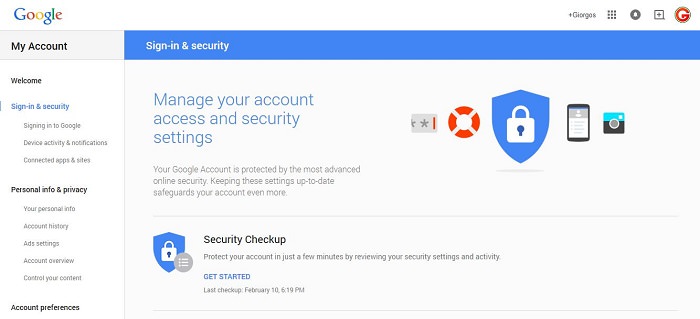
Google's new account management page improves the usability of the page significantly by containing all the relevant options on three pages instead of many smaller pages.
In the settings you will also find some new options that you did not have access to before. For example, the settings to allow or block the recording of your history were not there.
