

Surely at some point in our lives, there has come a time when we needed to convert an image into editable text. However, searching the Internet, the options that appeared were not free and asked for a pretty good amount of money. But by chance, while doing some work on Google Drive, I clicked on a feature that really made my day. In fact, Google Drive provides OCR (Optical Character Recognition Software) software for free and you can use it to convert your image files into text.
Convert images to text using Google Drive:
Before proceeding, make sure the image you are using contains some text so that it can be converted using OCR. This can also be used to convert PDF files to text for free.
Take a look at these simple steps:
- Visit the Google Drive and log in using your Gmail account.
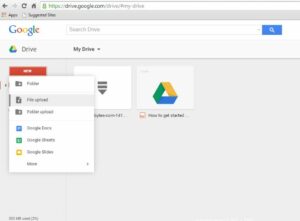
- Now click the New and select File Upload to upload the image you want to convert. The image can be in any format.

- After the upload is complete, right-click on the image file and go to Open With > Google Docs.
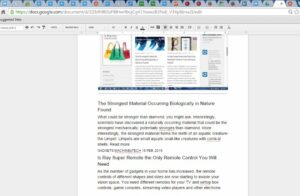
- Now, the new tab opens with the image at the top and editable text below. You can edit the text and resize the image here.
- You can delete the image and save the text and close the tab. You will now be able to see the Google Document with the text next to the image file.
- You can now edit the image or download the text to your computer to edit it.
Points to pay attention to:
- The image should be less than 2 MB in size.
- The converted text may contain errors, so check it before using it.
- For PDF files, only the first 10 pages are converted to text. If you have a large PDF file, instead of choosing a one-time conversion, choose the step-by-step conversion per 10 pages.
📧
Subscribe to the SecNews Newsletter
