

Microsoft is recognizing another known issue affecting Windows 10 devices with WWAN LTE cellular modems and is blocking the installation of Windows 10 2004 until a solution is available.
Some devices with WWAN LTE modems may not be able to connect to the internet and may not show the option to connect to the internet in the network connection status indicator (NCSI) in the Windows 10 notification area according to Microsoft.
Microsoft says this issue only affects Windows 10 2004 desktop platforms.

Solution for already available updated devices
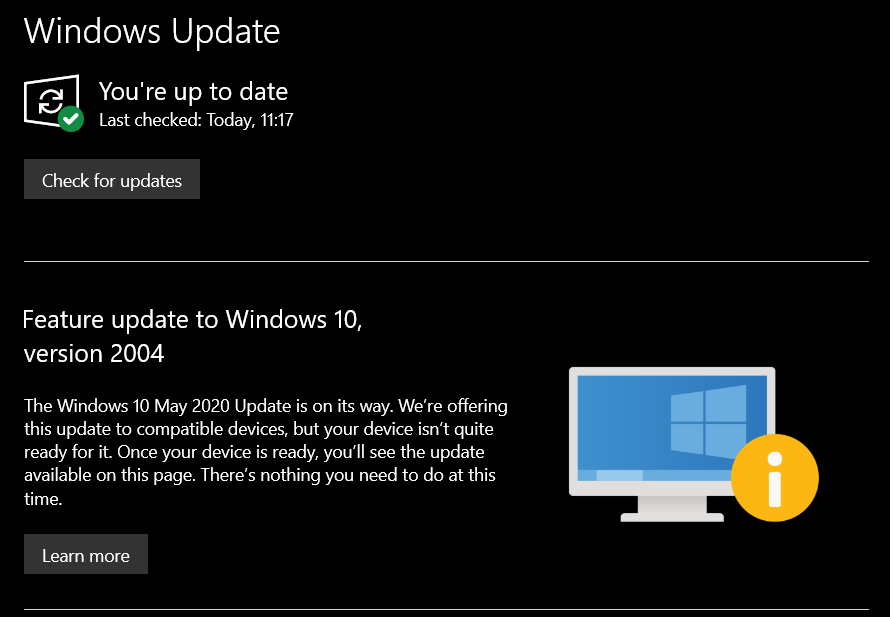
The company has implemented a workaround for all Windows 10 devices with affected WWAN LTE modems, not offering Windows 10 2004 via Windows Update until the issue.
"We are working to resolve the issue and estimate that a solution will be available by the end of September," Microsoft said.
Until a fix for this issue is available, Microsoft urges customers not to attempt to manually update to the latest version of Windows 10 using the Media Creation Tool or the Update now button.
For now, customers already using devices with Windows 10 2004 can mitigate the issue by toggling Airplane mode on and off
"To do this, you can select the Start button, type Airplane mode, and select it. In settings, turn Airplane mode back on. You should then be able to sign in as expected," Microsoft explained.
Previous Windows 10 Internet connection issues
Last month, Microsoft investigated another issue where Windows 10 2004 customers were seeing “No Internet access” even though devices were connected to the internet.
This “no internet access” issue was addressed by Microsoft earlier this month, with the release of Windows 10 Build 20185 for Windows Insiders on the Dev Channel.
In the Windows 10 update KB4554364 released in March, the company fixed another internet connectivity issue affecting devices with proxies, including virtual private networks (VPNs).
The bug affected all supported versions of Windows 10 and Windows Server and prevented applications such as Microsoft Teams, Office 365 , and Outlook.
