

premium subscription allows users to listen to their favorite songs ad-free, as well as download them, and is available for $9.99 per month.
Spotify may be one of the best music, but there are plenty of other apps with deals on premium subscriptions. So if you want to cancel your subscription and try something else ,keep reading.
Subscription cancellation
Initially, you cannot cancel your subscription through the application, but you can do so from a browser by following the steps below.
- Open any browser on your mobile and go to the official Spotify website.
- Log in to account by selecting the "Account" button.

- Scroll down and find the option Your Plan>Available Plans.
- Find "Spotify Free" and select "Cancel Premium".
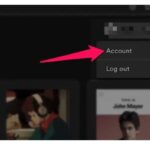
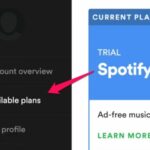
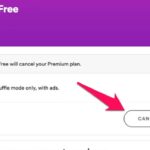
When you complete the steps, you will also receive a message confirmation.
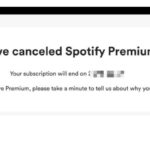
You don't need to worry about additional charges, as if you cancel before the payment date, your account will revert to the free version and you will not be charged for the next month.
It is very important to check billing date because Spotify deducts the money from your bank account automatically, immediately when that day arrives.
The trial period of the application lasts 3 months, and applies to both the regular and family packages. Once this period is over, registered users must pay the monthly subscription.
If you have opted for the free trial, you must follow the same process and cancel it before your period expires.
If you want to remove your credit card or any other payment method you have selected for Spotify, go to your account page and click on “ Manage Subscriptions and Payment ”. Then, find the “ Change Payment method ” or “ Card Details ” option and complete the removal .
You can add your card or another payment method again whenever you want.
What happens to your downloaded playlists and music?
Please note that if you cancel your subscription, you will not lose your playlists and downloaded songs. However, you will not have access to these songs because offline playback connected to the internet.
If you don't connect online to the app for over 30 days, your downloaded songs may expire, although this rarely happens.
