

Everyone knows that the free upgrade offer to Windows 10 ended on July 29, 2016. At that time, Microsoft officially ended the Get Windows 10 program, relieving many as it stopped providing the GWX tool to the computers of unsuspecting users who were perfectly happy with the current version of Windows they were using.

As of July 30, 2016, upgrade notifications stopped and the GWX app started disappearing. In theory, this could mean that the only way to upgrade to Windows 10 is to pay for a license.
The funny thing is, no one told Microsoft's activation server administrators this. This means that 3 years after the supposed end of the free upgrade offer, you can still upgrade to Windows 10 from Windows 7 or Windows 8.1 if you have a legitimate key on your older operating system.
You can also upgrade Windows 10 Home to Windows 10 Pro using a product key from a previous version of Windows 7, 8, or 8.1 (Pro/Ultimate). This can save you $50 to $100 in OEM upgrade fees if you buy a new PC that comes with Windows 10 Home preinstalled.
Many of our readers, who tried the old upgrade method, tell us that this process still works.
Most of our reader reports confirm that this upgrade still works, although a small number report that the upgrade sometimes fails to work, displaying the following message: “Windows 10 Setup failed to validate the product key.”.
It's a known issue that was happening even when the free upgrade offer was in effect. It's happening on a very small number of Windows 7 computers, and no one is sure why. But everyone who reported it was able to fix it using one of the procedures detailed in this article by Microsoft MVP Kapil Arya: [FIX] Windows 10 Setup Has Failed To Validate The Product Key.
So if you have a computer with a genuine copy of Windows 7/8/8.1 activated, you can easily upgrade to Windows 10.
To get started, download a genuine copy of Windows 10 with Microsoft's official tool.
You can upgrade directly with this tool or create a separate installation media.
Follow the instructions to complete the download and then the upgrade.
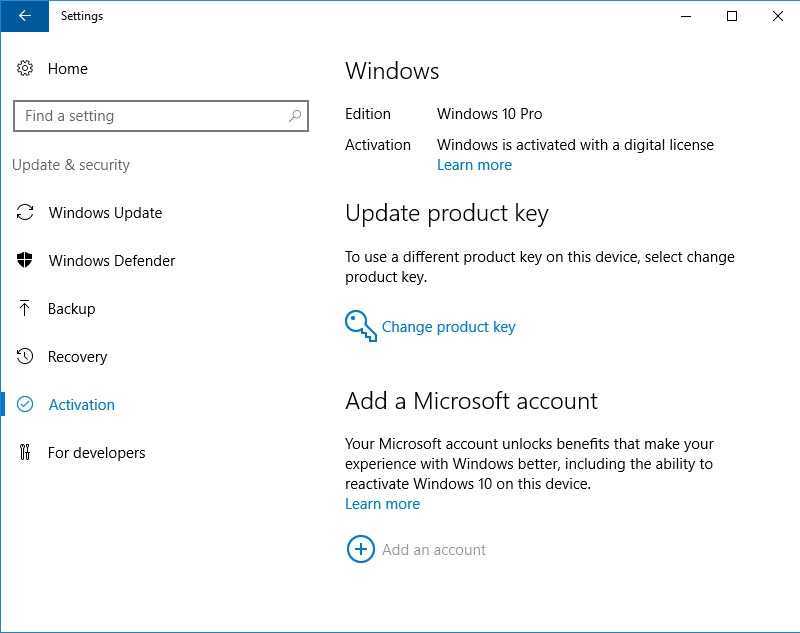
You will not be asked for a product key, and once the upgrade is complete and you are connected to the Internet, you will have a digital license to Windows 10, which you can confirm by going to Settings > Update & Security > Activation.
Your digital license is tied to that specific device, which means you can erase the disk again and perform a clean install of the same version of Windows 10 at any time, without needing another activation key.
If you don't have a key, read the following posts:
Windows 10 Professional OEM with 3 euros
Office 365 Lifetime Account subscription that does not expire with 11.41€
