

With the release of the new Windows 10 Fall Creators Update last week, users of the operating system gained a new feature that aims to stop ransomware from encrypting the most important files on the computer.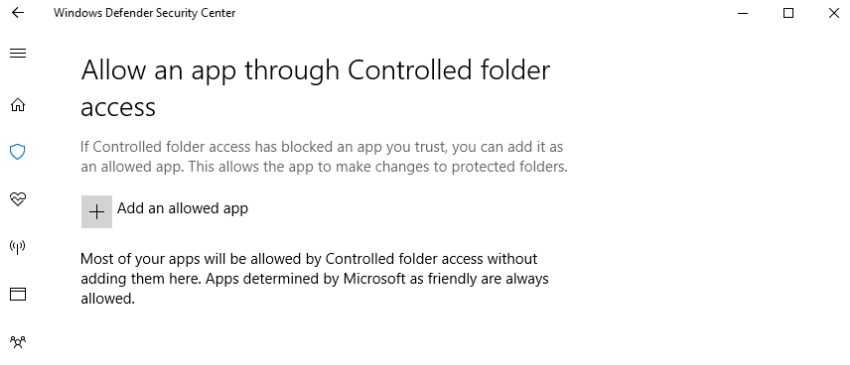
It's called controlled folder access and is part of Windows Defender Exploit Guard, a new protection feature that adopts the steps of Microsoft's Enhanced Mitigation Experience Toolkit (EMET).
How does controlled folder access work?
Controlled folder access locks folders, allowing only authorized (whitelisted) applications to access and modify the files contained within them.
By default, it protects folders where important data is stored, such as documents, pictures, movies, and the desktop.
These folders cannot be removed from the list of protected folders, but other folders can be added, even if they are located on other drives, network shares, and mapped drives.
“You can also allow apps you trust to access protected folders, so if you use unique or custom programs, your productivity won’t be affected,” Microsoft says.
If, on the other hand, an unauthorized application tries to make a change to the files in those folders, the new feature will stop it and the user will receive a notification about what happened on their computer.
Enable Controlled Folder Access in Windows 10
The easiest way for home users is to activate it through the Windows Defender Security Center, from the “Virus & threat protection” menu.
Click on “Virus & threat protection settings” and toggle the switch to “On.” You can then add new folders to the list of protected folders and the apps that will be allowed access. 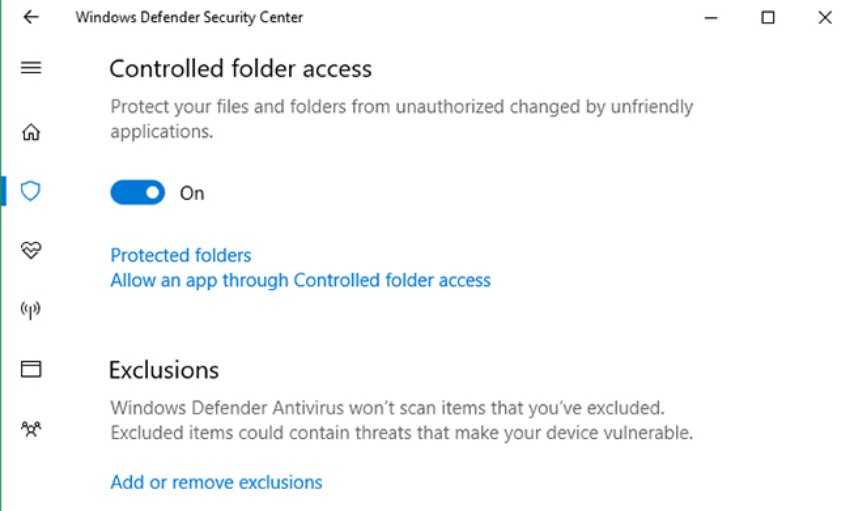 “In enterprise environments, controlled folder access can also be enabled and managed using Group Policy, PowerShell, or mobile device management configuration,” according to Microsoft.
“Controlled Folder Access integrates seamlessly with Windows Defender Advanced Threat Protection. Whenever Controlled Folder Access blocks an attempt to make changes to protected folders, an alert appears in Windows Defender ATP. This alerts business personnel to take quick remedial action.”
Endpoint alerts can be customized so that administrators can include instructions for end users on what to do next.
Note: to use controlled folder access, real-time protection must be enabled in Windows Defender Antivirus.
Does Windows 10 CFA Work?
It sounds great, but we haven't tested it. According to others, the new feature seems to work perfectly... for now, with the ransomware that's been released so far.
