

Chrome 73 – the latest version of Google’s desktop and mobile browser – has been released for Android, Linux, macOS, and Windows. The development of Chrome 73 is gradual and will soon reach users on the aforementioned platforms. Among the key changes brought by Chrome 73 is the dark mode for the macOS version of the browser. In addition to bug fixes and performance improvements, it brings support for Data Saver for HTTPS pages on Android, new “Enhanced Spelling” and “Safe Browsing in Extended Reports” features, as well as support for media keys, among others. Additionally, features such as tab sharing between platforms are in testing.
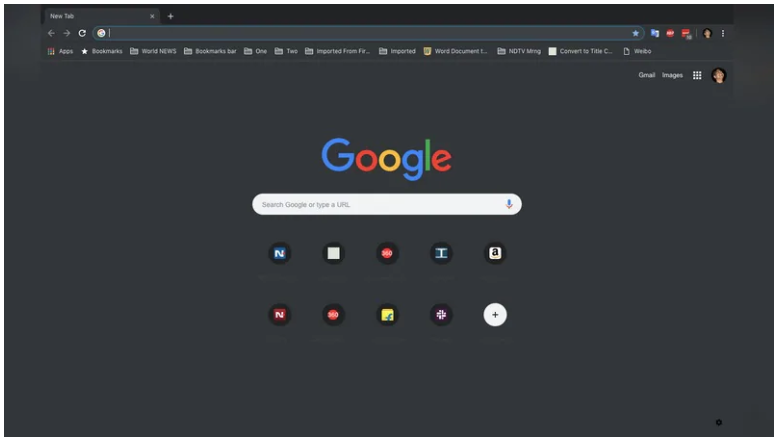
The stable update of Chrome 73 is now rolling out to all compatible platforms and will soon reach users across the globe over the coming weeks. One highly anticipated feature of Chrome 73 is support for dark mode in the browser on Mac, but unfortunately, it seems that Google Chrome users on Windows will have to wait a little longer. Chrome 73's dark mode is compliant with the Mac's dark theme, if the same is true at the operating system level. Chrome 73's dark mode on Mac is quite similar to the browser's native incognito mode.
As for the new features introduced in Chrome 73, it’s support for media keys on a compatible MacOS, Windows, or Chrome OS system. Users can now use the dedicated media keys on their keyboard to control media playback on services like YouTube. Additionally, it introduces support for progressive web apps (PWAs), which now live on all desktop platforms as well as mobile. Signed HTTP exchanges and build sheets are among the other features arriving with the latest version of the Chrome browser.
“Improved spell checking,” “Extended Safe Browsing Reporting,” and a “Search and Better Browsing” feature to allow Chrome to collect URLs on an anonymous basis are some of the other features now available. Additionally, automatic optimization of picture-in-picture mode for PWAs and the addition of a “Skip Ad” button in the Picture-in-Picture window are among the new features that the control introduced with the arrival of Chrome 73.
As for Chrome 73 for Android, it brings the ability to view content on the Dino page, which means users can browse suggested articles even when they’re offline. Another key change is the arrival of the Lite pages notification in the omnibar and the fact that Data Saver now supports HTTPS pages. Lite pages are optimized versions of web pages that are presented after passing through Chrome’s Data Saver feature, so they consume less data and load faster. Chrome on Android will now display the text “Lite” in the URL bar for HTTP as well as HTTPS web pages, to let users know when the optimized version of a web page is displayed. If you tap on the “Lite” option, users will choose whether they want to stay on the optimized web page or load the original version.
