

 Google , and more.
The new update will bring a different layout and features based on the type of Google account users have.
How to enable the new Gmail interface for desktop?
For regular Gmail users
- Log in to your Gmail account from the desktop and click the Gear.
- Select Try the new Gmail
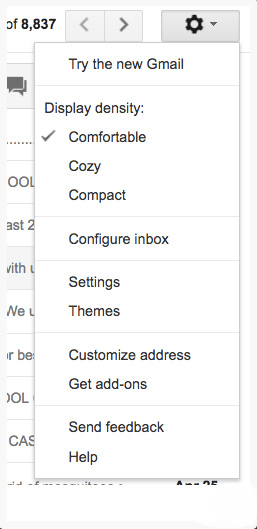 Your Gmail will immediately get a refreshed look, but in case you don't like the new version, it's easy to revert back to the previous one. Follow the same steps mentioned above and click Go back to classic Gmail.
For G Suite users
To enable the new Interface on a Gmail for organizations account, you will need to switch to an administrator account and follow these steps:
- In the management console dashboard, go to Applications
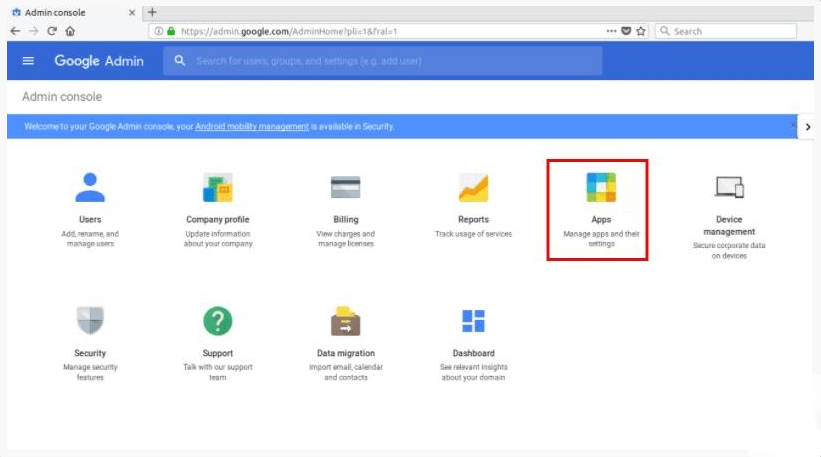
- Choose G Suite
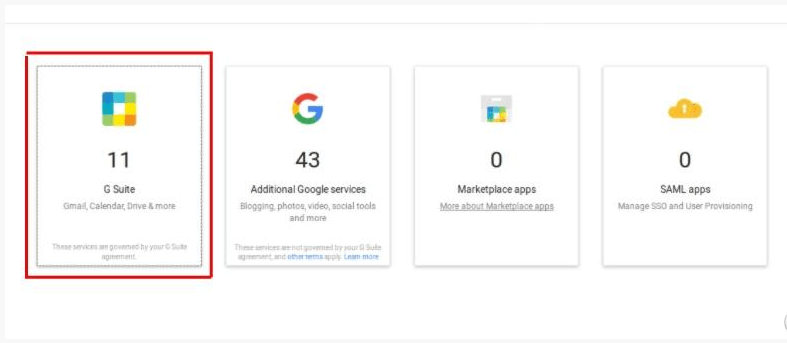
- A list of apps will appear. Click on Gmail
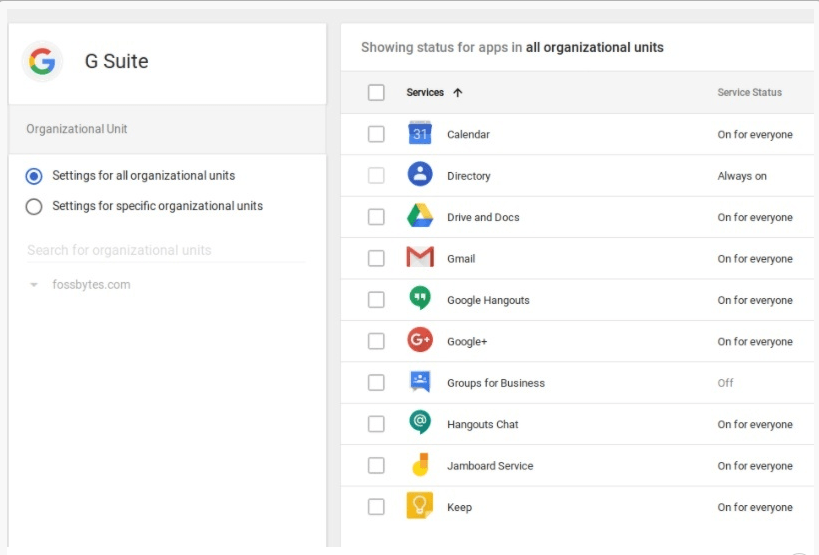
- In User Settings, scroll down to New Gmail Early Adopter Program
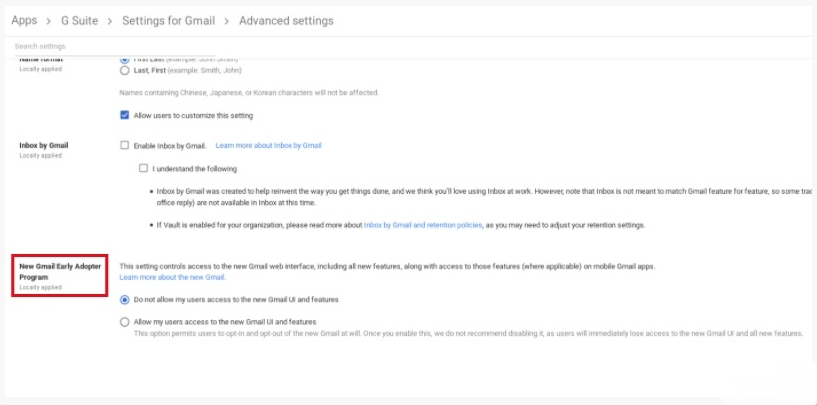
- Click the Allow my users access to the new Gmail UI and features radio button.
- Then save the settings.
It may take up to an hour for the “Try New Gmail” option to appear in your account settings. Once it does, simply click on the option and you’re good to go.
📧
Subscribe to the SecNews Newsletter
