

GNOME developer Bastien Nocera talks in his latest post about the improvements he has managed to implement in recent weeks to Bluetooth in the Fedora Linux operating system.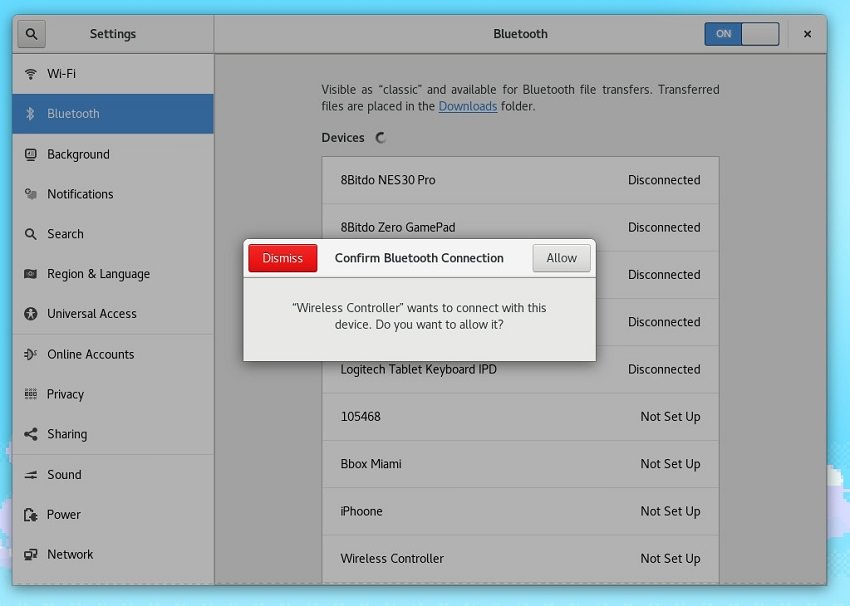
The patches submitted by the developer to the Bluetooth packages of the latest Fedora Linux release promise to improve the way PlayStation 3 DualShock controllers are configured in the GNOME desktop environment.
Until now, to set up a DualShock 3 controller, you had to connect it via USB, then disconnect it and press the “P” button on the joypad, which would open a dialog box to confirm the Bluetooth connection. However, this method has some quirks.
Specifically, if you try to charge just one joypad, it will forget the original console and you will need to reconnect it. If you didn't have the Bluetooth panel open when you tried to use it wirelessly, it definitely didn't work.
With Bastien Nocera's patches, it's now easier than ever to install a DualShock controller. Simply open the Bluetooth panel in GNOME Settings, connect the controller via USB, and click "Allow" to confirm the Bluetooth connection.
Of course, if you just want to charge the controller via your computer, you can simply ignore the Bluetooth connection prompt. The good news is that you can now also connect the Sony PlayStation 4 DualShock 4 controller using this method.
The developer also spoke about the infamous BlueBorne vulnerability that puts billions of Bluetooth devices at risk, pointing to a new security method that locks down the program that could be integrated into the next version of Fedora, Fedora 27.
