

In an era when photography is accessible to everyone, whether from regular cameras or Android, iOS and Windows smartphones, users are now looking for new photographic thrills, such as panoramic photos.
Panoramic photography technology allows the viewer to see and perceive the entire surrounding area of the photograph, often at a greater angle than human peripheral vision, even at 360 degrees.
But how can you produce panoramic photos using a mobile phone running Android? With the help of some apps of course. Let's see which panoramic photography apps you should try if you decide to become a modern top photographer.
1. Panorama 360: 360 Cam+VR video by TeliportMe Inc. The Panorama 360 app is one of the most popular and of course free. You can take large 360-degree panoramic photos. The app has over 4 million downloads and has a large community of users who are also passionate about panoramic photos. Don’t worry if you’re not sure how to use the app, as it offers a short video showing you how to take a perfect panoramic image.
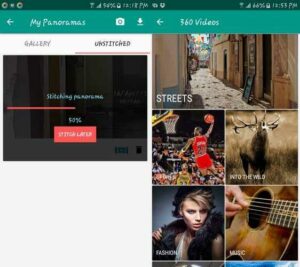
You can quickly share your photos on social networks such as Twitter, Facebook and Tumblr. It also has a service where you can see in real time the latest panoramic photos that other users have taken and saved. Photospheres can be shared or viewed either as a simple flat image or as a 3D one. It also has 3D filters to enrich your photos even more.
2. Photaf Panorama
Another free, basic app that can help you take great panoramic photos is Photaf Panorama. It’s impossible not to take great, great photos with this app, as it comes with helpful bubble indicators (something like a spirit level) that show you if you’ve moved your camera too far. To see the entire panoramic view, you can either use your phone’s compass or the touchscreen.
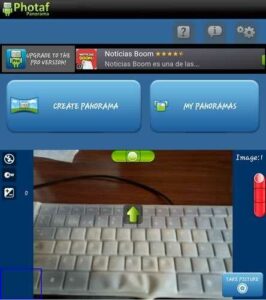
The app also has a THD version just in case you have a Tegra device. It also allows you to use automatic photo capture when creating panoramic photos. We recommend using this feature, at least at first, to get really good photos. Other features you can use are geo-tagging, image size, shutter sounds, and autofocus.
3. Cardboard Camera by Google
Google generally has an app for everything. Panoramic photography was one of them. So they released the free Android app Cardboard Camera where you can take some amazing panoramic photos. This app turns your smartphone into an amateur VR camera. To take your first photo, you will need to move your phone around in a circle, just like you would when taking any other panoramic image.
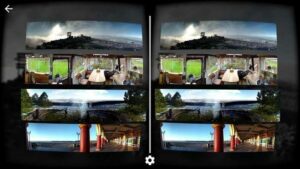
If you look at the images you've taken with this app, you'll see them in 3D. If you prefer, you can also record sounds at the same time. If we've confused you, you can think of Cardboard Camera as a photosphere app that stacks photos and gives them some depth, showing different views for the left and right eyes. You can also use the app without Google Cardboard (or anything similar) since the images can be displayed in your phone's gallery app. The app is not compatible with all Android phones.
4. PanOMG
If you liked Pan360, then you’ll love PanOMG, as it’s rightly dubbed its successor. This free app has won awards and is sure to please. The process of taking a panoramic image is very easy. Just hold your phone steady and tap the camera button on your screen.
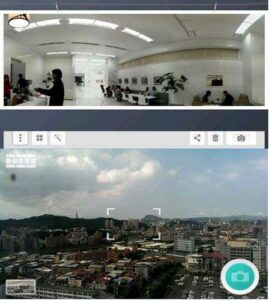
Once you take your first photo, a guide will appear on your screen with a camera icon on both sides of your screen. To activate the accelerometer, simply move your camera so that the camera icon goes into the rectangular frame. The app will automatically take the next photo. You will then see additional instructions on your screen. The app is not compatible with all Android devices.
5. Panorama Camera 360
Last but not least is the free Panorama Camera 360 from Fotolr. The app is very easy to use as all you have to do is click on the camera icon and then start rotating. You will see a diamond moving in a circle, and when the diamond is in the center, you should take the photo. Keep rotating, and when you get bored, press the stop button.
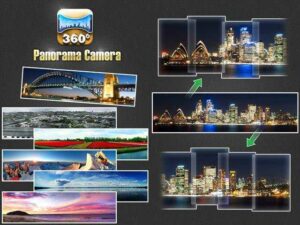
The app also has a flash option that you can turn on whenever needed. You can also decide how big you want your panoramic photo to be. It’s important to hold the phone in landscape orientation and don’t be surprised if you see an ad or two (free always has its drawbacks). You can share your photos through various options, on social media.
