


I think we'll all admit that it's happened to us at least once to have our mobile device on silent and not remember where we've put it! We search here and there, but all our efforts go to waste... But it can't be... it must have been here somewhere!? Right?
Today I will present you with a very easy and quick way to find your Android device again if it is somewhere near you but you don't know exactly where!
https://www.secnews.gr/102163/free-pdf-password-remover-software/Read: Break PDF passwords with 4 Free Password Remover Software! 😉
You can use Google's official Android Device Manager to locate your device by following these simple steps below:
1) Go to Android Device Managerfrom your desktop browser by following this link.
2) Login with the same Gmail account you used to activate your Android Device previously and registered on Google Play.
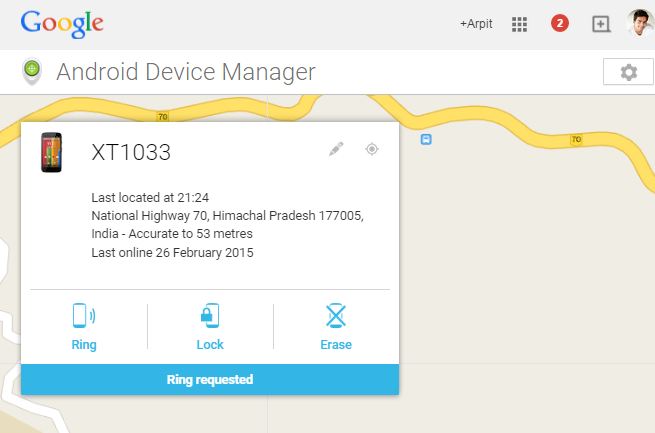
3) You will now see your device name and the last date you logged in. You will also be able to see all three options: Ring, Lock, and Erase.
4) By clicking on Ring, your device will start ringing loudly, which will help you locate it in seconds. This feature works even when your phone is in silent mode.
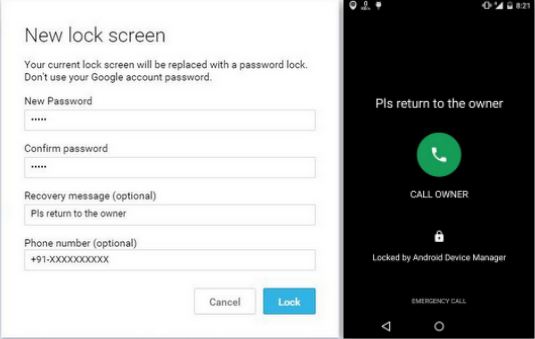
5) You can lock your device with a password in case you lose it. You will need to enter a message and a number to make sure that anyone who finds your phone can call you back at that number.
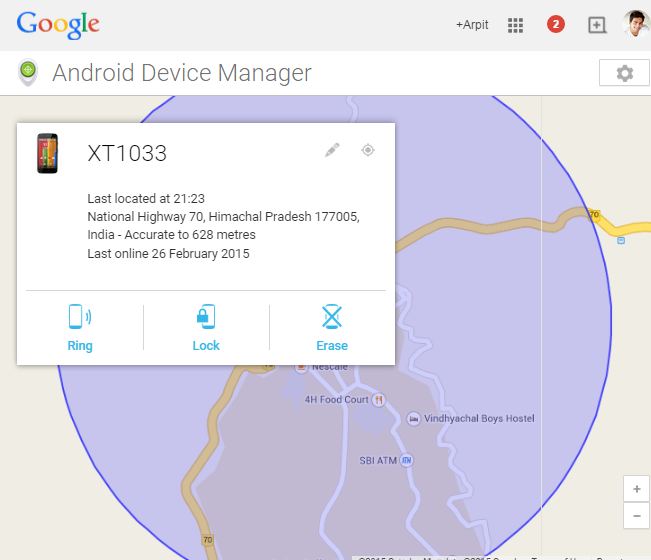
6) If the device's Location services are enabled, you can locate the exact location of your mobile by clicking on the locate service located to the right of the device name.
You can also erase all your data by clicking Erase. This option will factory reset your device. Your apps, photos, music, and settings will be deleted. After erasing the device, Android Device Manager will no longer work. Factory reset setting will start again automatically when the device is online.
Warning: DO NOT forget the password you set in the lock option.
https://www.secnews.gr/102390/wifi-slax/See also: WiFi Slax: A Linux Made for Wireless Hacking
