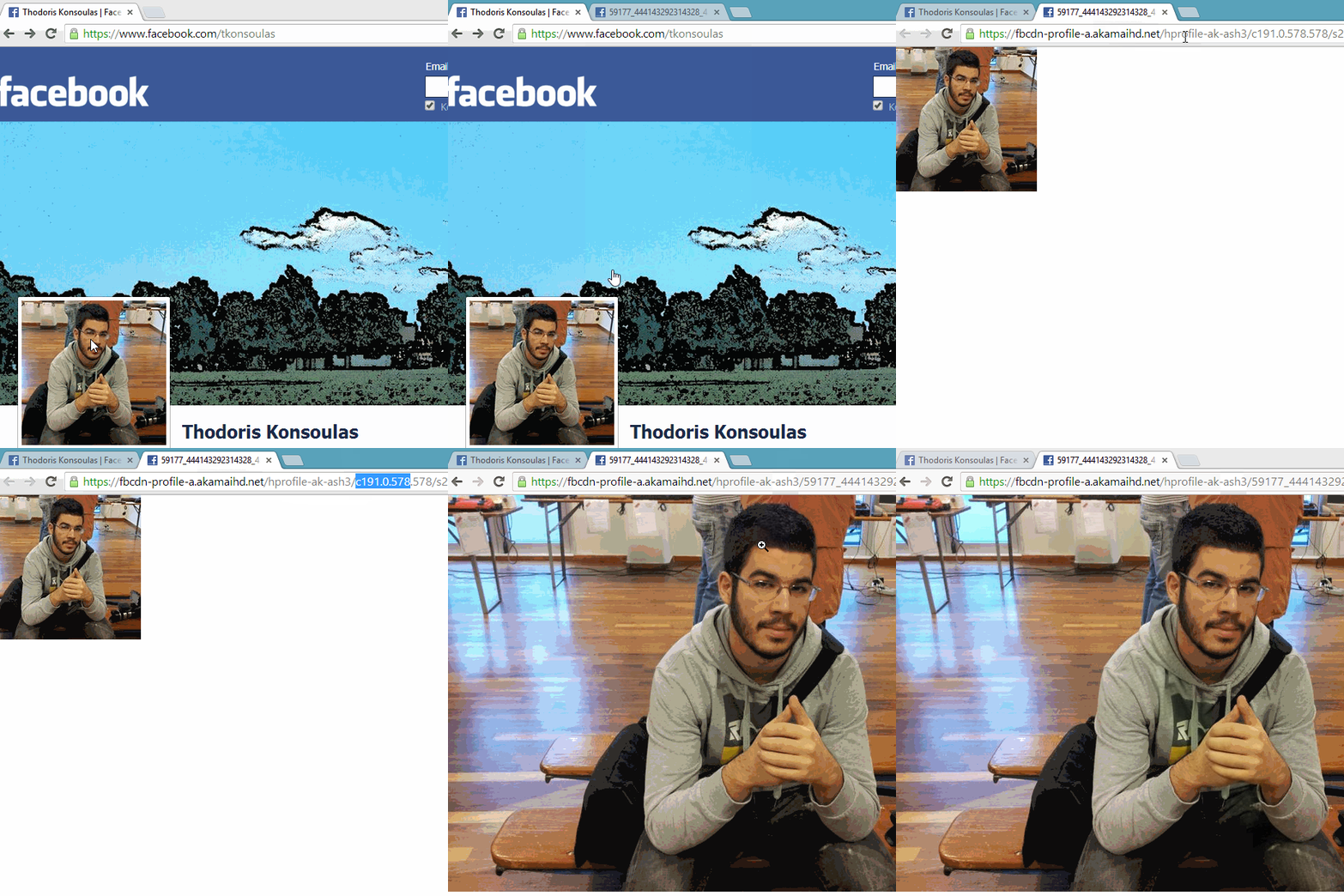
Facebook allows all users to lock their profile picture. This means that users have the option to protect their profile picture, either from strangers, or even from their friends.
In this case, users can display the profile picture at 200×200 pixel dimensions, without being able to click on it to enlarge it. This is also the purpose of the lock.
Social Media Life published the process by which anyone can enlarge a locked profile picture:
1. Visit a Facebook profile with a locked profile photo.
2. Then right-click on the photo and open photo in a new tab.
3. Go to the new tab and in the address bar there will be a link of the form:
https://fbcdn-profile-a.akamaihd.net/hprofile-ak-ash3/c191.0.578.578/s20….
4. Delete the following part of the link: c191.0.578.578/s200x200/.
5. The final link will be the following: https://fbcdn-profile-a.akamaihd.net/hprofile-ak-ash3/59177_444143292314….
6. Press enter.
The process also follows in visual form.