

If you've realized that you have a lot of photos of yourself scattered across various devices and social networks and you've decided to consolidate them, one of the first places you'll turn to is Facebook.
Before starting the process of downloading your photos from Facebook, you should remember that it may take a few hours for the service's servers to respond. In our case, however, the compressed file with our data was ready for download in just a few minutes.
Go to your account settings, find the first option “ General” in the top left and select it. Several options will appear and below them, in smaller letters, the one to download your saved files.
Once you click on “ Download a copy of your Facebook data ” , the system asks for the user password for security reasons and then informs that it is collecting the data and will send an e-mail once it is ready for download.
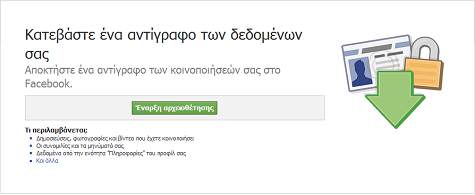
Once you receive the email and choose to download the file, the system will ask for the user password again , for security reasons. Then, the downloading will begin normally
The compressed file contains not only the photos, but also various other files with information from your Facebook activity.
The good news is that inside the… compressed file you will receive, you will find a folder called Photos. The bad news is that inside there, your albums are in subfolders with random names.
Even so, you have your photos grouped together and you can manage and archive them as you wish.
Source: e-pcmag.gr
