

A custom firmware named 'Xtreme' has added a new capability to perform Bluetooth spam attacks on Android and Windows.
See also: Flipper Zero: Sends spam messages to iPhone users
A security researcher demonstrated the technique in question against Apple iOS devices, inspiring others to experiment with its potential impact on other platforms.
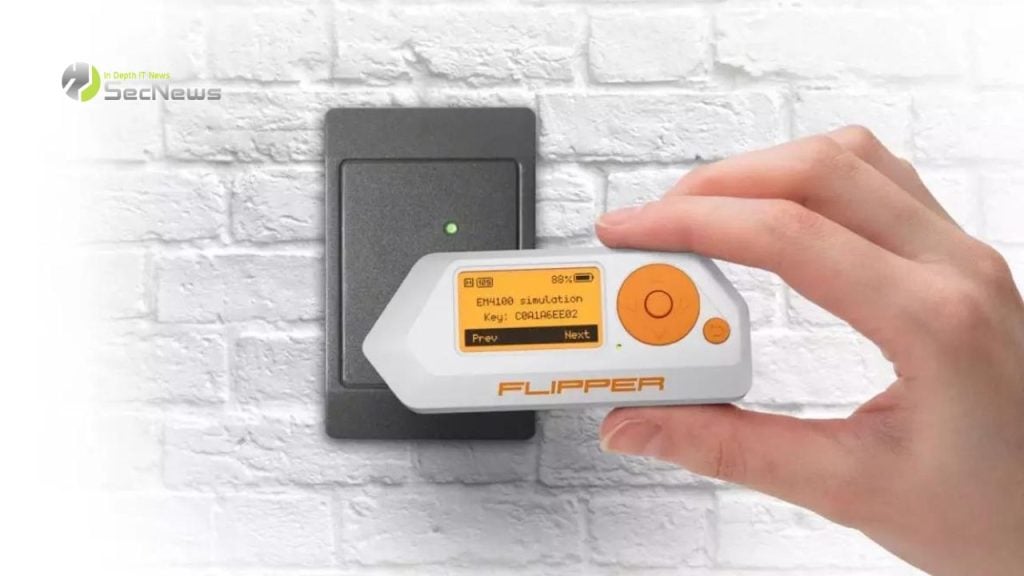
The basic idea behind the spam attack is to use Flipper Zero's wireless communication capabilities to create fake advertising packets and broadcast them to devices within range requesting pairing and connection.
This type of spam attack can confuse the target, makes it difficult to distinguish between legitimate and illegal devices, and can even disrupt the user experience with continuous notifications that appear on the targeted device.
Earlier this month, Flipper Xtreme announced on its Discord channel that “spam attacks” would be coming with the next major software release. The administrators also shared a video demonstration showing a denial of service (DoS) attack on a Samsung Galaxy, where a constant stream of login notifications renders the device unusable.
Although the latest code update has not reached a stable release, the “spam attack” has been integrated into the latest development version via a new application called “BLE Spam,” available on GitHub.
YouTuber named 'Talking Sasquach' tested the new software image on the Flipper Zero device and reported that the attack works as expected on computers running Windows and Android operating systems.
The BLE Spam application currently provides users with eight flood attack options, including:
- Every method combined
- iOS 17 Lockup Crash
- Apple Action Modal
- Apple Device popup
- Android device pair
- Windows Device Found
See also: Flipper Zero: Fake websites promise free devices
By selecting any of the above options, the Flipper Zero begins transmitting the corresponding Bluetooth packets to display connections and notifications on devices within range. These attacks are more of a nuisance than real threats. However, as BLE Spam allows users to create custom notifications, these unwanted messages can become creative and harder to detect, playing a role in social engineering or other threat scenarios.
Android 14 and Windows 11 devices display notifications for Bluetooth connection requests by default, so these Flipper Zero attacks can cause problems. Fortunately, there's an easy way to block these notifications on both systems.
On Android, go to Settings → Google → Nearby Share, and toggle the Show notification switch to “Off”.
The same menu can also be found in Settings → Connected Devices → Connection preferences → Nearby Share.
On Windows, open Settings, select 'Bluetooth & devices' from the menu on the left, click 'Devices,' scroll to 'Device settings,' and turn the switch under 'Show notifications to connect using Swift Pair' to 'Off'.
Users shouldn't worry too much about these types of uncontrolled transmissions, as they can't execute code on recipients' devices or cause any direct harm. However, spotting a potential phishing is crucial, and knowing how to stop notifications in cases of persistent notifications can save users time and frustration.
See also: Flipper Zero: Now has an app store for third-party applications
The potential risks and consequences of Bluetooth notification spam are multiple. Initially, users who receive these types of notifications may experience disruption and annoyance, as the notifications may appear continuously and for no reason. This can affect their daily lives and distract them from their important activities.
Additionally, spam notifications can cause concern and upset for users, as it may seem like someone is trying to track them or harm them. This can create a feeling of insecurity and cause stress and anxiety for users.
Additionally, spam notifications can cause disruption to the normal functioning of devices. When users receive constant notifications, they may find it difficult to perform their daily tasks and use their devices effectively.
Source: bleepingcomputer
