

Google Photos is changing terminology in the app to help users with their backup actions.
In response to a slew of requests from users who found the language in the app confusing, Google recently announced that it had made changes to its terminology, which are “smart and easy to remember.”
Google Photos is a popular choice for managing your photos, but there are plenty of alternatives and pre-installed gallery apps. What sets Google ’s offering apart from the competition? In addition to its image search feature, it has an effortless approach to backing up your photos and videos to the cloud , which you can access from any device. Google is currently refining its terminology so you have a clear understanding of what’s happening with your backups – making backups even easier!
See also: Google TV: The new remote control will have a self-charging battery
If you open the Photos Settings menu , which is accessible at the top of the app, you’ll find that what used to be labeled “Backup & sync” is now simply labeled “Backup .” To really see how this new title has been integrated into the app, scroll down to the bottom and notice that instead of reading “ Upload size,” it now reads “Backup quality .” Additionally, its related submenu title has also received a refresh.
Google changed some of its terminology to clear up any misunderstandings. While the updated terminology may be different, the actions they take remain the same – there have been no changes to the actual functionality. The word “sync” implied that your photos could be displayed on multiple devices, but it didn’t imply that those files would actually sync to other devices – so Google decided to remove it from its options, as more precise terms are now available.
See also: Which Google search results should you not blindly trust?
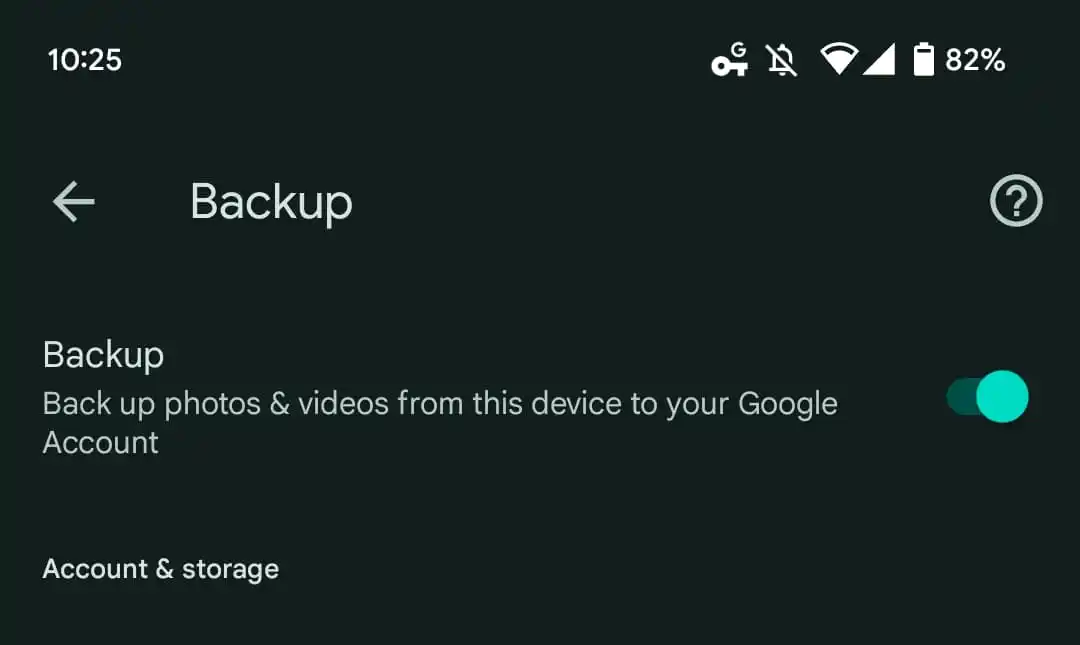
Adjusting from “Upload size” to “Backup quality” is more accurate when you consider that the only two options are either “Storage saver” or “Original quality” and not a specific file size. Google Photos never included a “Backup & sync” on its web version and replaced “Upload size” with the term “Backup quality” for accessing the settings on that platform.
In an effort to create clarity and convenience, Google has updated its terms. Fear not, as there will be no adjustments to how your photos and videos in Google Photos!
Source: androidpolice.com
