

Want to turn your photos into something unique? Check out the best photo editing software for Windows users here.
They say a picture is worth a thousand words. And to a large extent, that's true. If you think about it, we often choose to capture in images things that we consider important. And we usually do this by taking pictures of things around us.
These photos, however, take on a truly more interesting dimension when we add our own “touch” to them. How is that possible? Of course, with all these tools that allow us to edit photos and create new stories.
Here we will look at the best photo editing software for Windows that you can use for different purposes, depending on your needs. These tools do a great job whether you want to slightly modify your photos to share with friends on social media or you want to create a more professional result.
See also: How to create a slideshow with your photos on iPhone?
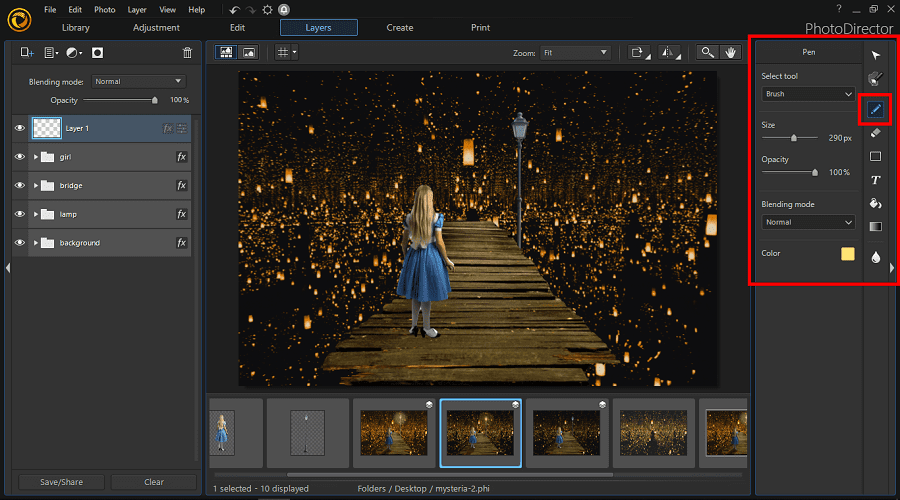
1. Photo Director Essential
Photo Director Essential is an all-in-one photo editing software for beginners . It has some features similar to Lightroom and Photoshop, such as photo editing and image enhancement. It allows, of course, to do basic editing , such as adding text or cropping the image, and has features such as intuitive layer editing, ready-made templates, hundreds of filters, frames and more.
There are also various photo effects, and you can adjust colors and combine many different photos.
If you don't like something about your photos, don't worry. Photo Director lets you remove objects from photos , as well as add face tags . There are also blur effects .
If you are editing portraits, you can use the special beautification features for a better result. The photo editing software allows you to use Shutterstock and Getty images if you need them for backgrounds or to add some kind of effect to your photos.
You can get all these features completely free of charge.
However, there is also a paid version, which includes additional AI-based features such as sky replacement, GIF animation, and more.
See also: iPhone: How to attach photos and other files to an email
One advantage is that the software is regularly updated and introduces new features. It also offers many guides on how to edit photos. Therefore, it is a very good tool even for people who have no experience in photo editing.
2. Adobe Lightroom
Adobe Lightroom is one of the most well-known photo editing software. Many professional photographers use and recommend it. All of its desktop versions are subscription-based, but you can use the mobile app for free, which also offers great features.
Adobe Lightroom has two different versions: Lightroom and Lightroom Classic. Lightroom Classic is designed for professional photographers. It allows them to invite others to work on their photos and they can share them by creating a link.
On the other hand, Lightroom is made for beginners. And this version offers many interesting features, capable of taking your photos… to another level.
To start editing your photos, you can import your files from your device or the cloud. Some of the advantages of this tool are the ability to do lens correction, as well as correct the colors and lights of the entire image or a selected area. Thus, the tool helps you improve the details, which will give a better result.
Lightroom keeps a record of your original files and all the edits you make to your images. So you can easily see any changes you’ve made and compare them to the original image. You can access both edited and unedited images from the “History” tab.
Of course, there are also preset effects that you can apply to your photos. Finally, the software allows you to tag photos , both manually and automatically, with the help of AI. This is done based on location and dates and helps save a lot of time, making it extremely simple to search for your files later.
3. Fotor
Fotor is a free online photo editing software designed for beginners. It has a desktop and mobile version, which is very convenient since it allows you to edit your photos wherever you are .
The tool offers basic editing, such as cropping, rotating, and aligning. You can also create collages of your photos, convert raw files, add filters, frames, and borders, as well as blur effects.
To access full HDR support, you will need to opt for the paid version.
4. Luminar AI
Luminar AI is also a paid tool and does not have a free version. It is based on AI. It allows you to adjust composition, lights, colors and details, and even do sky replacement.
You can edit or retouch your photos to get great results without putting in much effort. It comes with composition AI, Atmosphere AI, Iris AI, and Body AI.
The software has ready-to-use templates, created by professional photographers. In the “Creative Section” of the control panel, there are many different types of effects that you can add to your images. Some of them are: augmented sky, sun rays, dramatic mood, glow, etc.
Like Lightroom, Luminar AI lets you edit the overall photo as well as specific parts of the image. This allows you to emphasize details and perfect your images. For example, in portraits, you can make changes to the face, skin, etc.
See also: How do I make my photos private on Facebook?
If you want to add the effects that Luminar AI offers, but edit your photos yourself without the help of AI-powered features, you can use this software as a plugin for Lightroom or Adobe Photoshop.
5. Darktable
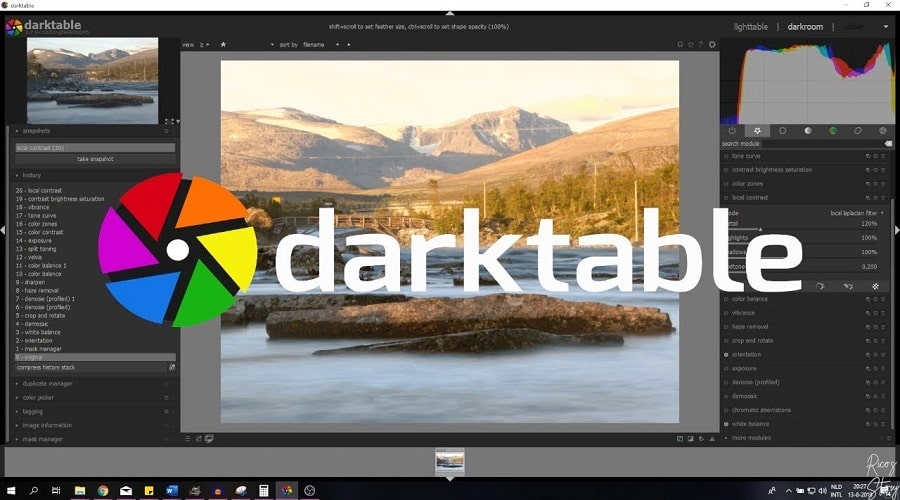
Darktable is a free , open-source software . It is an ideal solution for beginners, students, and people who want to get a little more professional with photography and learn things, without investing a lot of money in courses, etc.
This software shares many features with Adobe Lightroom, such as preserving both the original and edited photos, and features such as selection, metadata editing, tagging, and file that make file management easier.
You can also sort your imported files using various filters. All of these features are available in the “Lighttable” tab.
Of course, there are also common editing functions such as curve adjustment, tone, contrast, RGB level, noise, sharpness and many more which are available in the “Darktable” tab.
You can still adjust the print qualityby adjusting the settings in the print option if you have a high-performance photo printer available.
The photo editing software also has a wizard that helps you better understand most of the features.
6. GIMP Photo Editor
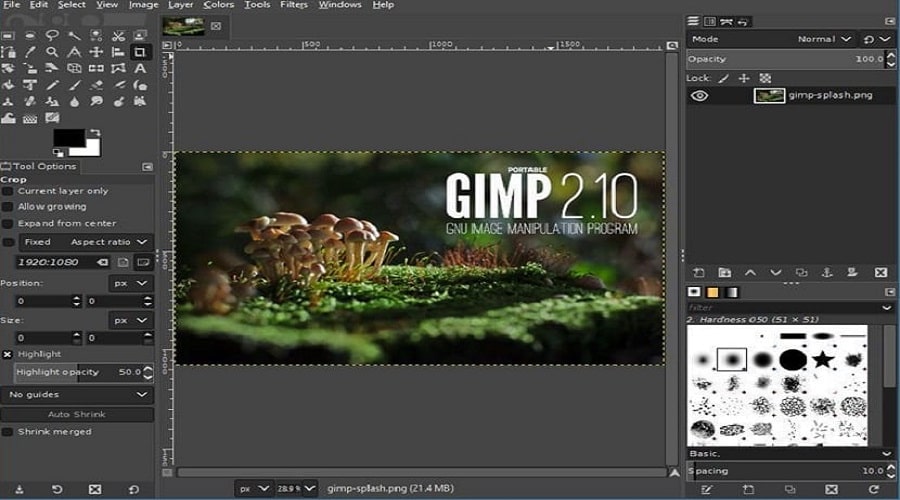
It's a free photo editor that features a surprisingly comprehensive collection of advanced and basic editing tools that rival those of Photoshop and similar paid programs.
While the basic software has various features such as layer editing, masking, color management functions, and effects, you can also download free plugins created by other GIMP.
It is a valuable tool, although it may be considered a bit difficult for users who are not experienced in photo editing.
7. BeFunky
Another great free photo editing software for Windows is BeFunky. The program offers many of the tools, features, and functions that beginners need to enhance their photos, adjust color and lighting, and create collages.
With ten photo editing modules, it is possible to navigate the software's editing interface to change template layouts, upload images, and make minor modifications.
The free version allows you to access only a third of the platform's tools, but these are enough for beginner users.
Experienced creators will likely want more options. Upgrading to the premium version of BeFunky unlocks more features like crop tools, background replacement, color replacement, and other editing features.
These are some of the best photo editing software for Windows. To start editing your images, you need the right tool, which you should choose according to your needs and skill level.
Therefore, if you are just starting out in photography, you can start with a simpler program and later possibly invest in paid software that will offer many more features and allow you to create unique images.
