

If you're looking for a more secure way to send email through Gmail , then you should use Google 's " Confidential mode , " which is designed to ensure that only the intended recipient can see your message.

Gmail Confidential Mode: What is it?
When you use Confidential Mode when sending an email in Gmail, the recipient is asked to enter a password before they can read your email.
After you send your message, the recipient will receive an email informing them that a “confidential message” is waiting for them. To read it, they will need to verify their identity using a code sent either via email (to the same account) or via SMS.
See also: Gmail: How to find your emails by date?
This first informational email contains nothing of the content of the confidential message you want to send. Instead, the message exists only on Google's servers. In addition, in addition to the verification process, messages sent through Confidential mode have an “expiration date.” You can choose one week, one month, three months, or five years.
How to send "confidential emails" in Gmail?
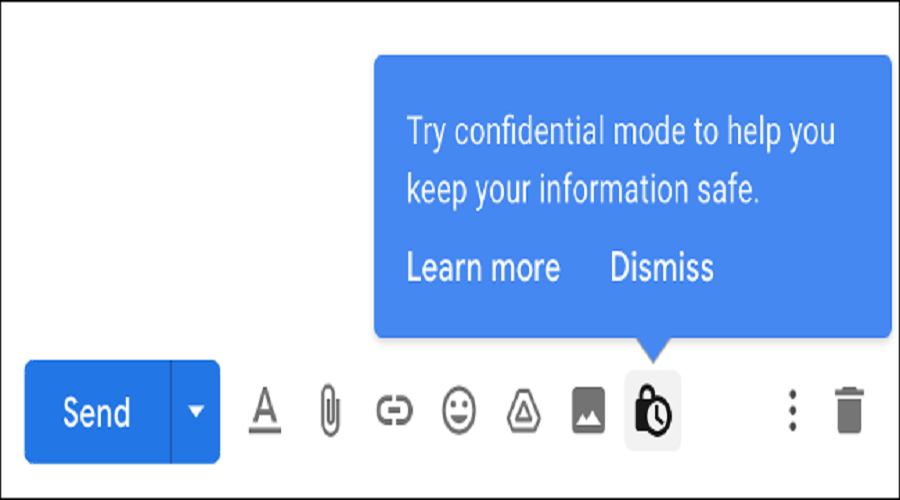
To use Confidential mode, log in to Gmail and click the “Compose” button in the top left corner to start composing a new email. Add a recipient, a subject , and type text . Then, click “Confidential mode” at the bottom of the compose window (It looks like a padlock with a clock on it).
In the window that appears, set the message expiration period and choose whether or not to require a password via SMS. If you choose not to send a password via SMS, then the password will be delivered to the same email address you entered in the “To” field.
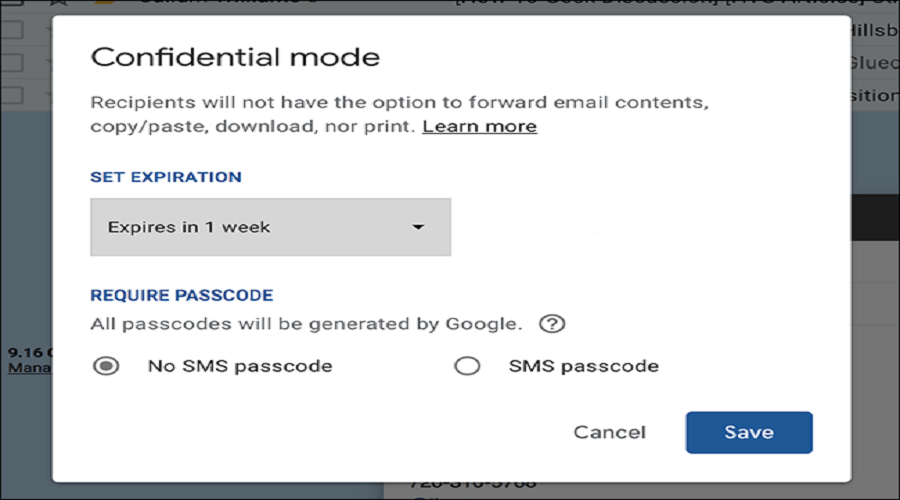
Click “Save” and check your email before clicking “Send.” If you have chosen SMS password verification, you will need to enter the recipient’s mobile phone number before your message will be sent. Be careful not to make a mistake with the number!
See also: ProtonMail: Introduces new system to block email trackers
How to remove access to a message you've sent
If you want to revoke access to a message you have already sent, you can do so. Once you send an email in Confidential mode, the message will appear in your inbox. You can also view it in your “Sent Items”.
To revoke access to this confidential email, click on the message and then click “Remove access.” If the recipient has not yet read the email, then they will not be able to access it after removing access.
See also: Firefox Relay added to disposable email block list
Disadvantages
If you don't request password verification via SMS, Confidential mode offers much less security. The password will be sent via email, but if the email address you're sending your message to has already been compromised (e.g. the owner has left it logged in on a public computer), then the code is almost useless.
Unfortunately, Gmail's approach is still far from that of truly secure email providers. Like most email providers, Gmail doesn't encrypt the contents of your inbox on the server. Google employees or anyone who gains access to your account can, technically, view the message.
Source: How-to-geek
