

After about a year and a half, people in most parts of the world are starting to return to normal. Employers are asking employees to return to the office, however, this is not possible in all cases.
Some people will continue to work from home and as one can imagine, employers will not leave these employees unattended. Fortunately, there are various privacy tools that one can use to protect privacy from the prying eyes of the employer and large companies that monitor our activity.
See also: Google Play: Apps for children violate privacy law

See below some important tools that will help you enhance privacy

1. Signal for private conversations
When you want to talk to your colleagues, family or partner, you may be sharing sensitive information with them. Such information is best not to be sent via apps, messages, etc. However, sometimes it is necessary, so in these cases we have to resort to the most secure solution. The messaging app Signalis one of the most secure apps of its kind. It is free and allows you to exchange phone calls, video calls and text messages, which are protected with end-to-end encryption.
See also: Signal CEO hacked phone cracking software used by authorities
Unlike other messaging apps, Signal doesn't collect a lot of user data. According to its website, the app simply asks for a user's phone number to create a Signal account and communicate with other users of the app.
The application is available for desktop, iOS and Android devices, and has many useful features, such as the ability to make messages disappear after a certain period of time.
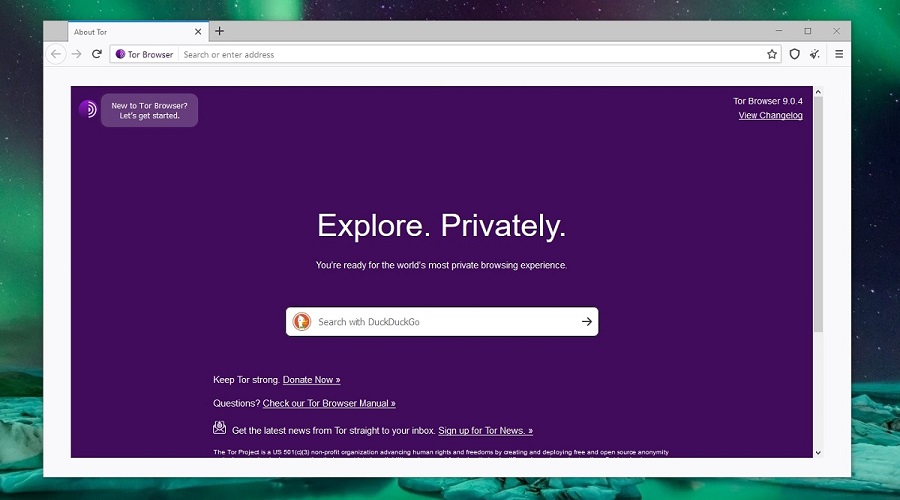
2. Tor Browser for private web browsing
Most people use the internet. However, as we all know, browsing is not completely private. Many companies monitor user activity, the sites they visit, the keystrokes they make, etc.
Companies like Facebook can see what websites someone visits even when they're not on Facebook.
To avoid such situations, you can use the Tor browser. The browser is free and routes your encrypted web traffic through several relays, preventing third parties from monitoring your activity.
For mobile devices, there are other private browsing options, although Tor is also available on Android. If you have an iOS device, the equivalent browser is Onion Browser.

3. Google Authenticator and LastPass for account protection
Thousands of hacking attacks and data breaches occur every day. Fortunately, there are some simple methods to protect online accounts. One of the most effective and easy is to use an authentication app.
So-called Authenticator apps, such as Google Authenticator for iOS and Android or Microsoft's equivalent version, allow you to protect your accounts with two-factor authentication.
If you also use a password manager, like LastPass, you will provide even more protection to your accounts.

4. Reduce Google results that concern you with the help of the company itself
These days, everyone's personal information can be found online. Cybercriminals are selling and trading the personal information of hundreds of millions of users. Fortunately, there's something you can do about it.
There are companies that offer a paid service that specializes in removing your information from the internet, but Google itself offers a data deletion tool, intended to “Remove your personal information from Google.” It won’t work for everyone, but the company says it will remove information from search results, such as “content that exposes contact information with intent to harm.”

5. A simple film to cover the web camera or selfie camera
When it comes to privacy protection, cheap doesn't necessarily mean bad.
This is especially true for cameras. Cameras offer a view of your home or the environment you are in, or show your face directly.
Cybercriminals and unscrupulous employers can find ways to gain access to cameras and violate users' privacy.
See also: Bitcoin will get a very important privacy update
The head of the National Institute of Workers explained to Mashable in 2019 how little privacy employees have within their own homes.
“Employees have almost no right to privacy on employer-provided computers,” he explained. “Employers can remotely turn on the camera while the laptop is at the employee’s home.”
The solution is simple. Place a tape or sticker over the camera to make sure no one can see through your camera.
Source: Mashable
