

Safari extensions add extra functionality to the browser. They work like mini-apps on Macs, installed and acting like apps themselves. If you no longer want to use an extension in Safari, here's how to uninstall it.
Mac users using Safari 12.0 or later (running macOS Mojave or later) will see extensions listed as apps. In fact, the older Safari extension file is no longer supported.

Like the process of installing Safari extensions, deleting them is also complicated. Safari extensions are downloaded as individual apps. This means that to remove an extension, you have to delete the accompanying app (after first disabling it).
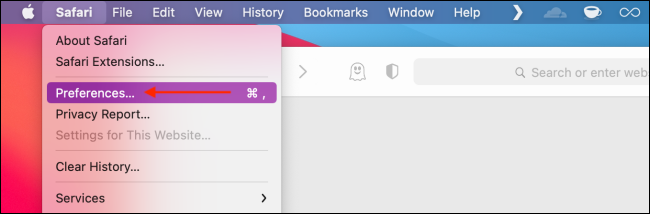
You can manage extensions from the browser's Preferences menu. Click the “Safari” button from the menu bar and select the “Preferences” button
From here, go to the “Extensions” tab. You will now see a list of extensions in the left sidebar. To disable an extension, click the radio button next to it.
The extension will now disappear from the extension bar.
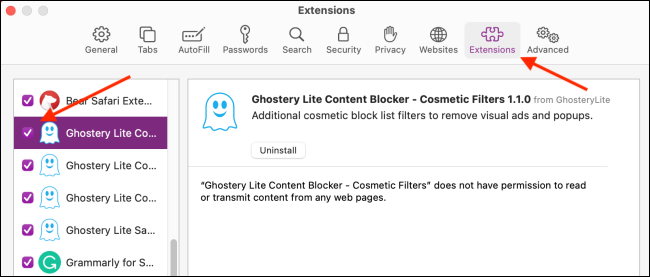
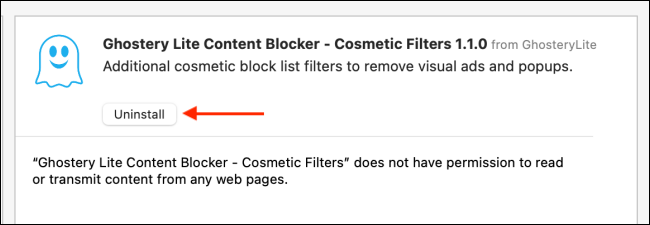
You can now delete the extension. From the extension information section, click the “Uninstall” button.
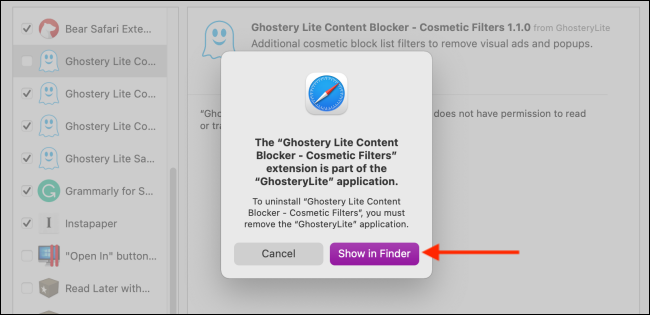
You will now see a pop-up message stating that the extension is part of the application and that to uninstall the extension, you will need to remove the application itself. Here, click the “Show in Finder” button.
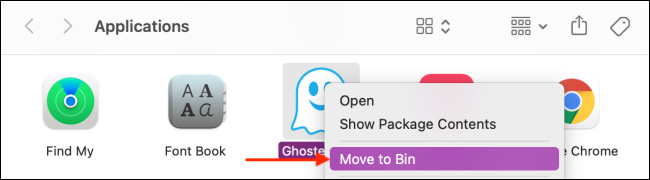
This will open Finder with the application selected. Right- click on the application and select the “Move to Bin” (or “Move to Trash”) button.
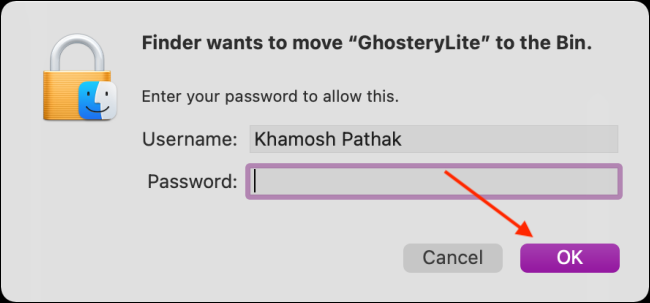
Enter your Mac username and password , then click the “OK” button.
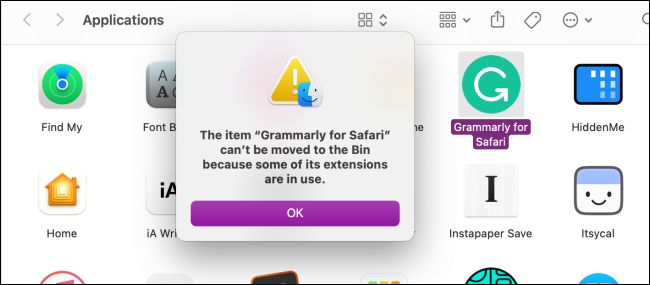
The extension will now be deleted. If you see the pop-up message stating that the app was not deleted because it was in use, you will need to go back to Safari's Preferences menu and make sure that the extension is disabled. Again, make sure that all secondary extensions are also disabled.
Once the extension is deleted (moved to the trash), you will see it disappear from the Safari extension bar and from Safari Preferences.
Information source: howtogeek.com
