

WinUpdatesView v1.00 is a Windows update history viewer from Nirsoft, which as its name suggests displays the Windows update history on the device it is running on.
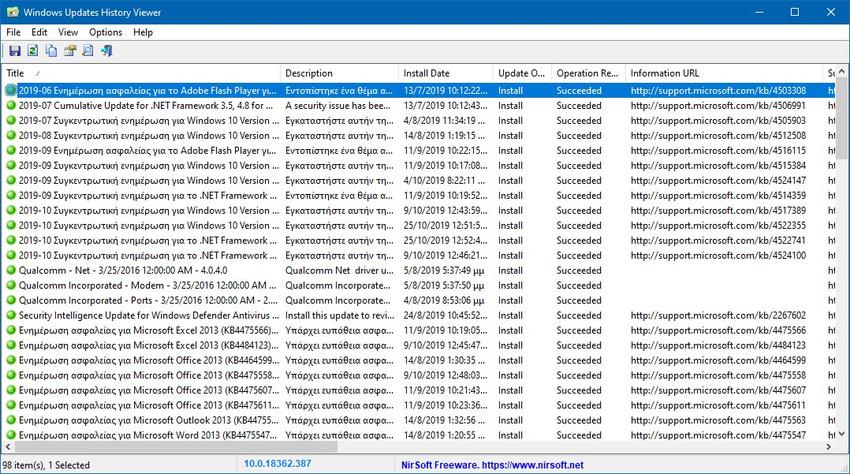
As with all Nirsoft applications, it is fully portable, meaning it does not require any installation and can be run from any location. Simply download the file provided by Nirsoft, unzip it, and run the executable exe file. The program is offered in 32-bitand 64-bit and is compatible with all versions of Microsoft's Windows operating system, from Windows XP to Windows 10.
The WinUpdatesView program displays all updates installed on the system, all updates that failed to install, and uninstallations. Note that the history is limited to the specific version of Windows. For Windows 10, this means that all updates since the installation of the last feature update are listed.
Updates are listed in a table, by title, description, installation date, installation method, update status, information links, support links, uninstallation notes, category, and other additional information. The default sort order is based on the title of the update, not the most recent. Clicking on a column header, e.g. installation date, sorts the table accordingly.
The table color-codes updates for easier identification. Green means successful, and yellow or red means the update was not installed successfully.
The right-click menu displays several interesting options: you can use it to open a support and information link on the Microsoft website for the selected update. You can use it to generate HTML reports based on your selection, e.g. all failed updates or all uninstalls.
The program is quite fast and you can get more information from here.
