

 Anti-Spam software keeps your inbox clean by preventing spam emails. This way, you can focus on important emails, without wasting time on junk. In addition, they offer security.
Hackers often use emails to carry out attacks. Usually, they send emails with malicious attachments . These are not easily detected. They can be in the form of an image, a pdf or any document. If the user opens the attachment, their system will be infected with a virus. The goal of hackers is to gain access to the recipient's information.
The basic spam filters found in Gmail, Outlook , or any other email service don't have many features. It's very likely that spam emails will reach your Inbox.
However, there are many Anti Spam softwarethat can help you get rid of them. Here is a list of the best software:
1. SpamTitan
SpamTitan is an affordable solution for all the problems you may be facing with your email. You can try it for free . For personal use, it may be considered a bit expensive, but for businesses it is quite affordable. It uses Bayesian algorithms and helps control the flow of emails to keep your Inbox clean .
The main task of Anti-Spam Software is to block all spam emails, viruses, malware, ransomware and malicious links. SpamTitan does all this and very easily. It also has a sandbox, which helps in safely checking suspicious emails.
You can also blacklist or whitelist specific addresses.
2. SpamBully

The SpamBully anti-spam tool is very effective in blocking virus-ridden emails. However, it only supports Windows and does not work on smartphones. It is easy to install and works perfectly with desktop clients, such as Outlook and other email services.
It has a Bayesian filter, preventing personalized spam emails from entering your Inbox. Here too, there is the possibility of blacklisting and whitelisting. It also blocks emails from specific countries and IP addresses, which tend to send spam emails.
Additionally, there is a filter that evaluates the "sensitivity" of the data. This setting is useful when you are managing sensitive personal data.
3. SpamSeive

This Anti-spam software works on Mac and iOS. It does not support Windows. It is compatible with IMAP and POP3 services, such as Gmail and YahooMail. It has Bayesian algorithms, which block spam emails.
It has many features, so it is more complex than the previous ones. Unfortunately, it does not scan attachments for viruses and malware. However, it checks for spam domains and blocks them effectively.
At first, you can try it for free. It doesn't have developer support, but there is a forum where you can ask anything.
4. MailCleaner

MailCleaner software for any business. You activate it directly on server your by changing the DNS from your ISP. Once this is done, everything is filtered and thus spam emails are removed.
There is also the option to install it directly on your mail server and it is compatible with Office 365 and GSuite.
The software has advanced filtering systems. It can also detect newsletters and block those you haven't subscribed to. You have the option to mark spam emails, as well as the option to delete them directly or send them to quarantine.

This software is compatible with smartphones (Android and iOS). It supports Windows, but is not available for Mac. It also has a Bayesian filter to detect malicious emails.
It supports all popular email services, such as Gmail, YahooMail, and Outlook.
Additionally, the mobile version is offered for free.

Barracuda Sentinel uses a multi-layered approach to dealing with spam emails.
It is an Artificial Intelligencethat protects you from phishing emails and other threats. It scans your inbox, gets information about the type of messages you usually receive, and based on this and other elements (header analysis, origin, email structure) detects unwanted messages and blocks them.
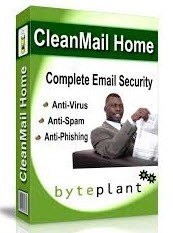
Clean Mail Home software is supported on Windows and Linux platforms. Unfortunately, it is not available for Mac and smartphones. It blocks all spam emails and you can try it for free for 30 days.
It allows you to block emails based on IP address, sender email ID, and country of origin. It also comes with a Bayesian filter.
This tool also offers a unique feature called Challenge Question. If you are unsure whether an email you have received is legitimate, you can send a special question to the sender. If you receive a correct answer, then the email is considered safe, so you can open it.
8.SpamHero

It is a cloud-based softwarethat supports all email exchange services. You can also install it directly on your mail server. You can also try it for free for 30 days.
There are many filtering features and over 20 million policiesthat keep spam emails out of your Inbox. You can also pre-approve a list of senders.
You can view spam emails in a special list. In addition, there is a dashboardwhere you can view statistics and manage account , while you also have the ability to restore deleted emails.
9. SpamBrella

It is an advanced software, compatible with Gsuite, Outlook and Office 365. There is a 30-day trial option. It comes with an antivirus, which checks for malicious attachments.
It has many filters to effectively remove spam emails, and a sandbox to safely check suspicious emails.
It uses machine learning to detect fraud and encryptionso that attackers cannot access emails sent by this software.
10. SpamFighter

SpamFighter software for Windows computers. It is not available for Mac and Linux, but using Outlook, you can get it for free.
It protects against phishing emails, identity theft, and otheremail-related scams. Users can blacklist emails and block specific emails and domains. It comes with a unique language filtering toolto block emails written in a specific language.
