

Hundreds of apps can track you and share personal information with advertisers and retailers. But there is a way to limit stalking , and we present it to you in this article.
At least 75 companies are collecting people's precise location data from hundreds of apps whose users allow location services for features like weather alerts. The companies use, store or sell the information to help advertisers, investment firms and others.
The truth is that we can never be sure whether location data companies are tracking your device. What we can say for sure is that any app that collects location data can share it with other companies, as long as it states this ability in its privacy policy.
But the language in these privacy policies can be dense, downright misleading, and confusing. Apps that store location data to help venture capital typically tell users that their data will be used for market analysis — or simply for “business purposes.”
First, the first thing you should do is check which apps have permission to track your location.
The most popular apps for data companies are those that offer services tied to users' location – including weather, transit, travel, shopping and dating – because users will logically turn on location services.
Some apps have internal settings where you can indicate that you don't want your location used for targeted advertising or other purposes. You can also give the same command from within your device's main privacy menu.
In the device's privacy settings, apps provide brief explanations of how they will use location data. Don't rely on these as many of them are incomplete and often don't mention that the data will be shared.
iOS
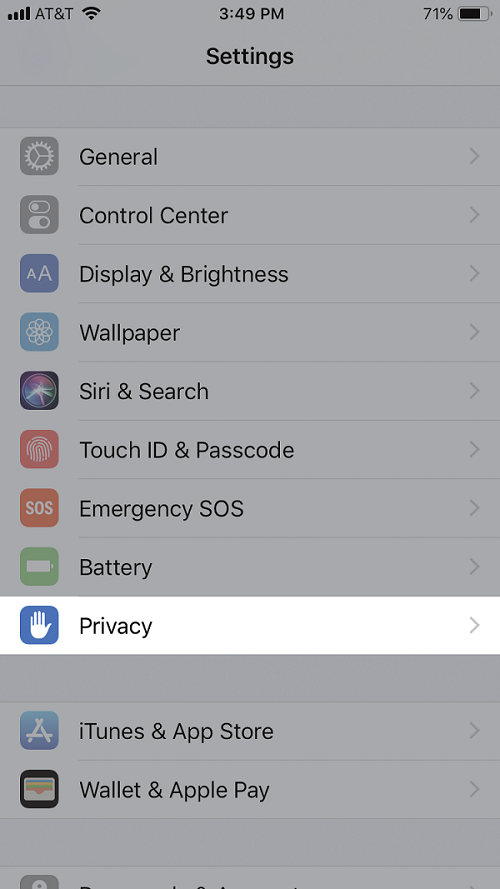
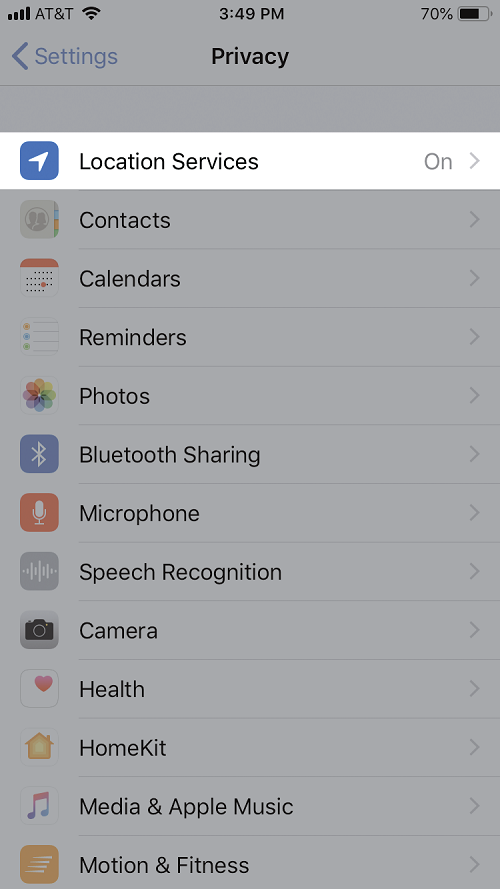
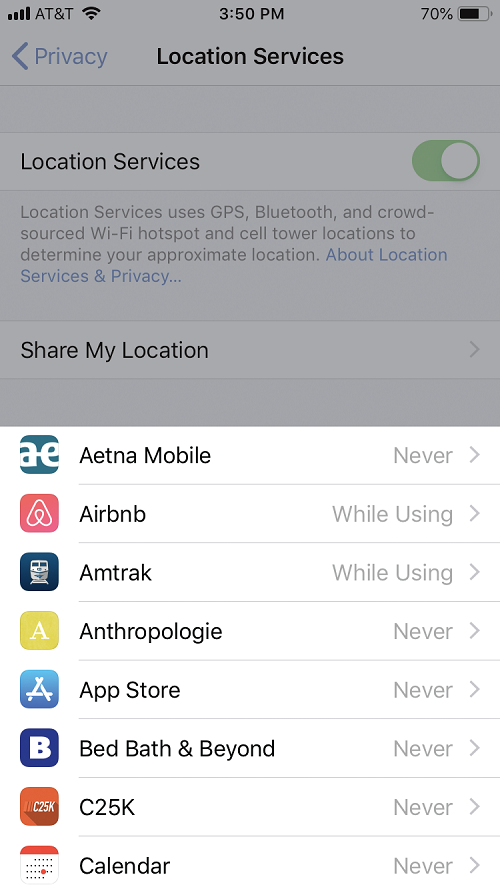
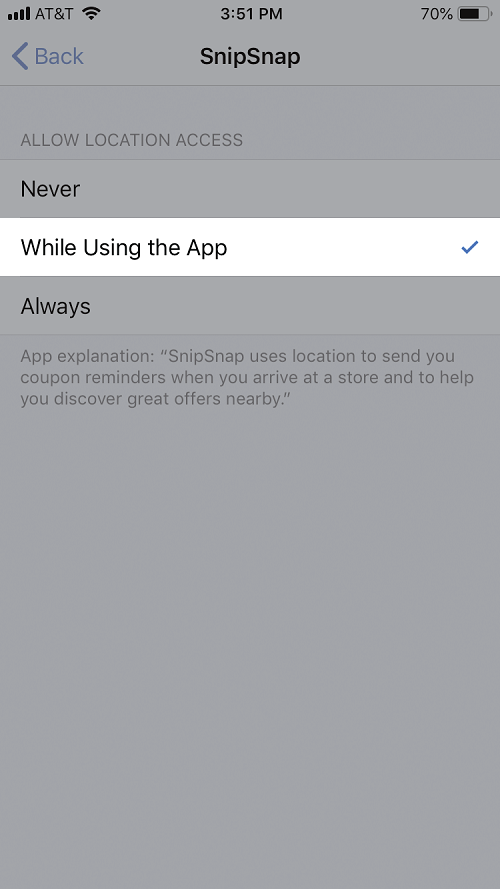
If you want to completely disable location tracking, turn off “Location Services.” With location services turned off entirely, you may not be able to use some services, like maps.
If you have apps that you no longer use, you may want to delete them from your device.
Android
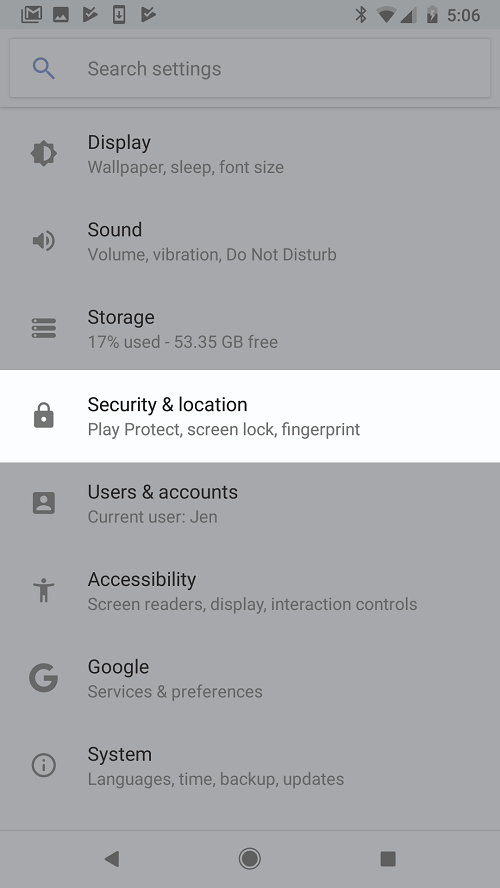
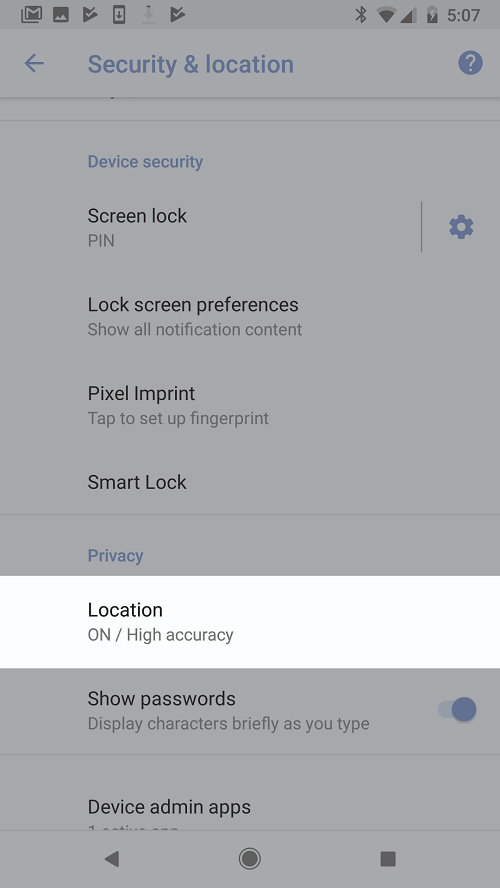
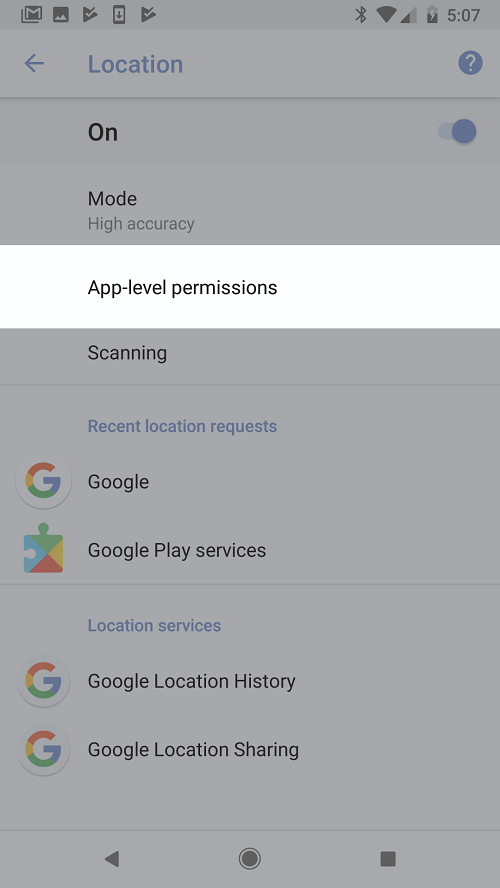
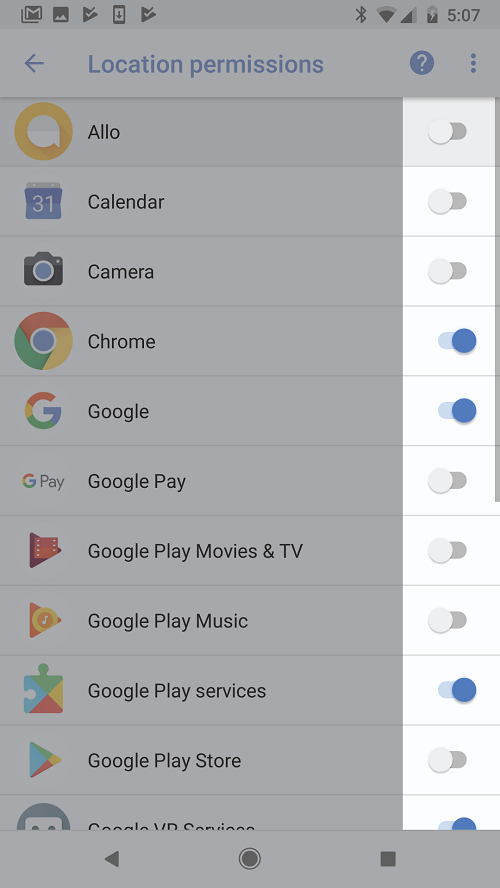
These instructions apply to recent Android phones. Unlike iPhones, Android doesn’t let you limit an app’s access to your location to just the times you’re using it. Any app on Android that has your permission to track your location can get the data even when you’re not using it. In newer versions of Android, the collection of this data is limited to “a few times an hour,” according to Google.
To turn off all location services, turn off the “Use Location” in the same location settings described above.
If you don't turn on location services at all, you might not be able to use some services, like maps. If you want to be able to periodically toggle between turning location services on and off, you can create a quick setting. To see Quick Settings, swipe down from the top of your screen and tap the little pencil to edit.
If you have apps that you no longer use, you may want to delete them from your phone.
Finally, we should note that these specific instructions currently concern users in the United States, but will soon be available for Europe.
