

 This year has been marked by events regarding the security of our data, from the Cambridge Analytica to the new GDPR rules that were introduced to protect it. And all of this happened because of the effort of companies to collect data about us so that they can make more targeted advertisements for their products and services.
Now, many tech companies have changed their privacy policies, and Google, which claims to put users first, revealed new ad settings on its blog. Users will be able to add more control over their valuable data, while there will be more transparency between advertisers and users.
If you haven't yet received Google's pop-ups to access your ad settings, click here.
Disable Ad personalization
The first thing you will come across is an option to completely disable
Ad personalization. As a result, you will no longer receive ads based on your activity on Google Search, Youtube, and other sites, e.g. e-commerce sites like Amazon, Flipkart, etc.
Just below Ad personalization, click More Options and uncheck the option if you are looking for complete privacy of your activity.
However, you may lose some features if you disable ad personalization. Therefore, you can be more specific with another option:
Disable specific ads
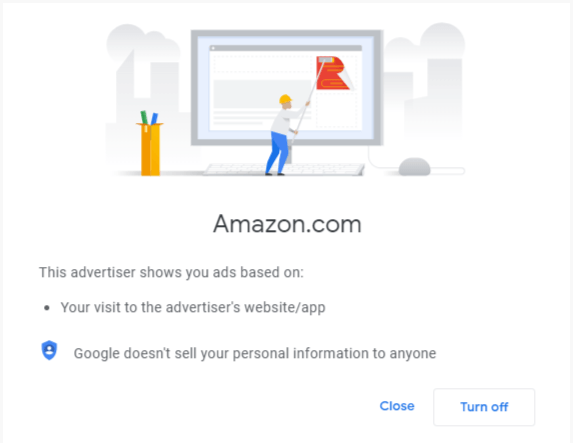
A more complicated addition to Google's new ad settings is that you can mute ads from specific advertisers.
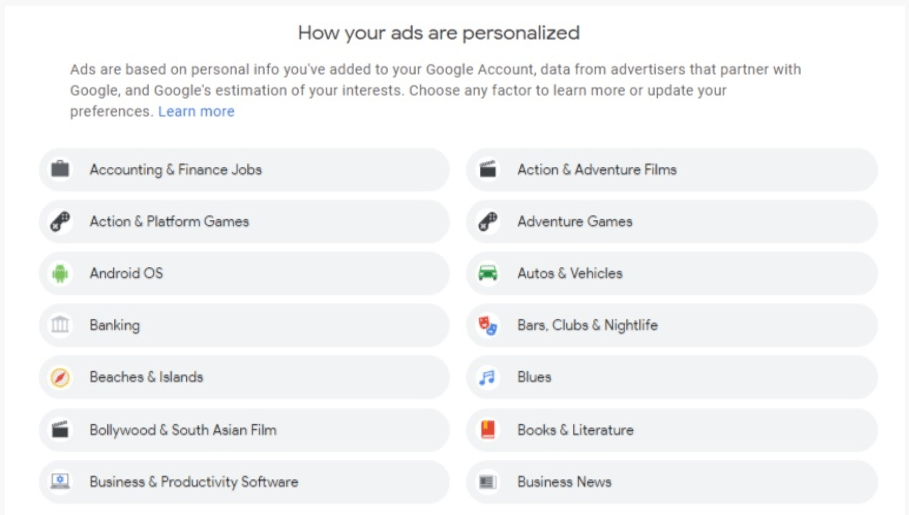
- Select from the list of advertisers that you find most annoying.
- Go ahead and click the “Disable” button that appears in the new window.
In addition to focusing on specific advertisers, Google's ads page gives you the option to remove ad categories altogether, such as movies, TV shows, etc.
Google's Why This Ad, which was launched in 2012, has also received some new improvements. Previously, it was only available on YouTube, but it has now expanded to other Google platforms like Search and Gmail
One advantage for Google users is that the Google Ads page is now easily accessible and they can determine for themselves which advertisers have access to their data.
