

If you use the Firefox browser and have updated it to version 55.0, you may have noticed the new “Shot Page” icon in the browser toolbar.
This icon authorizes Firefox to copy a screenshot you are interested in. If you don't see it, it is because it is gradually rolling out to users of the new Firefox.
This doesn't mean, however, that the screenshot tool isn't already available in your browser. It is, but you'll need to enable it before you can use it. For those of you who are already seeing it, you might want to read something else.
Note: Make sure you are using the latest version of Firefox 55. You can check your version at:
about:support
Let's see how activation can be done:
Open the following address in your browser and accept that you don't care if you lose the warranty: 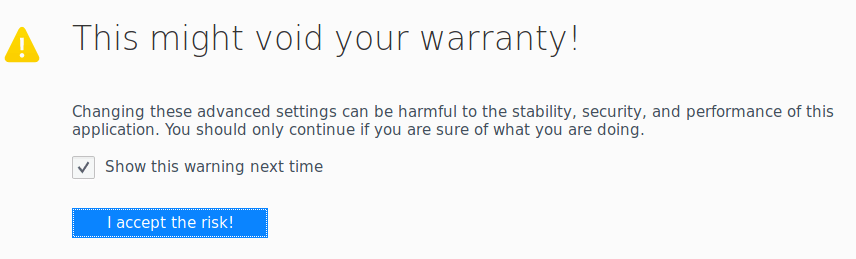
about:config?filter=extensions.screenshot
You will see two different parameters: 
Extensions.screenshots.disabled – This is the main parameter. A value of false means that screenshots are enabled, while a value of true means that they are disabled.
Expansions.screenshots.system disabled – The Mozilla Foundation uses this parameter to control the evolution of the screenshot feature. If set to true, the screenshot feature is disabled regardless of what is set in Extensions.screenshots.disabled. If set to false, the screenshot feature is enabled if Extensions.screenshots.disabled is set to false.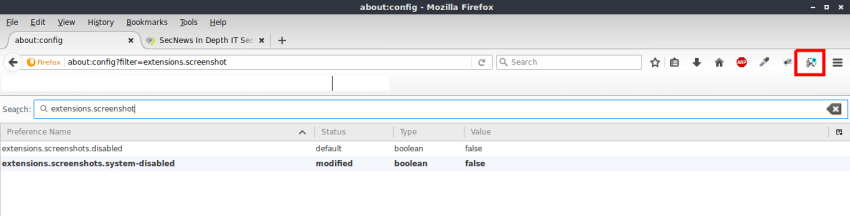
To disable screenshot functionality in Firefox, set extension.screenshots.disabled to true.
To enable screenshot functionality in Firefox, set Expansions.screenshots.system disabled to false and extension.screenshots.disabled to false as well.
You can change to true and false by double-clicking on the parameter of your choice.
To remove the new Firefox tool from your browser's address bar, right-click on the icon and select Remove from Toolbar.
To take a screenshot with your browser, click the icon to activate the feature. The screenshot tool supports capturing a region, the visible part of a web page, or the entire page.
You can save screenshots to your system or upload them to screenshots.firefox.com to share online. The Mozilla Foundation keeps screenshots online for two weeks by default, but you can delete them at any time, or even extend the retention period.
