

FF Multi Converter is a program that allows you to convert video, audio, image and document files between various file formats. The application uses ffmpeg for audio and video files, ImageMagick for images and unoconv for documents.
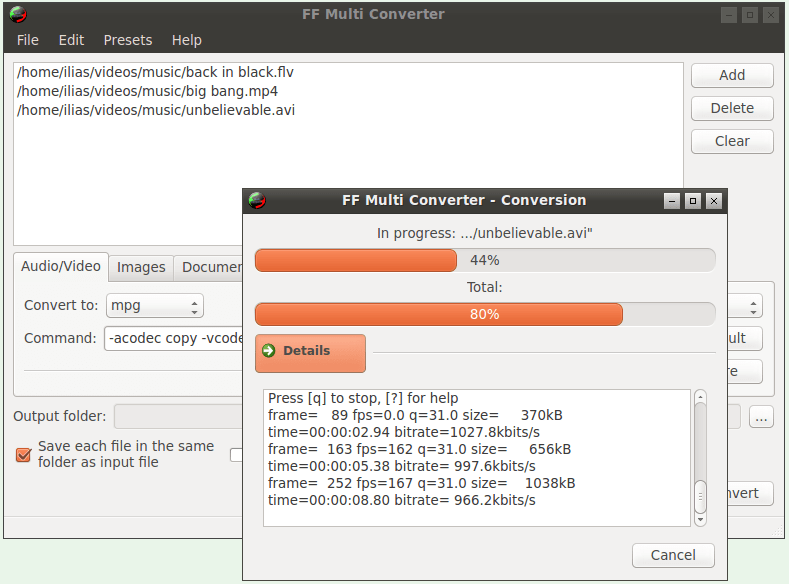
Installing it is relatively easy. If you are running Ubuntu (or Ubuntu-based distributions), you can install FF Multi Converter using the commands:
sudo add-apt-repository ppa:ffmulticonverter/stable sudo apt-get update sudo apt-get install ffmulticonverter
Arch Linux users can install the application via the AUR. For other Linux distributions, you can visit the download page for instructions.
Immediately after installation and depending on what you want to do, you should also install the program's secondary dependencies (if you don't already have them) such as unoconv etc. The program warns you if it is missing any of them so you can proceed to the next step.
The application is of course completely free, is written in python3 and PyQt4, and has the ability to convert almost everything to any format. See a list of file conversion capabilities:
Audio/Video formats: aac, ac3, afc, aiff, amr, asf, au, avi, dvd, flac, flv, mka, mkv, mmf, mov, mp3, mp4, mpg, ogg, ogv, psp, rm, spx, vob, wav, webm, wma, wmv
Image formats: bmp, cgm, dpx, emf, eps, fpx, gif, jbig, jng, jpeg, mrsid, p7, pdf, picon, png, ppm, psd, rad, tga, tif, webp, xpm
Document file formats: doc, odt, pdf, html, ppt, rtf, sxw, txt, xml, sdw.
Currently the current version is 1.7.2 and has been released since December 5, 2015.
