

Smart Unlock is undoubtedly one of the most important features of the new Android 5.0 Lolipop. It is a service with which we can automatically unlock our Smartphone by connecting a Bluetooth device or by connecting our Smartphone to a Wifi network.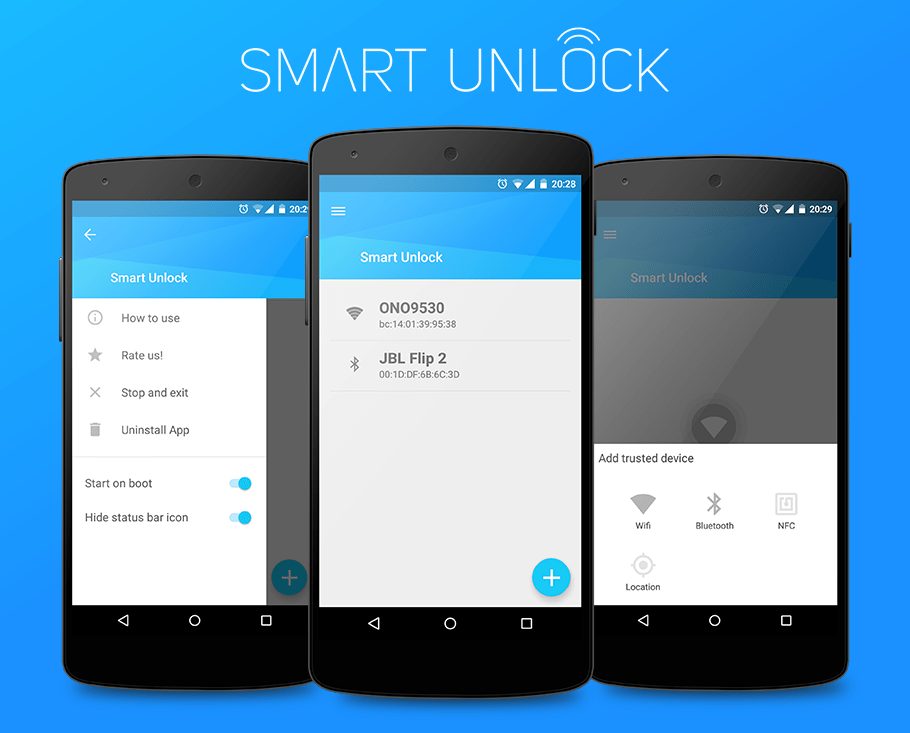
Since the number of devices that have officially received the new Android version is small, the Smart Unlock application has been released, which you can download for free and is compatible with devices using Android 4.0+.
In the download link given below you will find the application on XDA-Developers as it is trial for 7 (only) days on the Google Store.
An application that automatically unlocks our device, once it is connected to a “protected” place that we will declare. That is, we declare a Wifi network and when our device connects to it, it automatically unlocks, while when it disconnects from the network, it locks. The same applies when we define a trusted Bluetooth device, such as our headset.
Note: The application does not require root permissions, while you can declare up to 3 trusted devices.
Download Smart Unlock XDA version – HERE – (max. 3 trusted devices)
