

[su_heading size=”18″ margin=”40″]Of course you’ll use your phone’s camera to take some great selfies and sweeping photos, but there are many more clever uses for your camera that you should know about.[/su_heading]

We have compiled and presented three of them, as well as the applications you need to make the magic happen.
[su_heading size=”18″ margin=”40″]Translation[/su_heading]
If you can't figure out a sign, menu, or other piece of text in a foreign language, open Google Translate (Android, iOS) and it will translate the text using your camera. From the app's home page, tap the camera icon and take a photo of the text you want to translate.
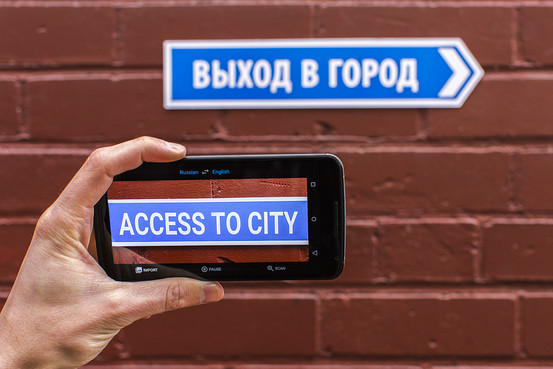
It may not support all the languages that the application normally supports (29 languages are supported out of 103 in total), but this feature is extremely convenient, and you can also upload images that you have previously photographed.
TextGrabber + Translator (Android, iOS) and WayGo (Android, iOS) work in a similar way.
[su_heading size=”18″ margin=”40″]Document Scanning[/su_heading]
Use your phone as a scanner, whether you want to upload documents to the cloud for storage, convert them to editable text, or simply remember your ticket number, all through your phone's camera
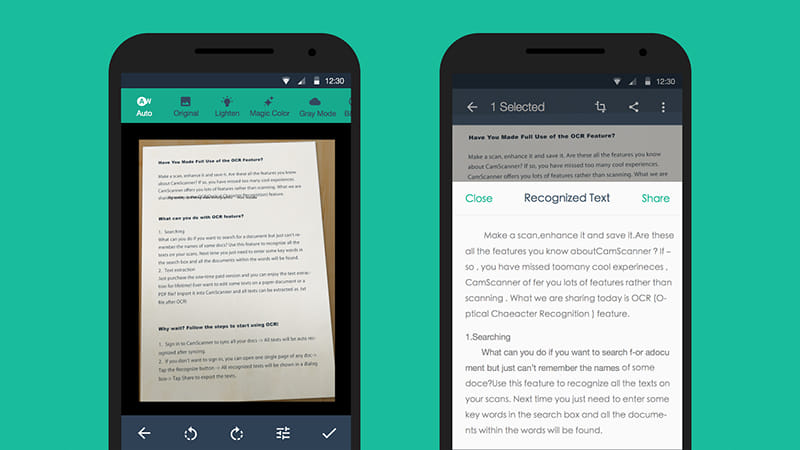
Evernote's Scannable app (iOS) is a decent option for this purpose, and Google Drive also offers the same scanning functionality (though it's only available in an Android for now). CamScanner (Android, iOS) and Scanbot (iOS) are two other great options.
[su_heading size=”18″ margin=”40″]Star Gazing[/su_heading]
This is one of the many ways you can use your phone in conjunction with augmented reality apps. Install an app like Skyview (Android, iOS), point your phone's camera at the sky, and you can make out stars, constellations, and more, without even having a telescope.
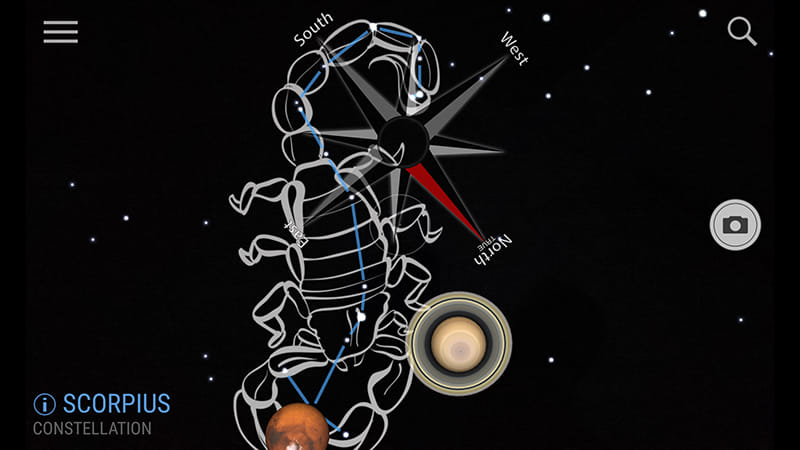
There are several other similar star gazing apps and many more augmented reality apps ready to process information based on the feed coming from your phone's camera, such as Wikitude (Android, iOS) and Blippar (Android, iOS).
