

For most smartphone buyers, devices with more than 16GB of memory are often out of their budget!
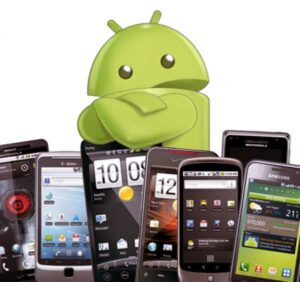
This can lead to a lot of memory issues. If you take a lot of photos, play games, and download a lot of apps, your storage space will soon run out! It can be annoying, but there are ways to deal with it!
Photos and Videos
Photos and videos are big storage hogs. Here are some tricks to free up memory:
When shooting, try to take fewer photos. Review the photos you have taken and don't hesitate to delete the ones that don't suit you. If you are uploading photos to the Internet, take them at a lower resolution. This will result in smaller file sizes.
You can also use Google Photos. This free app backs up your photos to Google's servers. This means you can remove them from your device and free up memory since they'll still be stored there.
Media
Using cloud-based services is another good solution. Sign up for a streaming service like Google Play Music, Deezer, or Spotify. With your music library in the cloud, you can delete mp3 files from your device.
https://www.secnews.gr/102813/google-diorthwnei-40-bugs-asfaleias-sti-nea-enimerwsi-android/Google fixes 40 security bugs in new Android update
Applications
A good rule of thumb with apps is this: if you can do it online, don't download the app but bookmark the website.
Popular apps like Facebook and Wikipedia have web versions. Bookmarking websites instead of downloading apps frees up a surprising amount of storage space. Also, if you use Chrome, look for the “add to home screen” option. This allows you to put website shortcuts on your phone’s home screen just like they would an app.
Stored Data
If you take a good look at your phone, you'll find apps that you don't use often. If you don't need them, just delete them. Getting rid of apps that you rarely use will free up a significant amount of storage space,
Most versions of Android can also tell you how much memory apps are using. Many apps (like streaming services) store data on your phone for a smoother experience, but that also uses memory. There's usually a "Clear Data" button in the settings that clears that data but not the app.
https://www.secnews.gr/102717/pws-na-ksegelasete-iphone-gia-na-apeleutherwsei-xwro-apothikeusis/btn-large” variation=”btn-success”]How to trick your iPhone into freeing up storage space
