


As Microsoft prepares for the upcoming release of Windows 11 23H2, it is rolling out several innovative features designed to improve the user experience, streamline tasks, and introduce next-generation functionality.
See also: Microsoft: Strengthens phishing protection in Windows 11
This article will explore some of the features of Windows 11 23H2, from dynamic lighting to Windows Copilot upgrades.
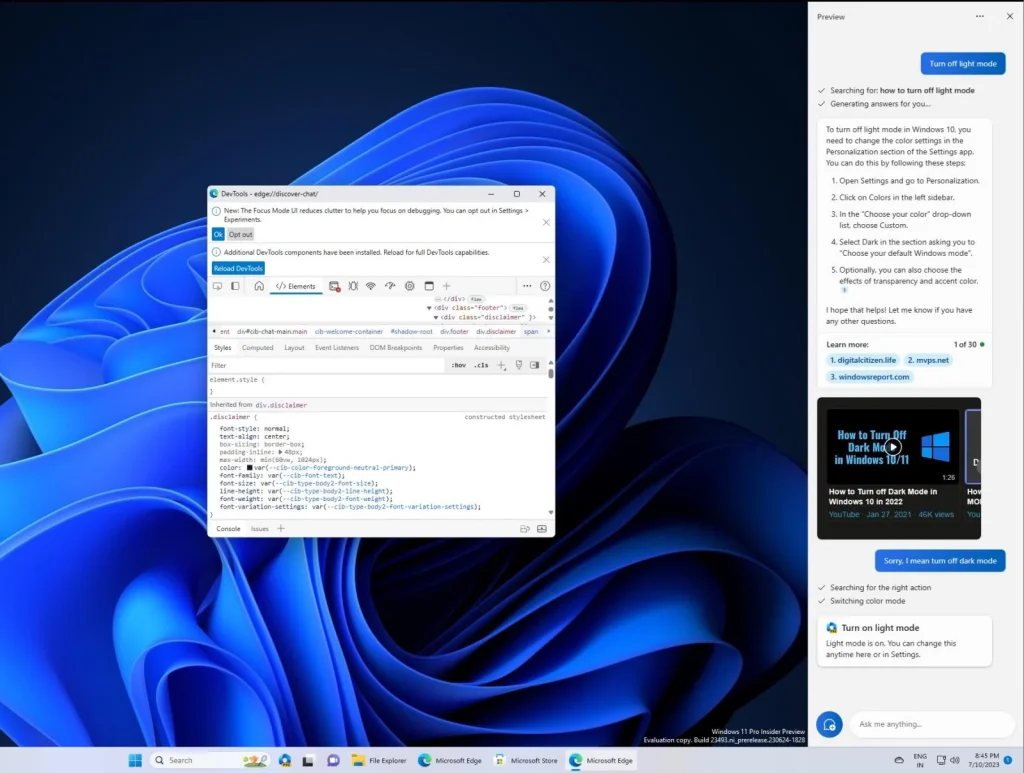
Windows Copilot
Microsoft introduced Windows Copilot, the first AI assistant built into a PC platform, in the Windows 11 23H2 update. It combines Bing Chat and additional plugins to help users with various tasks through the Copilot sidebar. Enabling Windows Copilot is easy and is present across all windows, programs, and apps. It enhances features like Snap Assist, copy/paste, Snipping Tool, and personalization, and can answer a wide range of questions. However, the initial preview didn’t live up to expectations, as it tended to misunderstand user intent and could be slow. Native integration of Windows Copilot, coded directly into Windows 11, could provide a solution.
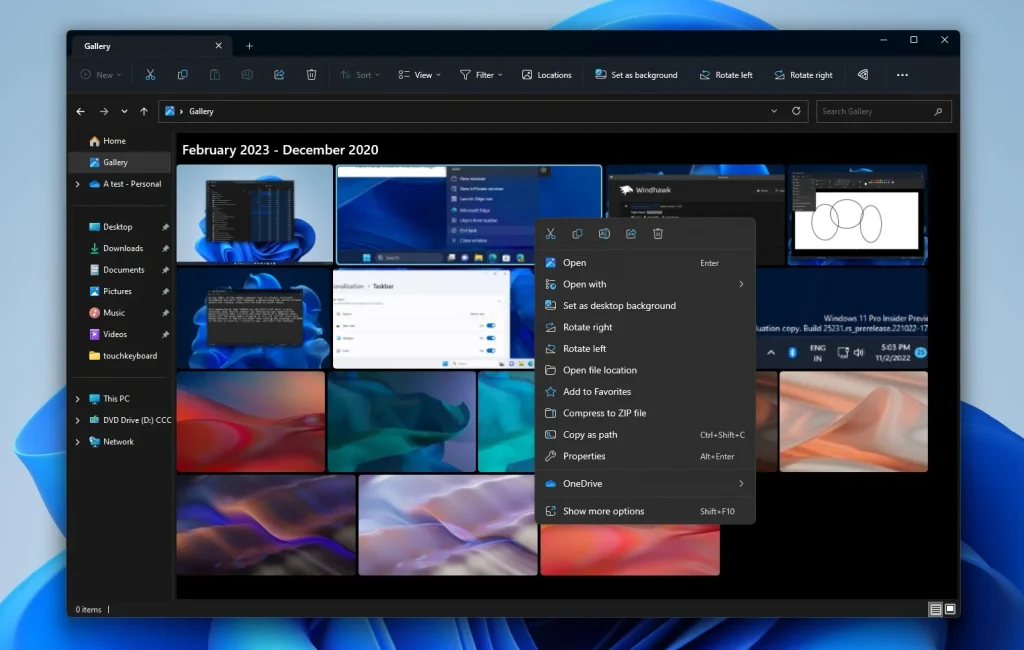
A modernized File Explorer experience
The revamped File Explorer, powered by the Windows App SDK and designed with WinUI, features a streamlined home interface. Quick access folders, favorites, and recent sections also benefit from a refreshed look. The new address bar differentiates between local and cloud folders and features integrated status icons. Microsoft is also introducing a revamped details pane in File Explorer (accessible via ALT + Shift + P) that is designed to display relevant file information and enable collaboration without having to open files. The new pane can be toggled on or off via the View menu and an accessible button on the command bar.
Dynamic lighting for Windows users and developers
Dynamic Lighting gives users and developers native control over lighting devices that implement the open HID LampArray standard. This move toward an open standard is designed to strengthen the RGBby increasing device and application interoperability. Major device manufacturers have partnered with Microsoft on this project. To configure an HID LampArray device, go to the new Dynamic Lighting page in Settings > Personalization > Dynamic Lighting.
Striving for a password-free future
Microsoft is working to replace passwords with passkeys. You can create and sign in using passkeys with Windows Hello for supported apps and websites. Windows 11 lets you manage the passkeys stored on your device, allowing you to view and delete them.
Suggestion: Windows Copilot: Coming in September with Windows 11 23H2?
Warnings about unsafe password copying and pasting
Starting with Windows 11, version 22H2, Enhanced Phishing Protection in Microsoft Defender SmartScreen protects school or work passwords from phishing and unsafe use on websites and apps. Users who have Windows Security warning options enabled will now receive a warning when they perform an unsafe password copy and paste operation.

Changes and improvements in Windows 11 23H2
Windows 11 23H2 introduces several changes and improvements. These include notifications for camera streaming issues, a “show notification” button for important notifications, a never-combine feature for the taskbar, an option to end tasks, new Unicode Emoji 15, labels and animations in the task view, an accessibility flyout on the lock screen, power saving recommendations, and an updated design for lists in Settings > Apps.
Microsoft has confirmed that Windows 11 23H2 will be released in Q4 2024 as a small activation package, making it a quick install for users already running 22H2. If you want to try the update today, join the Dev Channel of the Windows Insider Program and check for updates to get started.
Read also: Windows 11 version 21H2: End of support from October
source of information:bleepingcomputer.com
