

Apple recently announced a redesign of iCloud that features a fresh look and is sure to attract users.
iCloud , and its recent redesign has made it even easier to use. The new website interface is designed around a simple question: How can the user find what they need more easily?
The new iCloud features a cleaner, more minimalist design that puts the focus on your apps. With the redesign, MacRumors found that Apple has made some much-needed changes that make the page easy and enjoyable to use — in fact, it's now a pretty decent overview of everything stored in your iCloud!
See also: Bug on Apple devices causes Safari to crash when certain letters are typed
After weeks of beta testing, Apple today updated iCloud.com with a new, colorful design. The homepage now features an attractive background that highlights your Apple ID and popular apps like Photos, Mail, Drive, Calendar , and Notes. There are also icons for other useful apps like Find My iPhone, Pages, Numbers , and Keynote.
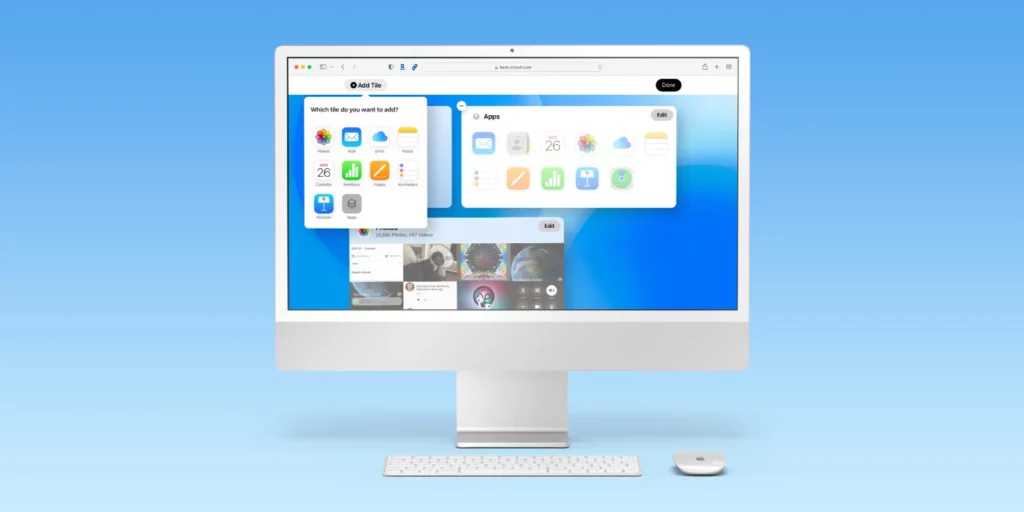
iCloud.com has been updated to resemble the iPad interface , with apps organized into widgets of varying sizes. Your home page widgets can be rearranged or turned off by clicking the “Customize Home Page” button at the bottom of the screen. You can find a quick overview of your account status on the site, including how much storage you have left and the cost of your plan. If you need to recover any recently deleted files, there’s also a link to do so from iCloud Drive or other apps.
See also: Apple employees disagree with showing more ads to iPhone users
Some of the apps in iCloud are unnecessary because they come pre-installed on Macs. For example, if you try to open Find My iPhone on iCloud.com , a notification at the top of the screen tells you that it’s already installed on your Mac . Most of the other apps haven’t been updated since the latest version of the website and look like stripped-down versions of iPadOS or macOS apps .
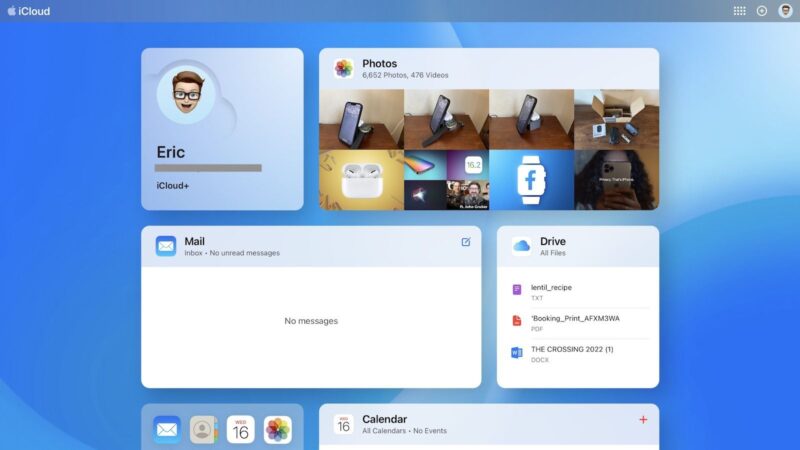
The top menu bar gives users the ability to create a new email, note, calendar event, or other item by tapping the plus symbol. The menu also provides access to settings for iCloud+, such as Hide My Email, iCloud Private Relay , and HomeKit Secure Video.
Overall, the recent iCloud.com update offers a less complicated experience that allows users to quickly view relevant information.
Source: macrumors.com
