

If you're using the Tor Browser and you don't like the default language, it's easy to switch between the various languages available in the browser. We'll show you how to do it on both your computer and your Android phone.
See also: Tor Browser: Gets new anti-censorship feature

Later, if you prefer, you can return to the default language.
See also: How to create a slideshow with your photos on iPhone?
Change the Tor Browser language on the desktop
To make Tor use a different language on your desktop, first launch the Tor application on your computer.
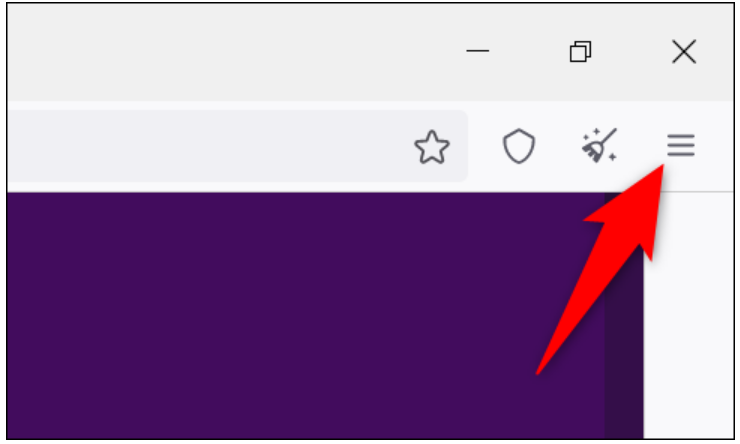
In the top right corner of Tor, click the menu (three horizontal lines).
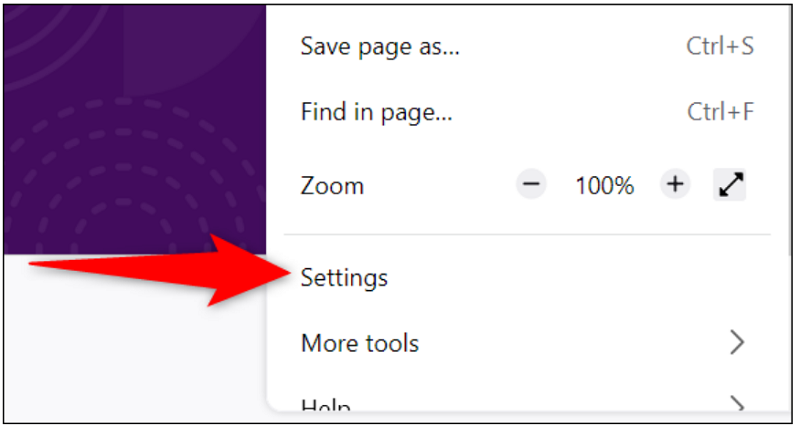
In the menu that opens, select “Settings.”
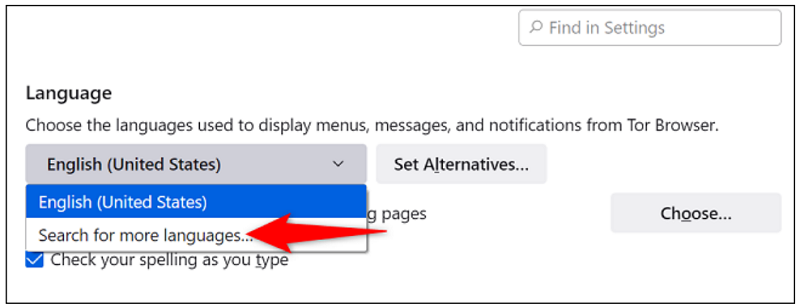
In settings, scroll down to the “Language” section. Here, click the drop-down menu for your current language and select “Search For More Languages.”
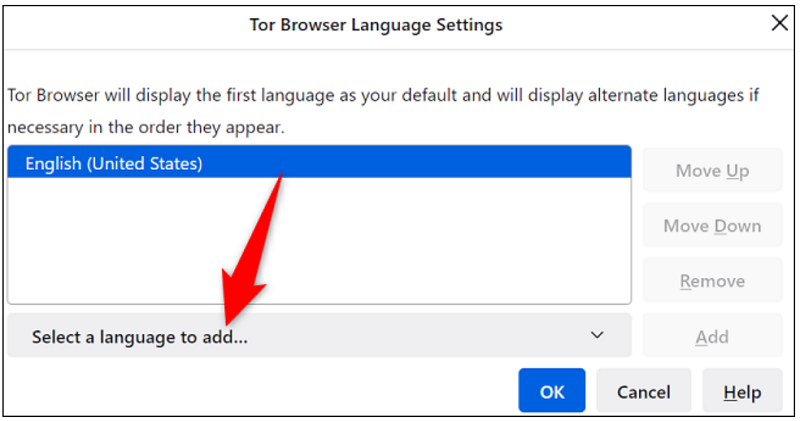
A “Tor Browser Language Settings” box will open. At the bottom of this box, click the “Select a Language to Add” drop-down menu.
From the language list, select the language you want to use Tor in. Then, next to the drop-down menu, select “Add.”
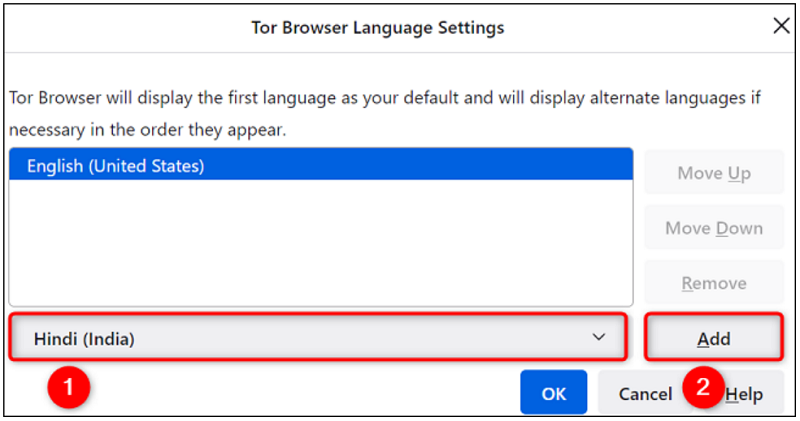
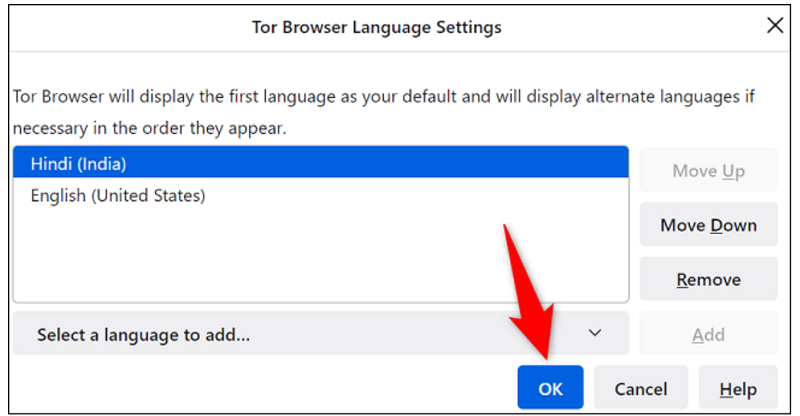
If you are using the selected language for the first time, allow Tor to download the language files. When it is done, you will see your new language displayed in the box.
Close the box by clicking “OK” at the bottom.
Return to the settings page, to apply your changes, click the “Apply and Restart” button.
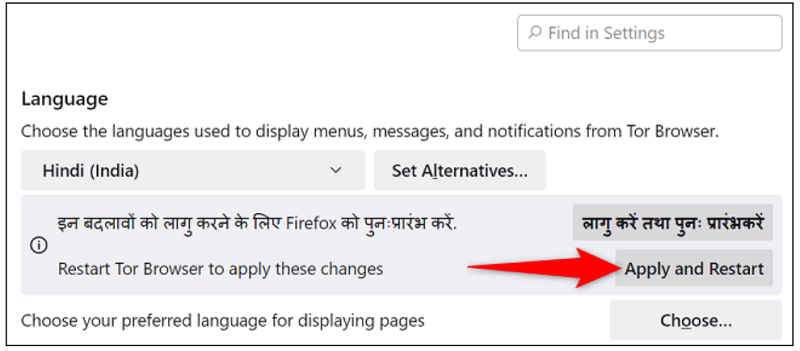
Tor will close and reopen, and you will now see it using the language you recently selected.
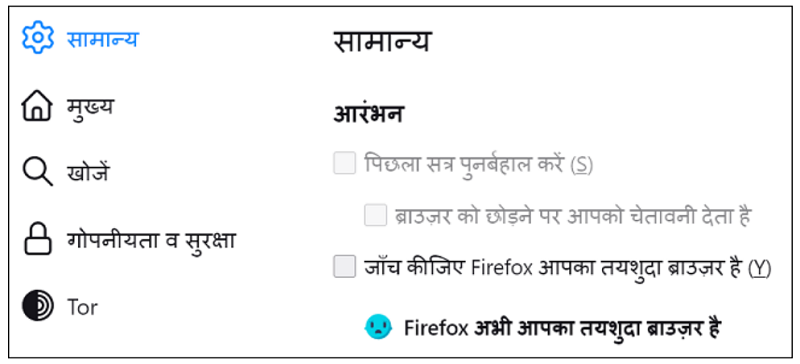
And you're ready! Enjoy browsing in your favorite language!
Use a different language in Tor for Android
The Android also offers multiple language options. To use it, first launch Tor on your phone.
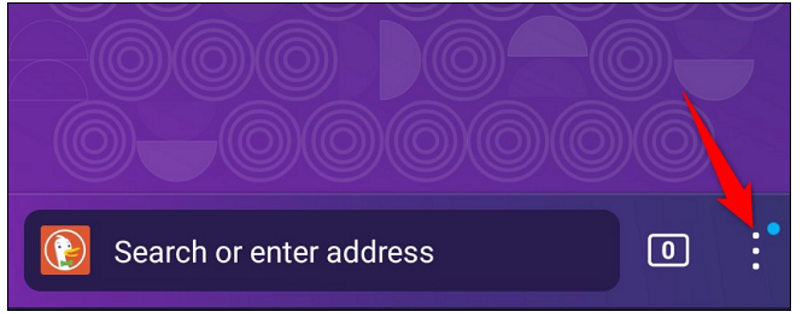
Then, in the bottom right corner of Tor, tap the three dots.
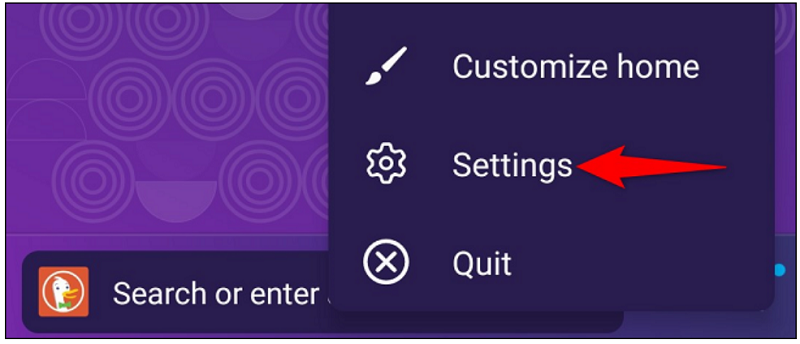
From the menu that opens, select “Settings.”
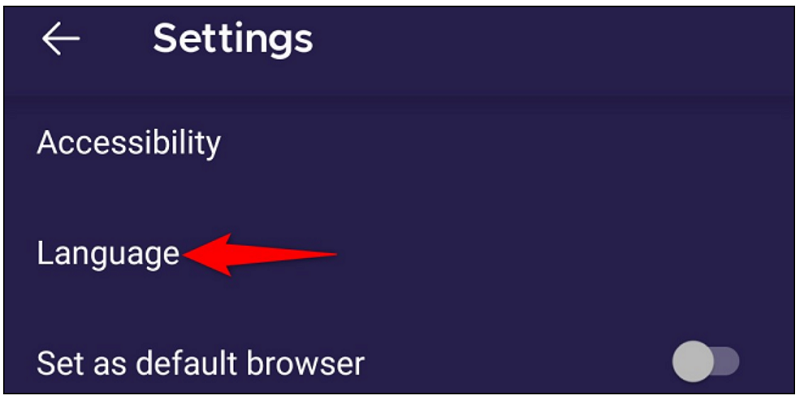
On the “Settings” page, select “Language.”
The “Language” screen will display all available languages. Select the one you want to use.
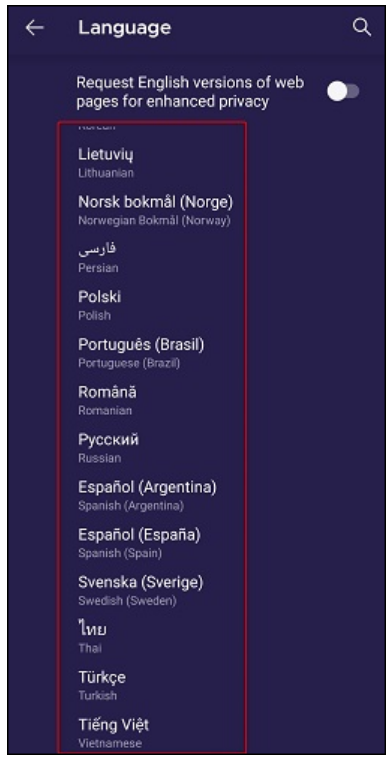
Once you tap a language, Tor will start using it.

And so you use your favorite web browser in your favorite language. Enjoy surfing on this privacy-focused web browser!
Information source: howtogeek.com
