

If you no longer want to use your Google Voice number, it's easy to delete the number and remove it from your account. Here's how to do this on the Voice website, as you can't use the mobile app to do so.
See also: How to update Google Play Store?

See also: How to clear cache and cookies in Google Chrome?
What you need to know when deleting a Google Voice number
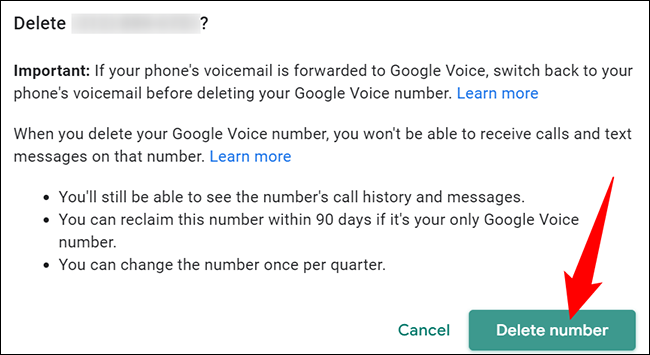
Once your number is deleted, you won't be able to receive calls or text messages from the number. However, you can view your call and message history.
After deleting a number, if it was the only number on your account, you have up to 90 days to reclaim that number if you wish. After 90 days, the number will be lost forever.
Remember that you can't delete your Google Voice number if you're a Voice for Google Workspace.
See also: How to remove credit cards or payment methods from Google Play
Remove Google Voice number
To begin the number deletion process, launch a web browser on your device and go to the Google Voice website. Log in to your account on the website.
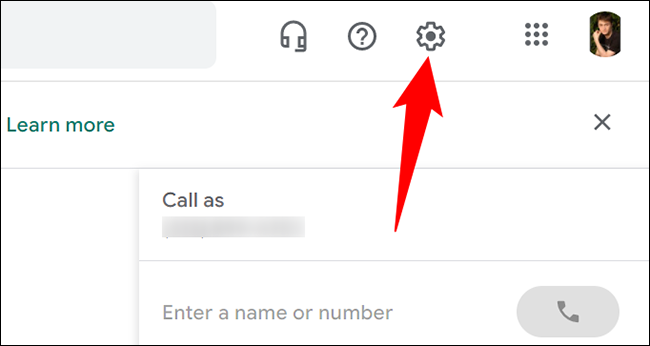
Once you are logged in, in the top right corner of the website, click on “Settings” (gear icon).
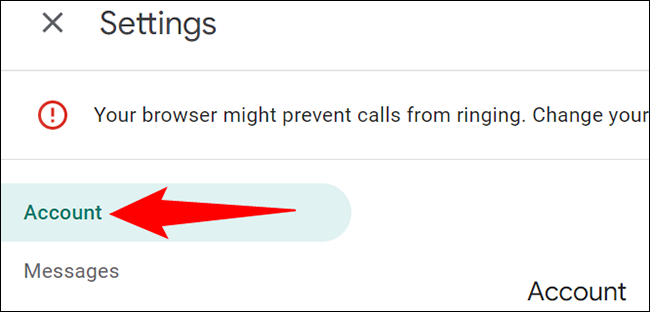
On the “Settings” page, in the left sidebar, click “Account”.
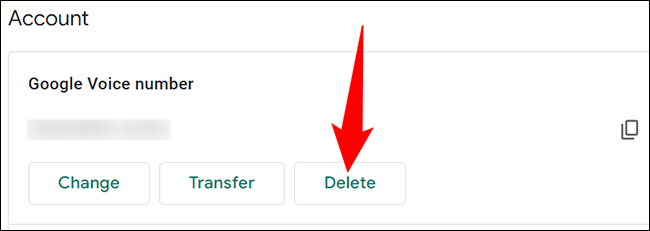
In the “Account” section on the right, you will see your Google Voice number. Under the number you want to delete, click the “Delete” button.
In the “Delete” prompt that opens, click “Delete Number” to get rid of the selected number.
And your Google Voice number has now been successfully deleted. You're done!
Information source: howtogeek.com
