

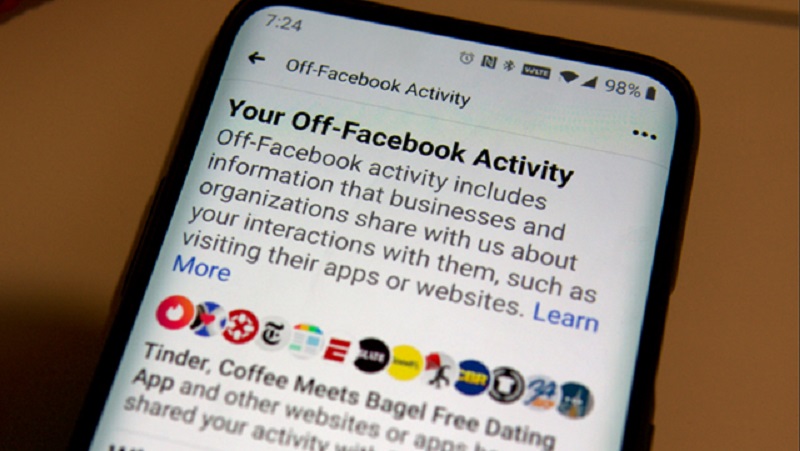
If you haven't used the privacy feature Facebook launched last year, now's the time to start. It's called Off-Facebook Activity, and it lets you see and control the data apps and websites share on the platform, and keeps track of what kind of information third-party apps can access.
See also: Facebook threatens iOS users with payment demand
With Privacy Mode, you can delete the history of apps and websites that have shared your data. You can also turn off future off-Facebook activity, which tells Facebook to “disassociate” any information the company has shared from your account. Alternatively, you can selectively choose which companies you want to stop sharing your activity with, and it will stop showing you those targeted ads.
Here's how you can better understand your Facebook account privacy.
How to manage the information websites share on Facebook using the Off-Facebook Activity tool
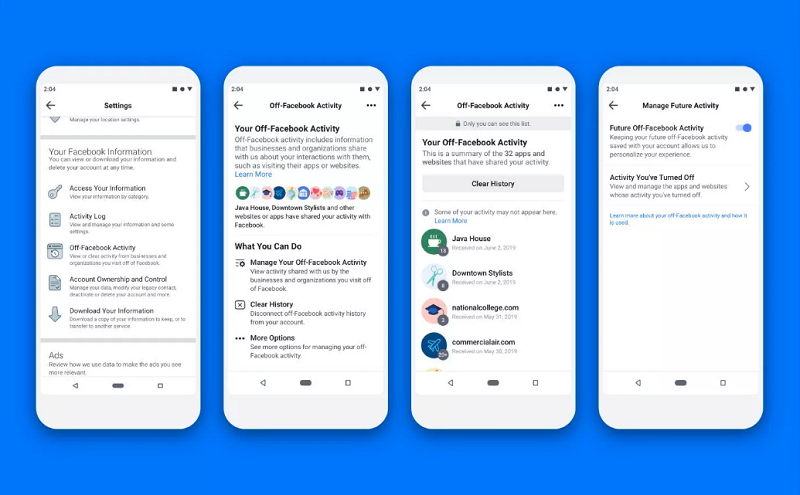
Using Facebook’s business tools, you can see what information apps and websites have shared with Facebook. From there, you can delete the information from your account and disable future “off-Facebook activity” from your account. You’ll be able to check this for all apps and websites so they can no longer share your search activity with Facebook.
To get started, go to Settings & Privacy > Settings > Your Facebook Information > Off-Facebook Activity. From there, you can manage Off-Facebook Activity, delete all history, and disable any future activity on your account.
See also: Facebook: Donald Trump ban will remain, for now
What happens when you turn off Off-Facebook managed activity
Once you delete the activity managed by the tool, Facebook will remove the identifying information shared by apps and websites. This means Facebook won't know which websites you've visited or what you've looked at, so you won't see targeted ads from those sites.
See also: Facebook blocks Signal's advertising Instagram account
What else can you do to improve your privacy on Facebook?
If you want to control what ads you see (or don't see) on Facebook, go to Settings on your phone or desktop and select Ad Preferences.
In the Advertisers and Businesses section, you can see which advertisers have served ads using a list uploaded to Facebook that contains your information. By selecting a company and then selecting Don't Allow, you won't see ads from advertisers when they use a list from that company.
You can also go to Ad Settings and turn off ads based on partner data, ads based on your activity on Facebook Company Products that you see elsewhere, and ads that include your social actions. However, this will not delete any data and you will still see the same number of ads as before. The “off-Facebook activity” feature is the best way to remove your data.
Information source: cnet.com
