

Do you want to download torrents on your Windows 10 computer or Android smartphone? It's an easy process – all you need to do is follow a few simple steps. As you know, torrents are commonly used for downloading content, “consuming” content, and other things.
Read also: Microsoft: Users still not updating Windows 10
How to download torrents on Windows 10 computer?
To get the torrent you want on your computer, you need a torrent file and some good torrent software. In this article, we will use BitTorrent Classic as an example, but you can use other torrent clients as well.
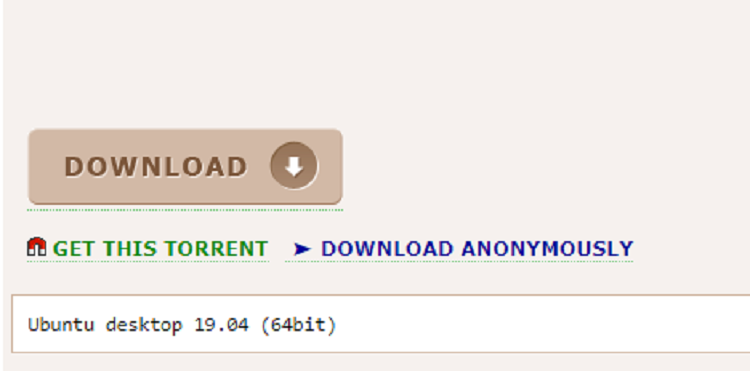
- Get the torrent file.
- Open BitTorrent and click the “+” button to add the torrent file.
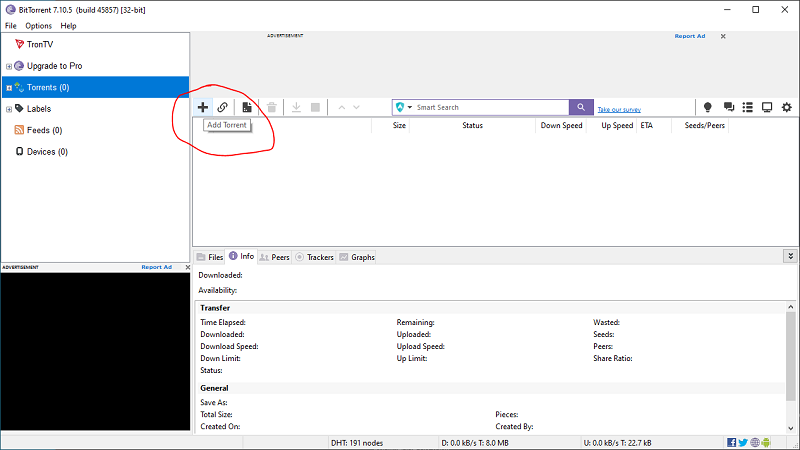
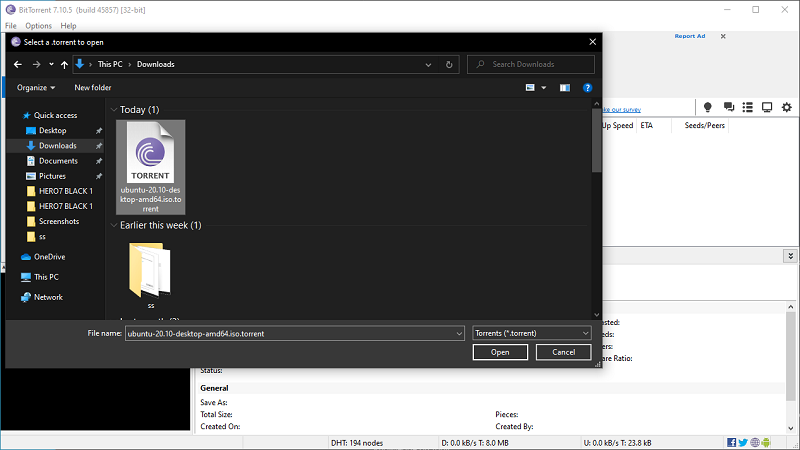
- Locate the torrent file on your device and click “Open.”
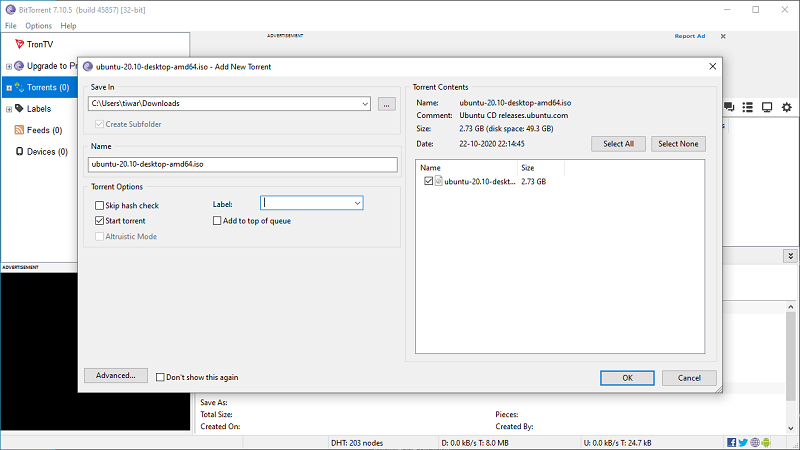
- In the “ Add New Torrent ” dialog box , select the download location and give the torrent file a name . If the torrent has more than one file, you can deselect the ones you don’t want to download.
- You can click “Advance” if you want to add/remove torrent trackers and set a download speed limit on the torrent.
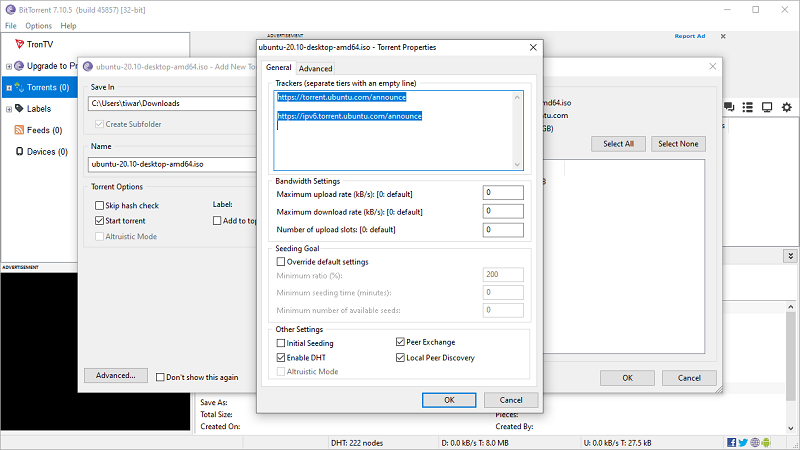
- Then, click “OK” to save everything and start downloading the torrent.
That's it. Now you can relax and let the torrent client do the work. It may take a while for the torrent to reach full download speed as it connects to more seeds. One thing you may already know is that having more seeds to download a torrent will give you better download speeds.
Download torrent using Magnet link
You can also download torrents using a Magnet link . This is a URL that contains the hash code of the torrent. It eliminates the need to download a torrent file. You can copy a torrent's Magnet link from its website itself, which usually appears as a red magnet.
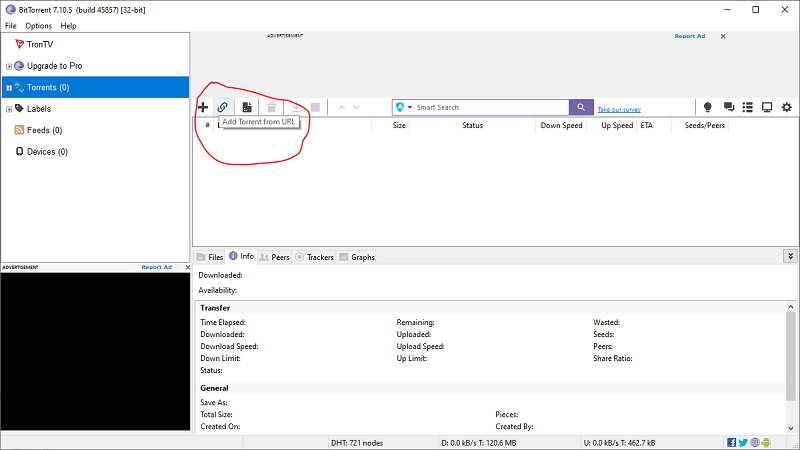
- In BitTorrent , click the “Connect” button next to the “Plus” button .
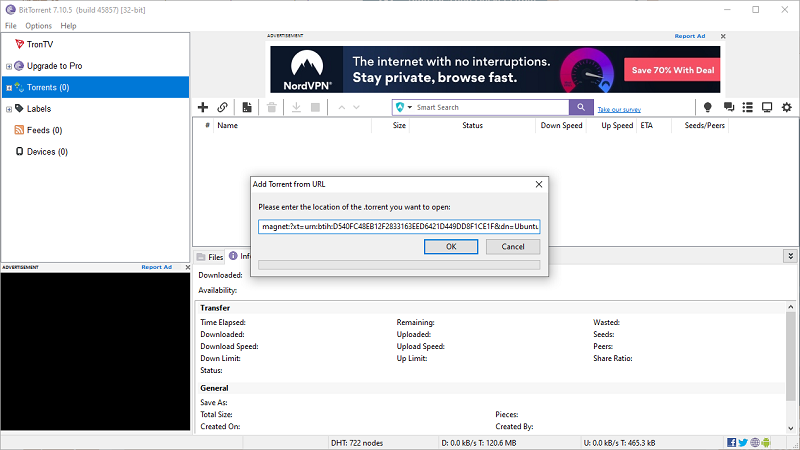
- Now, paste the torrent magnet and click “OK”.
- After that, you need to follow the same steps as we mentioned above.
See also: Joker malware: Infected over 500,000 Huawei Android devices!
How to download torrents on your Android device?
Downloading your favorite torrents on your Android (or iOS) device is also a breeze. You need to download a torrent app from Google Play or the App Store.
Suggestion: The Google Play Store has received a major UI refresh
- Download the uTorrent app from Google Play.
- Get the torrent file from any website, just like you do on your computer.
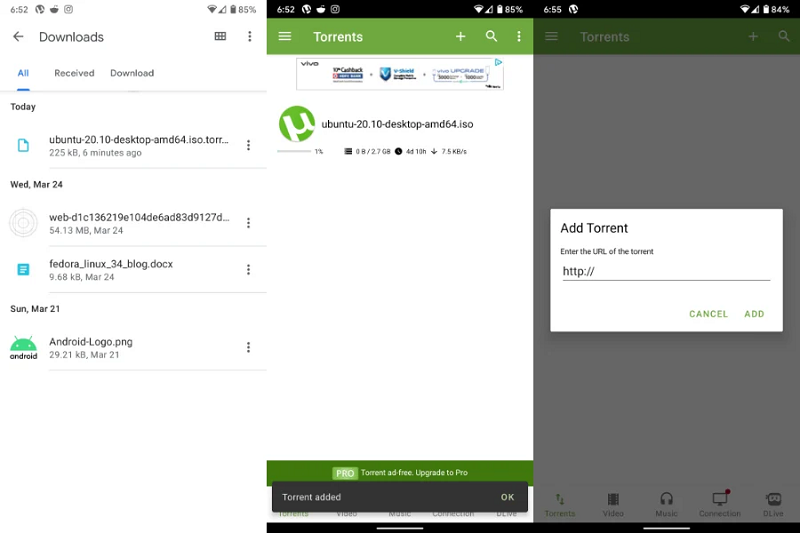
- After the download is complete, go to your “Downloads” and tap on the file.
- The file will automatically open the uTorrent application and the torrent will begin downloading.
- That's all you need to do to download torrents on your Android device. If you have the magnet URL, you can tap the “+” button in the uTorrent app and download from there.
Information source: fossbytes.com
