

In recent days, the messaging app Signal has become quite popular.

Signal is a free messaging and voice chat app. It is available for both Android and iOS, but can also be used on a computer. Users can send messages, as well as make voice and video calls. Signal is said to be very focused on the security of data its users'
However, if you want to add an extra layer of security to the app, you can lock your messages with a passcode (or other method), taking advantage of your smartphone's screen lock features.
By enabling Screen Lock on your iPhone or iPad, your messages won't be visible until you unlock them using Face ID, Touch ID, or your lock screen passcode. The same goes for Android. You'll need to authenticate using either your fingerprint or a traditional passcode or PIN.
Open the “Signal” app on iPhone, iPad, or Android device .
Then, click on profile picture in the top left corner. If you haven't added a picture, you'll find your username's initials.
Go to the “Privacy” optioninthe menu that appears.
Finally, enable the “Screen Lock” setting .
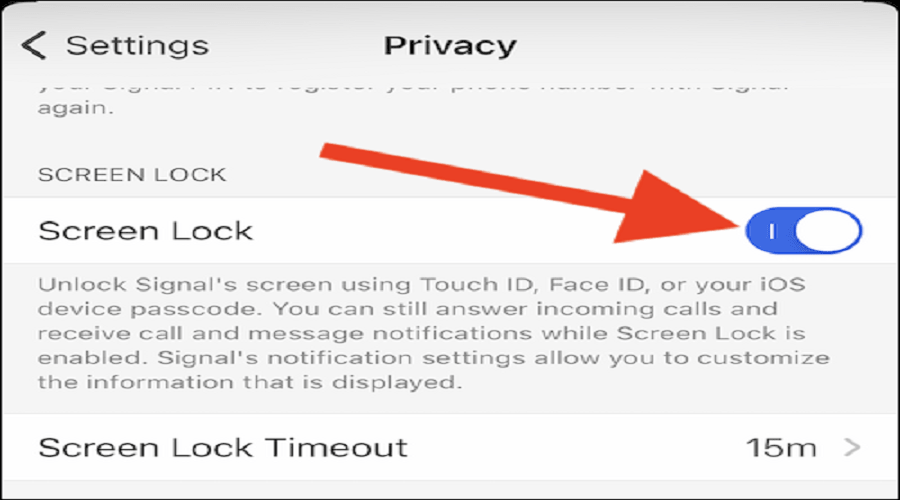
Once the lock feature is enabled, you can adjust the “Screen Lock Timeout.” Essentially, this setting allows you to adjust the amount of time it takes for Signal to lock.
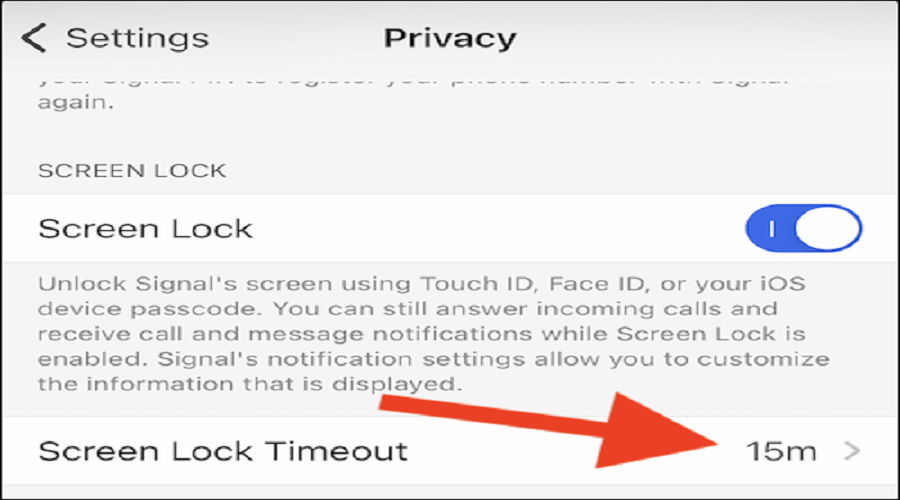
From the window that appears, select one of the 6 available options (1 minute, 3, 5, 15, 30 minutes, 1 hour, immediately).
After following the steps above, you can exit the app. Signal will lock itself after the time limit you have selected , keeping your messages safe.
The next time you want to send a message through Signal, you'll need to unlock the app using your phone or tablet's password , PIN, pattern, fingerprint, Face ID, or whatever other security you use on your device.
Source: Howtogeek
